DESTINATION SEARCH
215
NAVIGATION SYSTEM
8
SEARCHING BY NAME
1. Select
Quick Search Along Route
(Quick Search
Along Route).
Ɣ When no route has been set, select
Quick Search Around Last Known Position
(Quick Search
Around Last Known Position) (no GPS signal) or
Quick Search Around Here
(Quick Search Around Here)
(on GPS signal).
2. Enter a spot name.
Ɣ Select
Results
5HVXOWV DIWHU HQWHULQJ WKH ¿UVW IHZ
characters to open a list of spot names that include
the characters you entered.
3. Select the desired spot.
Ɣ
Filter
(Filter): Select to narrow down the list.
Ɣ
More
(More): Select to change the sort order of the
list or to display all listed spots on the map.
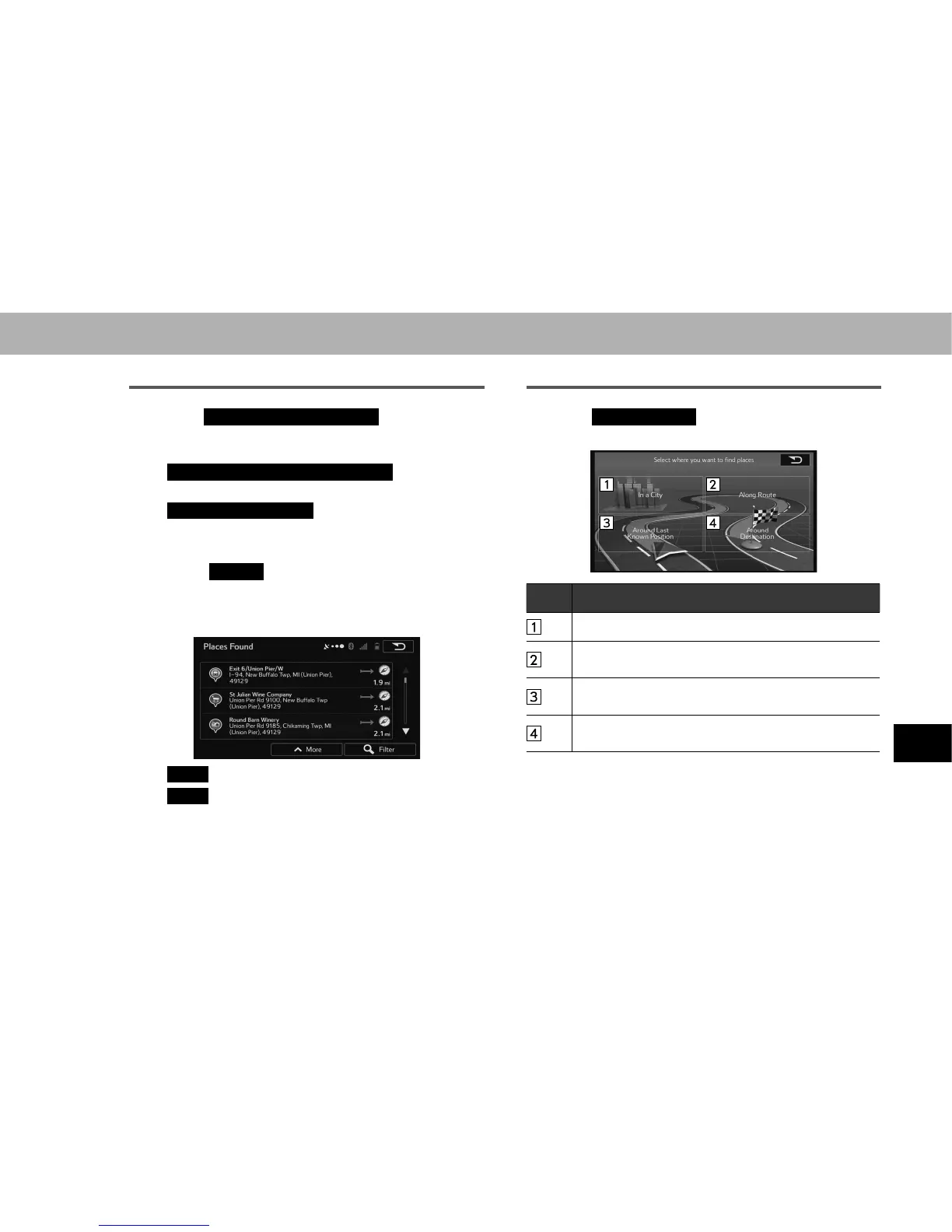
SEARCHING BY LOCATION
1. Select
Custom Search
(Custom Search).
2. Select the spot area.
No. Function
Select to search for city/town spots.
Select to search along the route being navigated, rather
than around an optional point.
Select to search around your current position, or the
ODWHVWFRQ¿UPHGSRVLWLRQ
Select to search for spots at the destination during route
navigation.















 To Next Page