MEDIA OPERATION
82
XControl screen (Audio/Video)
<USB Audio>
<USB Video>
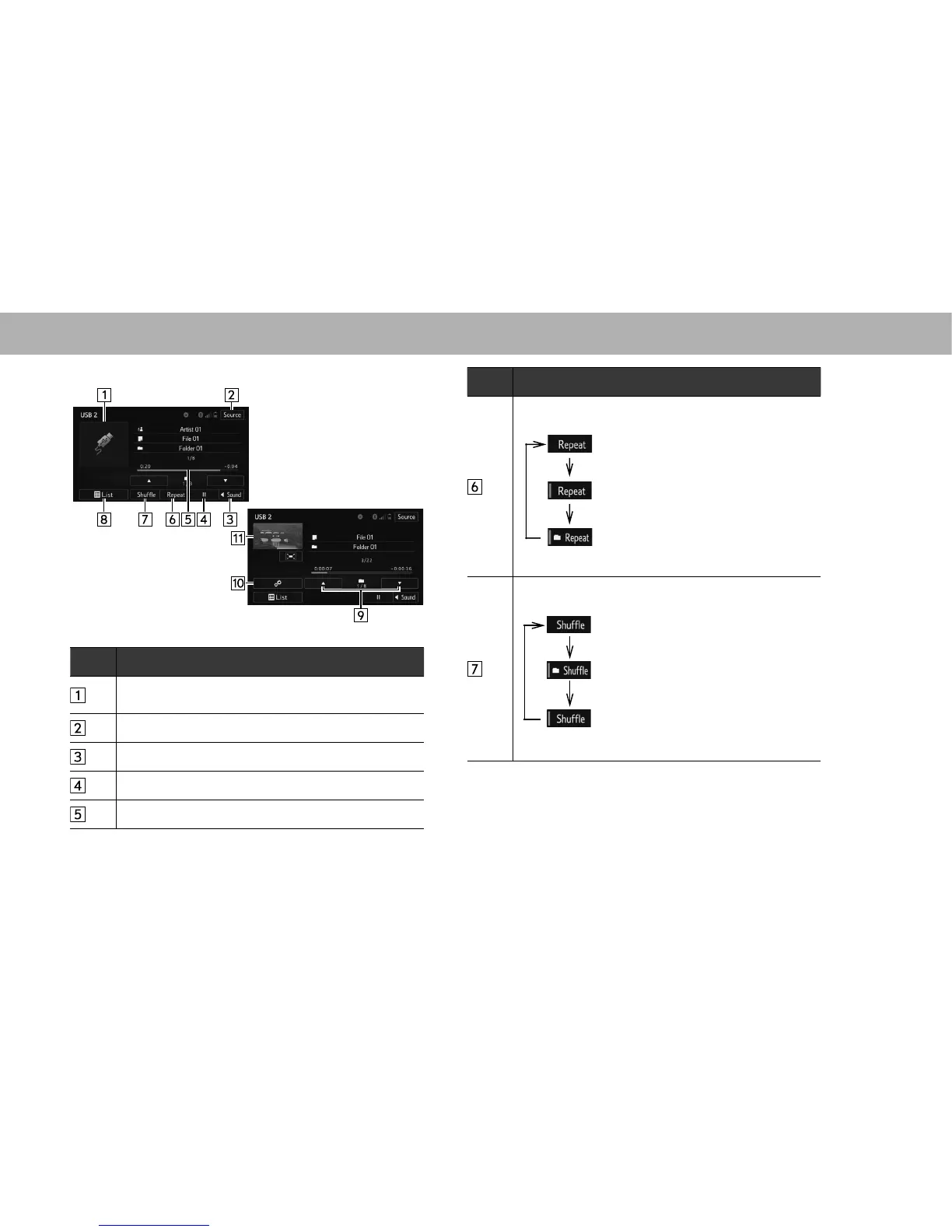
No. Function
Displays cover art.
6HOHFWWRGLVSOD\¿OHWUDFNOLVW
Select to display the audio source selection screen.
6HOHFWWRGLVSOD\WKHVRXQGVHWWLQJVFUHHQĺ3
Select to play/pause.
Shows progress.
No. Function
The repeat method changes as shown below each time
the repeat button is selected.
: Repeat playback is disabled.
: The file/track currently playing will be
repeated.
: The files/tracks contained within the
folder/album currently playing will be
repeated.
The random playback method changes as shown below
HDFKWLPHWKHVKXIÀHEXWWRQLVVHOHFWHG
: Random playback is disabled.
: The files/tracks contained on the USB
memory currently playing will be played
in random order.
: The files/tracks contained within the
folder/album currently playing will be
played in random order.















 To Next Page