MEDIA OPERATION
83
AUDIO
3
No. Function
Select to display the play mode selection screen.
“Artists (Artists)”/“Albums (Albums)”/“Songs
(Songs)”/“Genres (Genres)”/“Composers
(Composers)”/“Folder (Folder)”/“Videos (Videos)” are
on the play mode selection screen.
Switching between USB audio and USB video is
possible on the play mode selection screen. To
return to the top screen, select
Now Playing
(Now
Playing) on the list screen.
Select to choose the folder.
Select to display the options screen.
The following can be done on the options screen.
6HOHFWWRFKDQJHWKHVFUHHQVL]Hĺ3
6HOHFWWRGLVSOD\WKHDXGLRVHWWLQJVVFUHHQĺ3
Displays video image.
Select to display full screen video.
Selecting will also change to full screen.
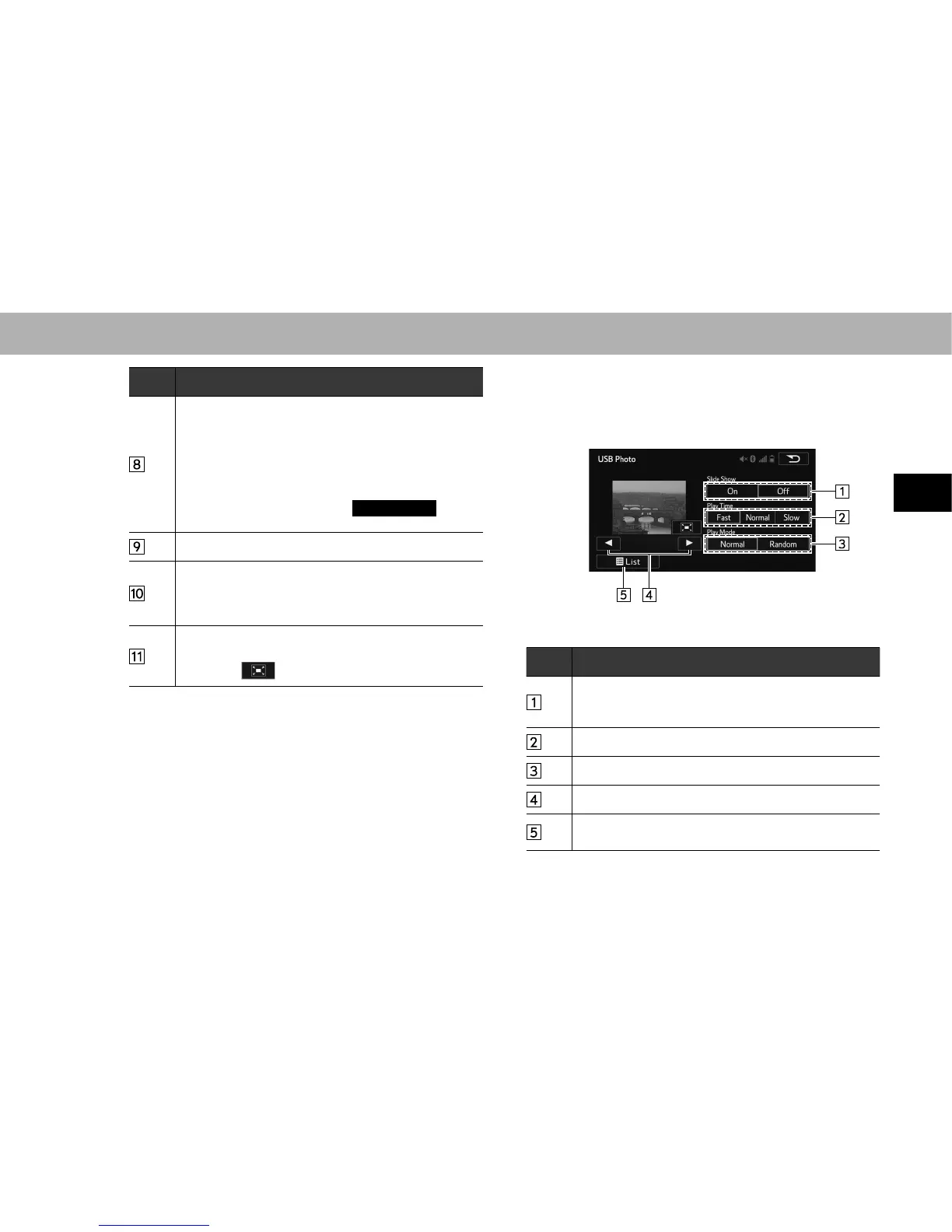
XControl screen (Photo)
No. Function
Select to set slideshow.
The slideshow displays the images contained within
the currently selected folder.
Select to set play time of slideshow.
Select to set random playback.
7KH¿OHVFDQEHVZLWFKHG
Select to display the USB photo folder list selection
screen.















 To Next Page