Examining CCSv5
Creating a Project
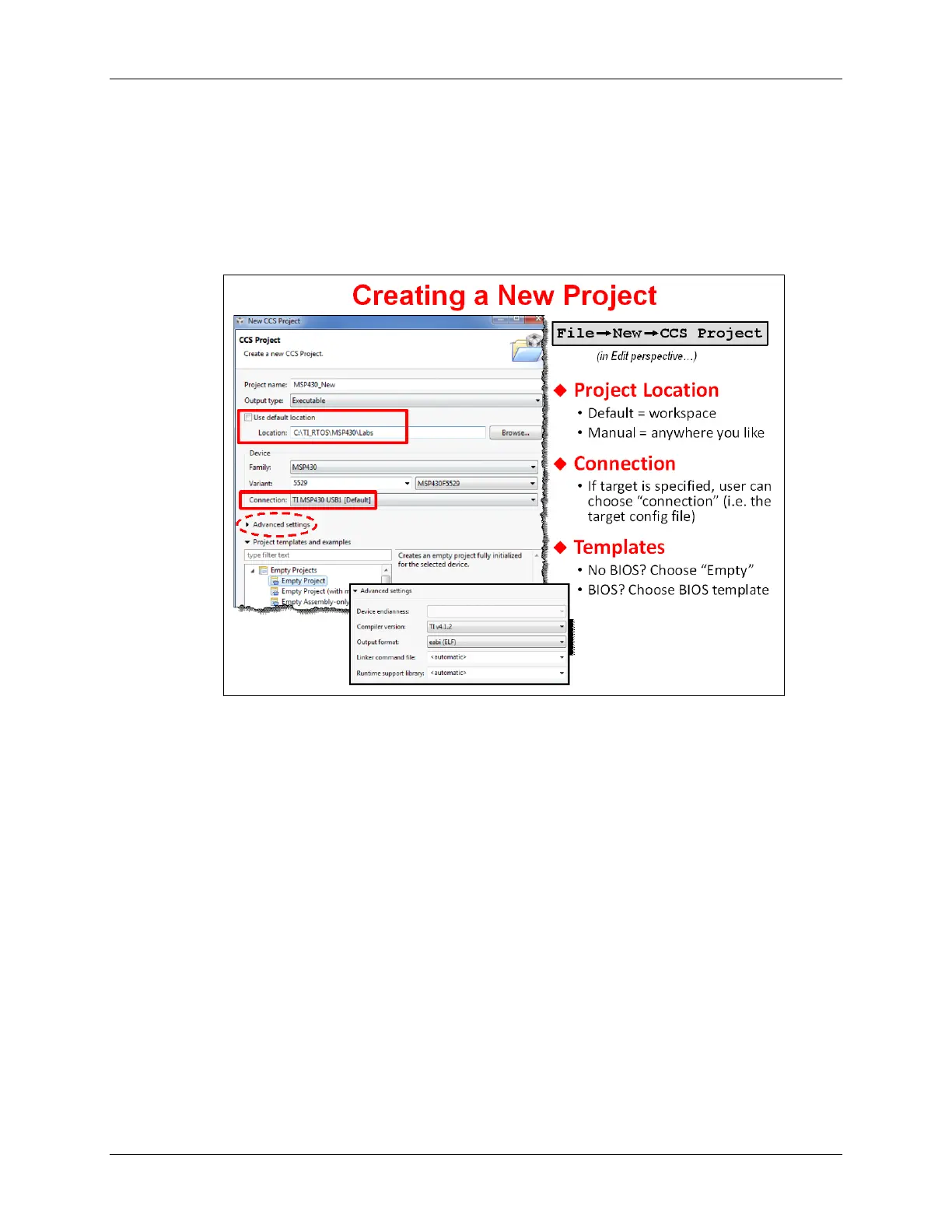
There are many ways to create a new project, the easiest is to select:
File → New → CCS Project
TI defined their own C project type called “CCS Project”. This enhancement condenses the
standard Eclipse “new project” wizard from 6 dialogs down to 1. (Awesome!)
When creating a new project you need to define:
• Project Name
• Are you making an Executable program or a Library
• Where do you want your project to reside – by default, CCS puts it in the Workspace
• Processor Family (i.e. MSP430)
• Specific device you’re using
• Target Connection (i.e. MSP430 USB 1)
• Template – CCS provides a number of project templates. The most common template is
probably “Empty”. But some of the others may come in handy. For example, if you are
creating a TI-RTOS based project, you will want to choose one of their project templates.
2 - 16 MSP430 Workshop - Programming C with CCS



 To Next Page