Maintenance and Troubleshooting
Analog Input/Output Problems
4-10 Micro-Tech 9101/9201 Reference Manual, Rev J Thermo Fisher Scientific
Test Scroll 5B (analog output #2).
The analog inputs can be viewed in “Main Menu 3—Test Scroll 7.”
Here is the procedure for troubleshooting the Micro-Tech’s analog
input/output boards.
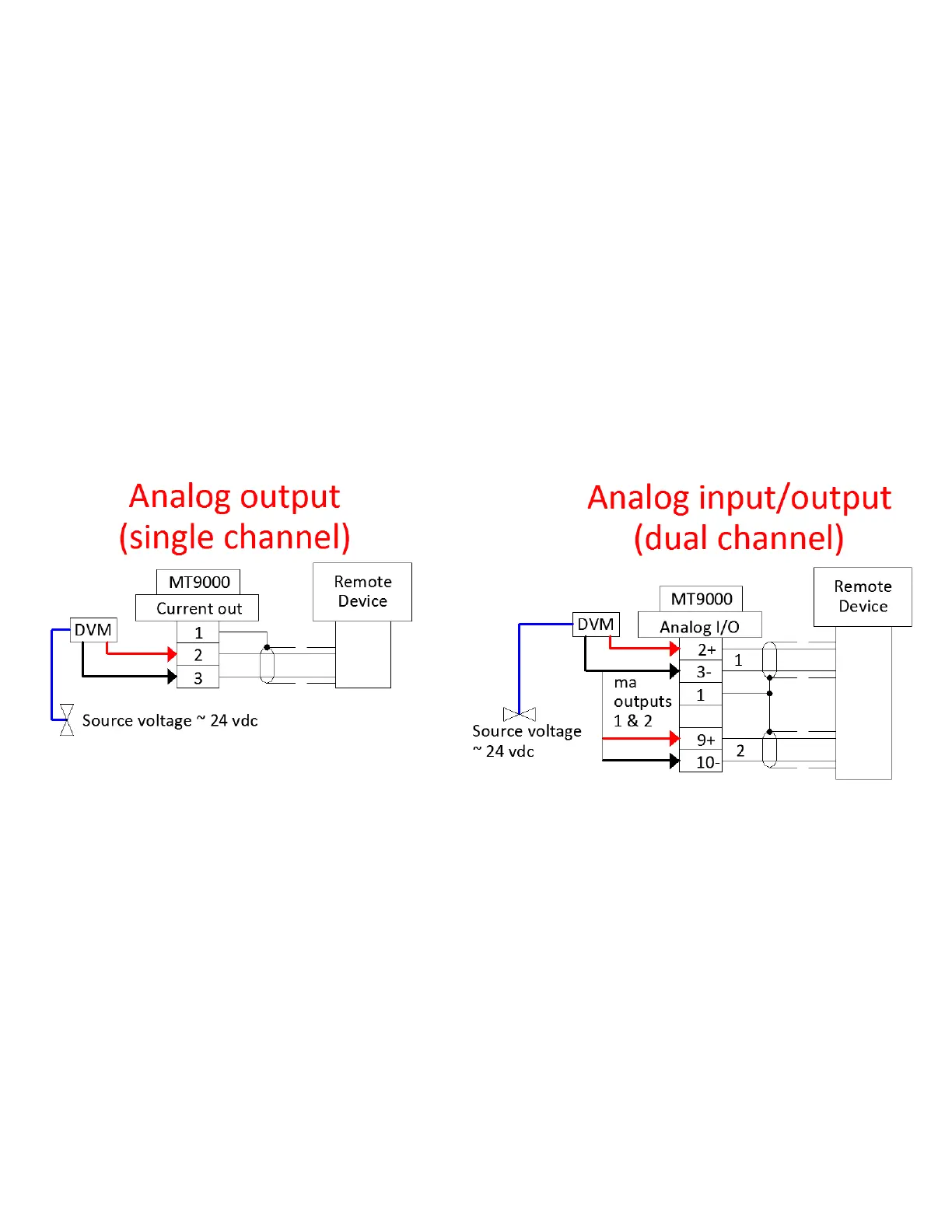
1. Confirm the DC mA voltage source.
If GOOD—Proceed to “Confirm analog output” (see step 2). A
dual analog output board has individual power sources.
If BAD—Replace either the analog board or the CPU board.
Figure 4–4. Analog Troubleshooting—Confirm Voltage
2. Confirm analog output. Disconnect remote device(s).
If GOOD—Proceed to “Confirm analog loop” (see step 3)
If BAD—Replace analog board.



 To Next Page