Maintenance and Troubleshooting
Analog Input/Output Problems
4-12 Micro-Tech 9101/9201 Reference Manual, Rev J Thermo Fisher Scientific
4. Define analog input(s) in “Main Menu 4—IO Define Scroll 2” for
Input #1) and “Scroll 3” for Input #2.
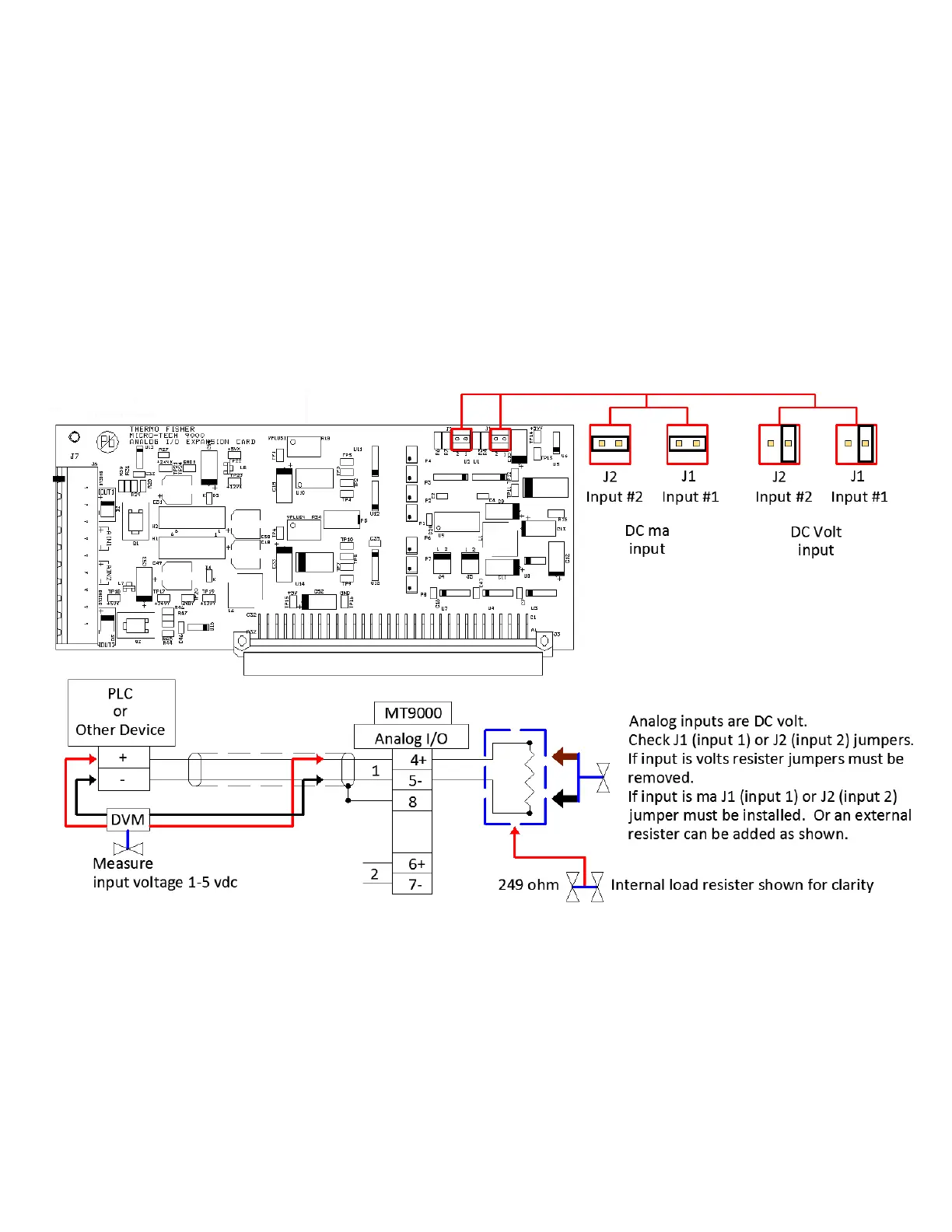
5. Verify voltage input. Measure input signal, 1-5vdc representing 0-
100%.
If GOOD—Replace analog input/output board.
If BAD—Verify input jumpers J1 and/or J2, If correct, proceed
to “Verify output of source device” (step 6).
Figure 4–7. Analog Troubleshooting—Verify Input
6. Verify output of source device. Disconnect field wires and measure
mA (volt) output of remote device.
If GOOD—Proceed to “Verify mA loop” (see step 7).



 To Next Page