98
SETTING FUNCTIONS ON THE SETUP SCREEN
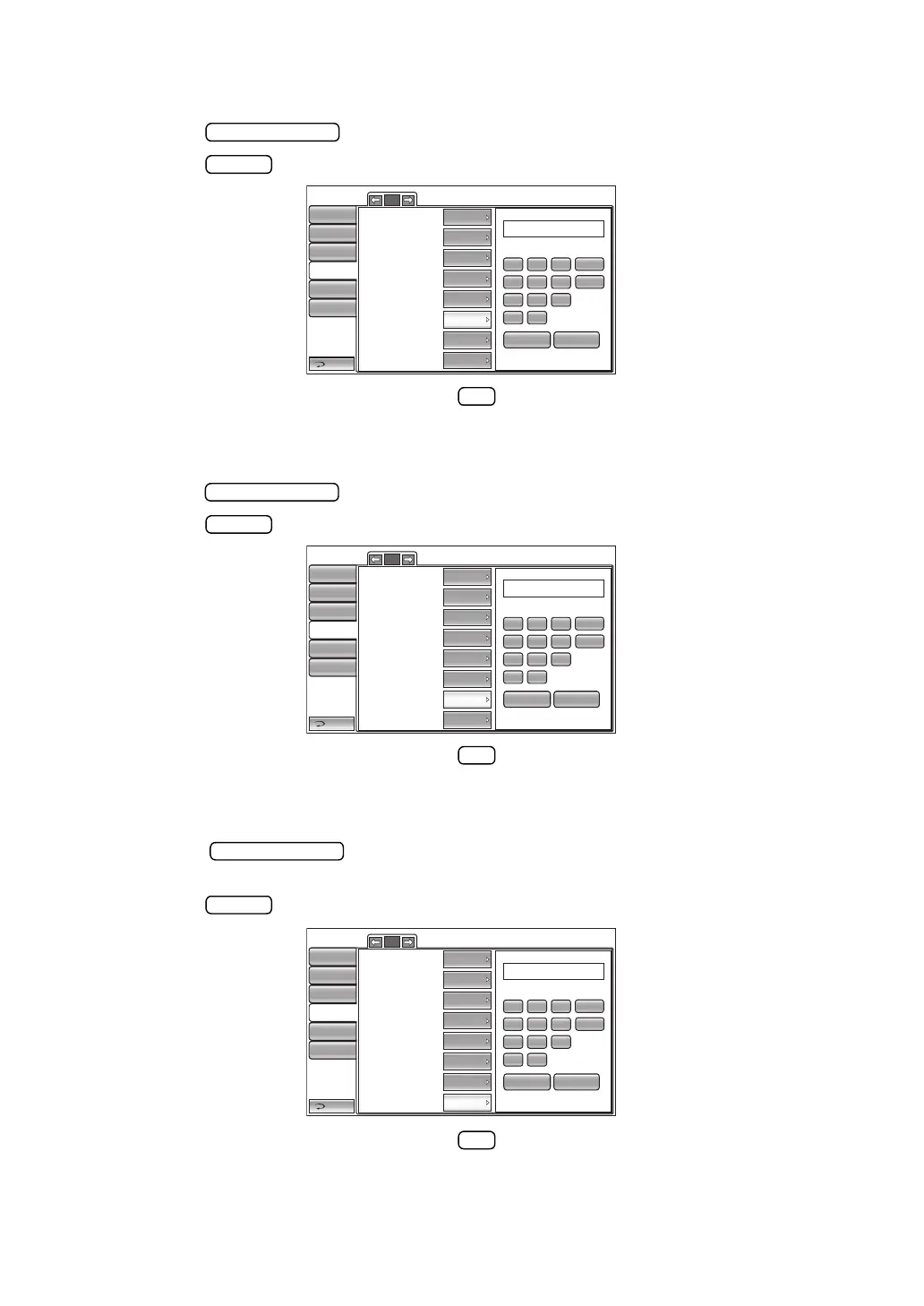
SETTING THE IP ADDRESS
The IP address can be set. Before shipment, the default setting is "0.0.0.0.".
1 Tap the button of the set item display "IP address" in the "LAN" menu.
2 Tap the button and enter the number with the ten-key display.
3 The setting is completed by tapping the button.
SETTING THE SUBNET MASK
The subnet mask can be set. Before shipment, the default setting is "0.0.0.0.".
1 Tap the button of the set item display "Subnet mask" in the "LAN" menu.
2 Tap the button and enter the number with the ten-key display.
3 The setting is completed by tapping the button.
SETTING THE DEFAULT GATEWAY
The default gateway can be set. Before shipment, the default setting is "0.0.0.0.".
1 Tap the button of the set item display "Default gateway" in the "LAN"
menu.
2 Tap the button and enter the number with the ten-key display.
3 The setting is completed by tapping the button.
1/2
LAN connection
XML file output
Data format
Shared folder setting
IP address setting
IP address
Subnet mask
Default gateway
Return
Initial
Print
Comm
LAN
Special
ON
OFF
OFF
Input
BS
7
4
1
0
8
192.168.0.1
5
2
.
9
6
3
AC
OK CANCEL
FIX
0.0.0.0
0.0.0.0
0.0.0.0
Operator ID
1/2
LAN connection
XML file output
Data format
Shared folder setting
IP address setting
IP address
Subnet mask
Default gateway
Return
Initial
Print
Comm
LAN
Special
ON
OFF
OFF
Input
BS
7
4
1
0
8
5
2
.
9
6
3
AC
OK CANCEL
FIX
0.0.0.0
0.0.0.0
0.0.0.0
Operator ID
1/2
LAN connection
XML file output
Data format
Shared folder setting
IP address setting
IP address
Subnet mask
Default gateway
Return
Initial
Print
Comm
LAN
Special
ON
OFF
OFF
Input
BS
7
4
1
0
8
5
2
.
9
6
3
AC
OK CANCEL
FIX
0.0.0.0
0.0.0.0
0.0.0.0
Operator ID



 To Next Page