42
BASIC OPERATIONS
AUTO MODE MEASUREMENT
SETTING THE AUTO MODE
Before shipment the default setting is "AUTO".
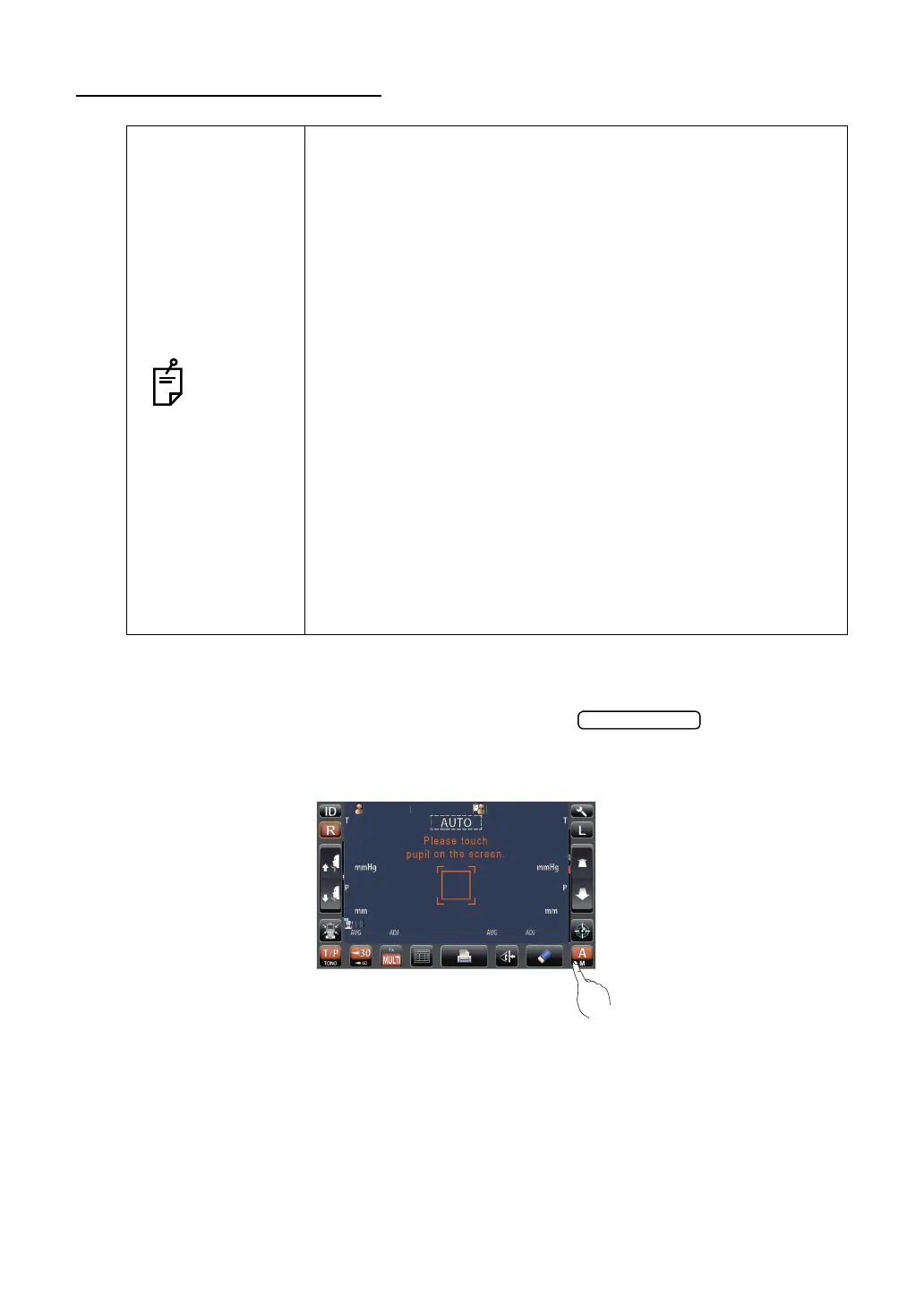
1 Check that the MEASUREMENT screen is on. If the button is "A," the
mode is Auto mode.
2 If "M" (Manual mode) is displayed, tap it and change to the Auto mode.
NOTES
• Auto measurement mode may not be possible, in cases where
the eyelid and the eyelashes cover the pupil.
If this occurs, the operator should tell the patient to open their
eyes as wide as possible, or lift the eyelid to allow for measure-
ment.
• Auto measurement mode may not be possible due to frequent
blinks or existing abnormalities in the corneal surface caused by
corneal disease etc.
In this case, select manual mode.
• The ocular pressure varies due to heart beats and tears. So, if it
is not possible to obtain exact measurement values by measur-
ing only once or twice, it is recommended to perform ocular
pressure measurements several times.
• When operating the instrument, be careful that the instrument
does not touch the patient's nose. If touched, clean the instru-
ment as specified in "CLEANING THE INSTRUMENT" on
page 103.
• If the patient is wearing make up on the eyelid or around the
eyelid using glitter, the auto alignment may not function prop-
erly.
In this case, select manual mode.
• If the machine is moved before the measurement values are
displayed, it might cause an incorrect measurement.
PatientID
PatientID
/3
/3
/3
/3
/3
/3
/3
/3
OPCON
ARO



 To Next Page