80
SETTING FUNCTIONS ON THE SETUP SCREEN
SETTING THE AVERAGE VALUE OF THE OCULAR PRESSURE MEASUREMENT MODE
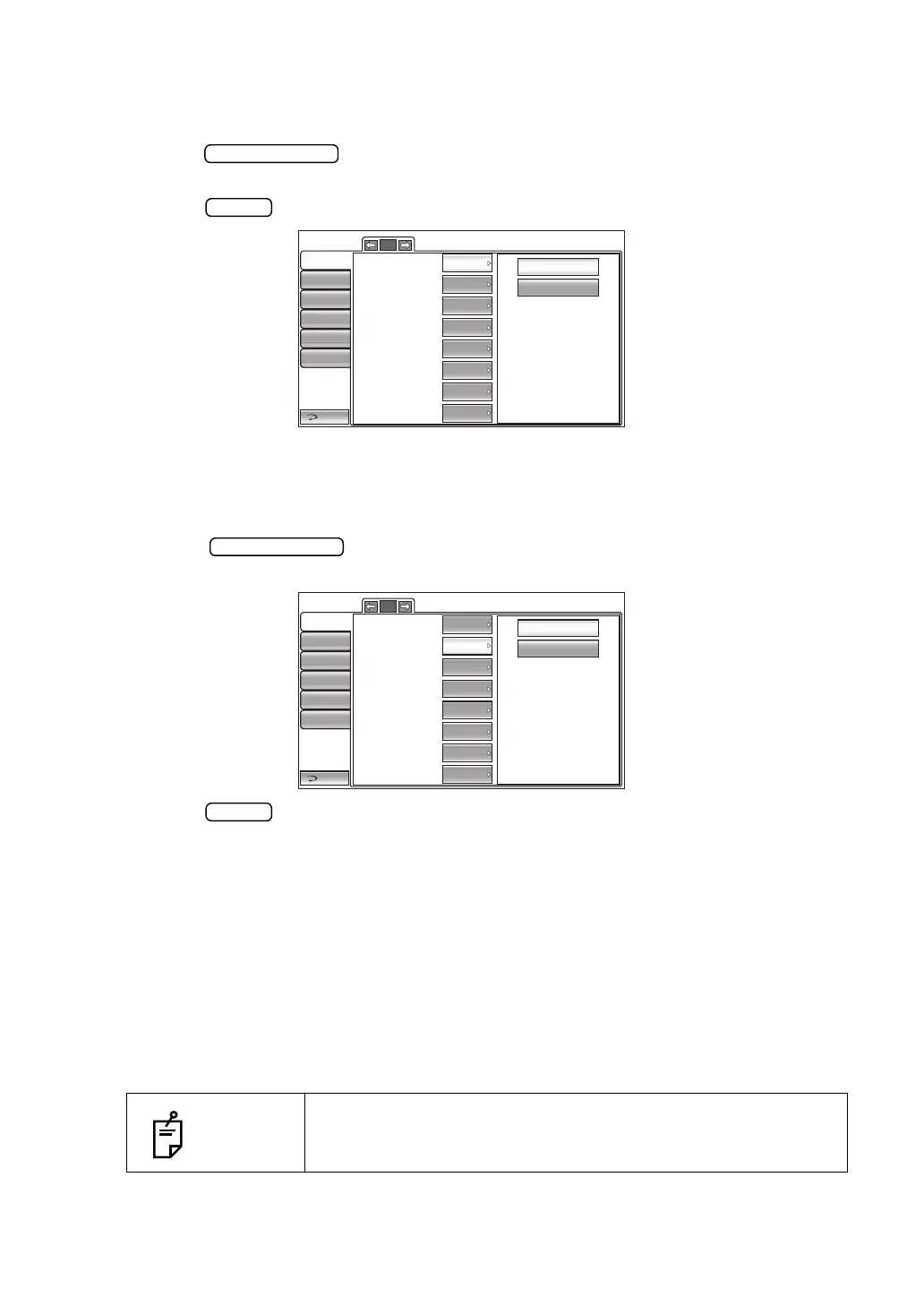
The display of average value of the ocular pressure measurement value can be changed.
Before shipment, the default setting is "Integer."
1 Tap the button of the set item display "Press average mode" in the "Initial"
menu.
2 Tap the button and select "Integer" or "Real."
3 The setting is complete.
SETTING THE IOP ADJUSTMENT
Intraocular pressure adjustment can be set. Before shipment, the default setting is "OFF."
1 Tap the button of the set item display "IOP Adjustment" in the "Initial"
menu.
2 Tap the button and select "OFF" or "ON."
3 The setting is complete.
The adjusted IOP can be determined by the equation below:
Adjusted IOP
*
1
= Measured IOP-(Measured CCT - A) x (B/10000)
*
2
A:Center CCT Base
B :Adjustment Coefficient
IOP : Intraocular pressure [mmHg]
CCT : Central corneal thickness [µm]
*
1 :The adjusted IOP that is calculated on A and B is just a reference value.
*
2 :A correction factor inputs a value integrally.
NOTES
Only in CT-1P.
Integer
Real
Return
Initial
Print
Comm
LAN
Special
Operator ID
4/5
IOP Adjustment
Center CCT Base
Adjustment Coefficient
545
OFF
500
Pupil distance
R/L move
Chin rest height
Low
Control panel brightness
LEVEL 4
Press average Mode Integer
Full Auto
68mm
OFF
ON
Return
Initial
Print
Comm
LAN
Special
Operator ID
4/5
IOP Adjustment
Center CCT Base
Adjustment Coefficient
545
OFF
500
Pupil distance
R/L move
Chin rest height
Low
Control panel brightness
LEVEL 4
Press average Mode Integer
Full Auto
68mm



 To Next Page