17
COMPONENTS
Count change button ...... Switches the number of measurements in the AUTO measure-
ment as follows:
• Measures the number of times as previously set.
• One time measurement (Before shipment, the default set-
ting is "one time measurement")
When R/L move mode is set to Full Auto or Auto(RL), after
measuring the first eye, the main body automatically moves to
the settings for the other eye.
All data button ................Displays all measurement data on the screen.
Print out button ..........Displays on measurement stand-by and prints measurement
results. Tap the button when no measurement data is present
to feed the paper.
Safety stopper button .....Switches to the setting screen of the nozzle limit position to
prevent the measuring window glass from hitting the patient’s
eye during the measurement.
ALL CLEAR button.......Clears all measurement data.
Alignment stop button
............Displayed during a measurement, the alignment operation is
stopped and the measuring head moves backward.
MONITOR SCREEN
CT-1P
MEASUREMENT SCREEN
tientID
PatientID
3/3
3/3
3/3
3/3
11
11
11
11
11
11
11
11
1
PC
N
TAR
TOPCONTAROU
11
[13]
12
11
[13]
12
11
11
11
11
11
11
0.499
0.493
0.493
0.499
0.493
0.493
0.500
0.503
0.506
0.500
0.503
0.506
3/3
3/3
3/3
3/3
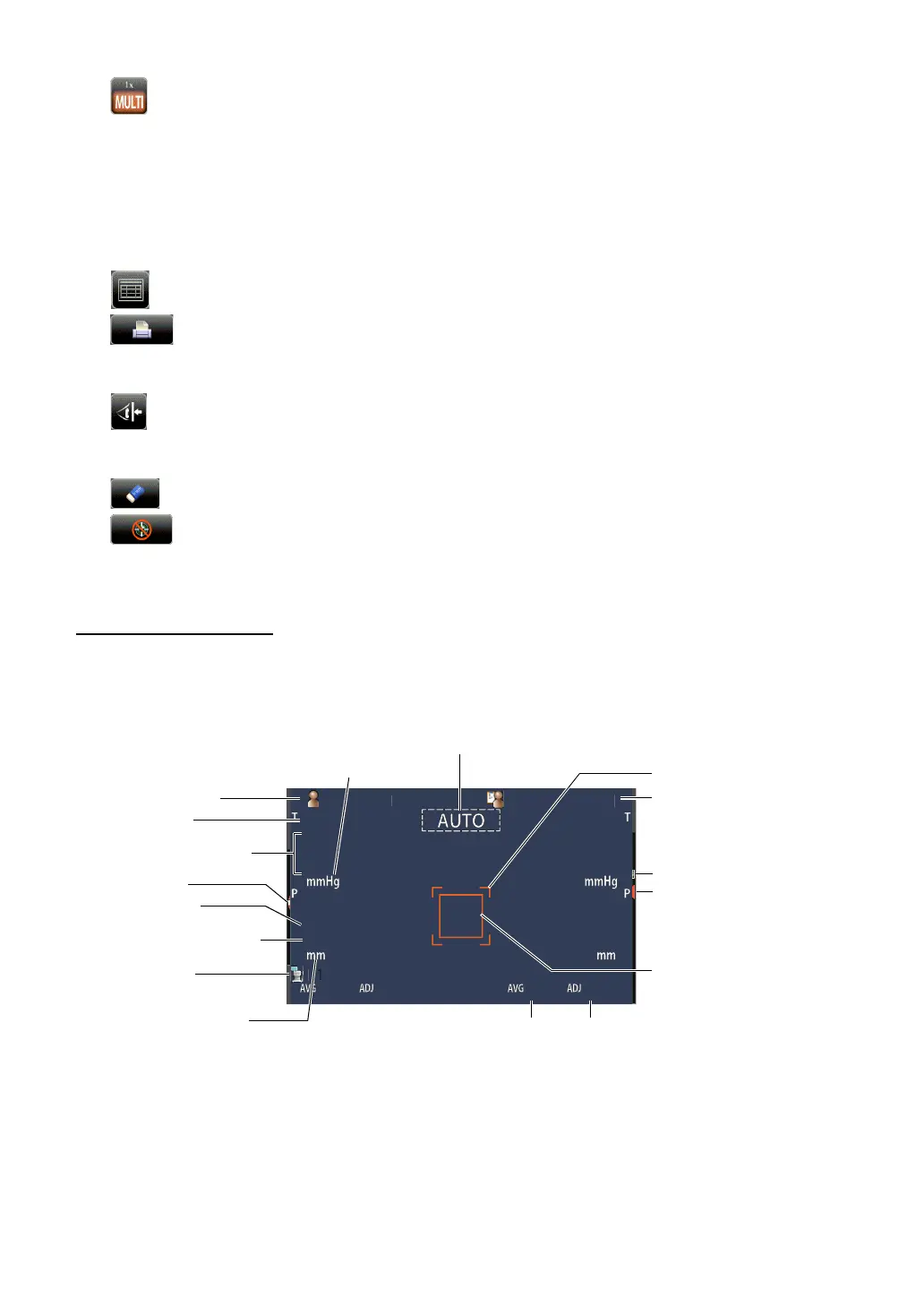
Z-axis position
TONO correction average value
Patient No./Patient ID
Nozzle limit
Device ID number
Eye Height mark
TONO measurement value
Number of TONO
measurement times
Number of PACHO
measurement times
PACHO measurement value
Display unit mark of cornea
thickness
TONO average value
Display unit mark of
ocular pressure value
AUTO/MANUAL mark
Operator ID
Alignment mark
Outer alignment mark



 To Next Page