94
SETTING FUNCTIONS ON THE SETUP SCREEN
DATA COMMUNICATION
The COMM menu contains settings related to data output with the external device.
SETTING THE OUTPUT DATA STYLE
The output data style can be set. Before shipment, the default setting is "TONO."
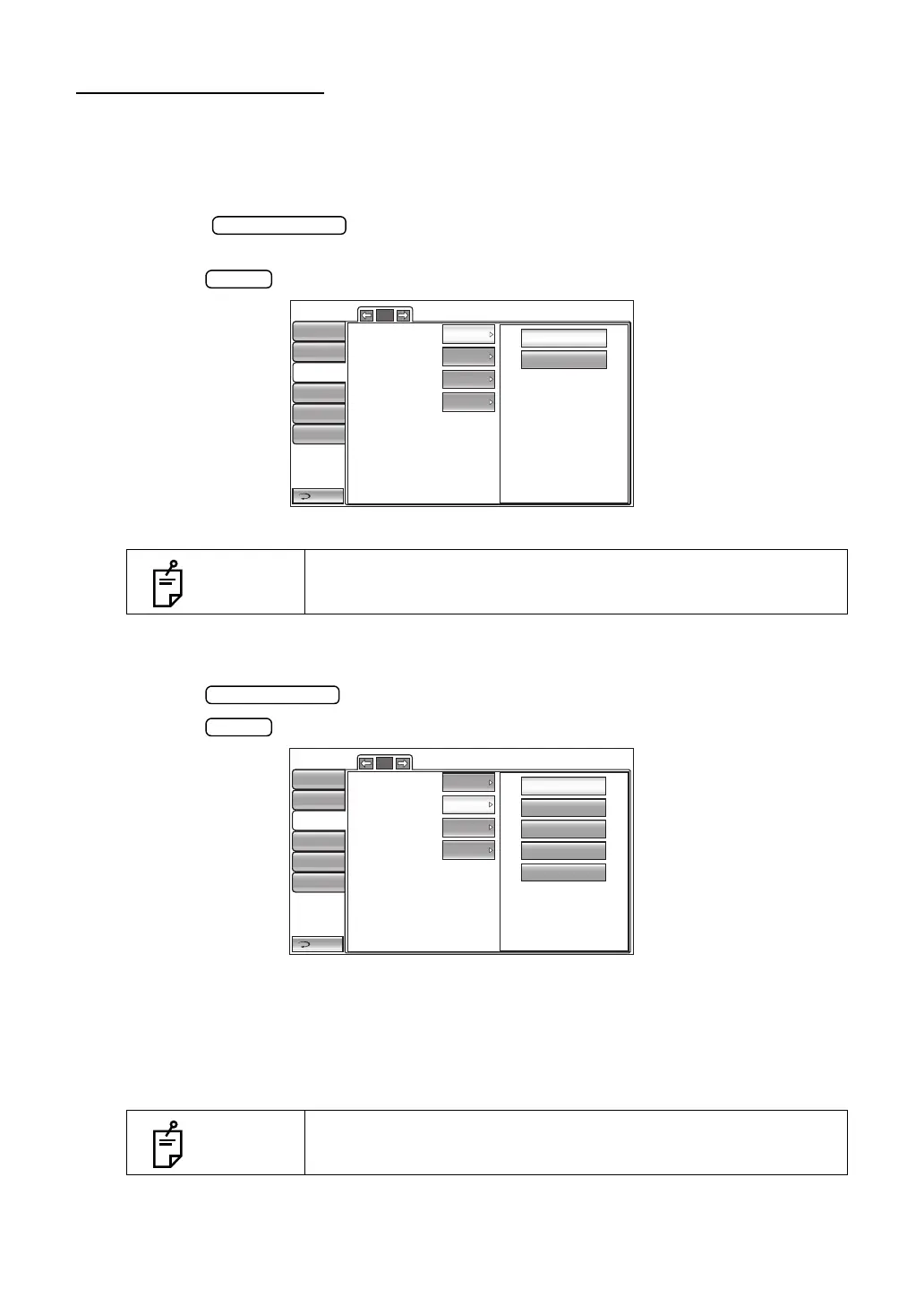
1 Tap the button of the set item display "Output data" in the "Comm"
menu.
2 Tap the button and select "TONO" or "T/P".
3 The setting is complete.
SETTING THE FORMAT
The format can be set. Before shipment, the default setting is "MODE1."
1 Tap the button of the set item display "Format" in the "Comm" menu.
2 Tap the button and select "MODE1", "MODE2", "STD1", "STD2" or "STD5".
3 The setting is complete.
MODE1 : Average value output format
MODE2 : Latest value output format
STD1 : TOPCON STD1 format
STD2 : TOPCON STD2 format
STD5 : TOPCON STD5 format
NOTES
Only in CT-1P.
NOTES
According to the selected measurement mode of "SETTING THE
OUTPUT DATA STYLE" in the "Data communication" menu,
assignment of a format is possible.(only in CT-1P)
1/1
TONO
T/P
Output data
Format
Output port
Baudrate
Return
Initial
Print
Comm
LAN
Special
MODE1
TONO
OFF
9600bps
Operator ID
1/1
Output data
Format
Output port
Baudrate
Return
Initial
Print
Comm
LAN
Special
MODE1
TONO
OFF
9600bps
MODE2
MODE1
STD2
STD5
STD1
Operator ID



 To Next Page