86
SETTING FUNCTIONS ON THE SETUP SCREEN
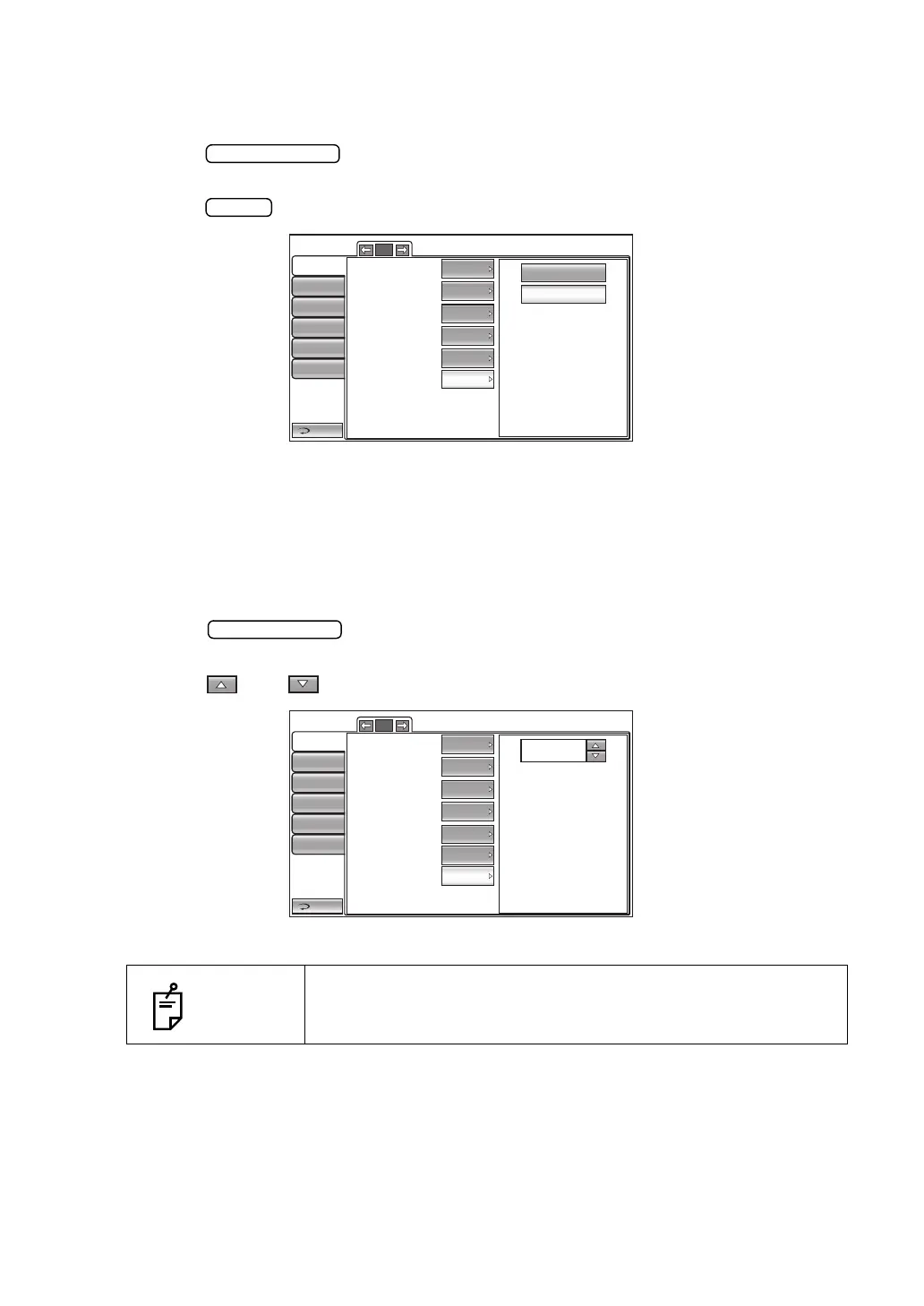
SETTING THE MEASUREMENT COUNT CHANGE MODE
The measurement count change mode can be selected. Before shipment, the default setting
is "Multi."
1 Tap the button of the set item display "Meas.count change mode" in the
"Initial" menu.
2 Tap the button and select "1x" or "Multi".
3 The setting is complete.
1x: Meas.count change mode is set to "1x" (measurement once) upon power on.
Multi: Meas.count change mode is set to "Multi" (specified number of measurement
times) upon power on.
SETTING THE IOL LED BRIGHTNESS
The IOL LED brightness can be selected. Before shipment, the default setting is "40%".
1 Tap the button of the set item display "IOL LED brightness" in the "Ini-
tial" menu.
2 Tap the up or down button to set the value of LED brightness.
3 The setting is complete.
NOTES
Only in CT-1.
1x
Multi
Return
Initial
Print
Comm
LAN
Special
Operator ID
5/5
Packing mode
R/L
Shaded characters
XZ MOTOR direction
Meas. data recording way
Adjust
Data wit...
R/L notation
ON
ON
Meas.count change mode
Multi
Return
Initial
Print
Comm
LAN
Special
Operator ID
5/5
Packing mode
R/L
Shaded characters
XZ MOTOR direction
Meas. data recording way
Adjust
Data wit...
R/L notation
ON
ON
Meas.count change mode
Multi
IOL LED Brightness
40.0
40(%)



 To Next Page