34
BASIC OPERATIONS
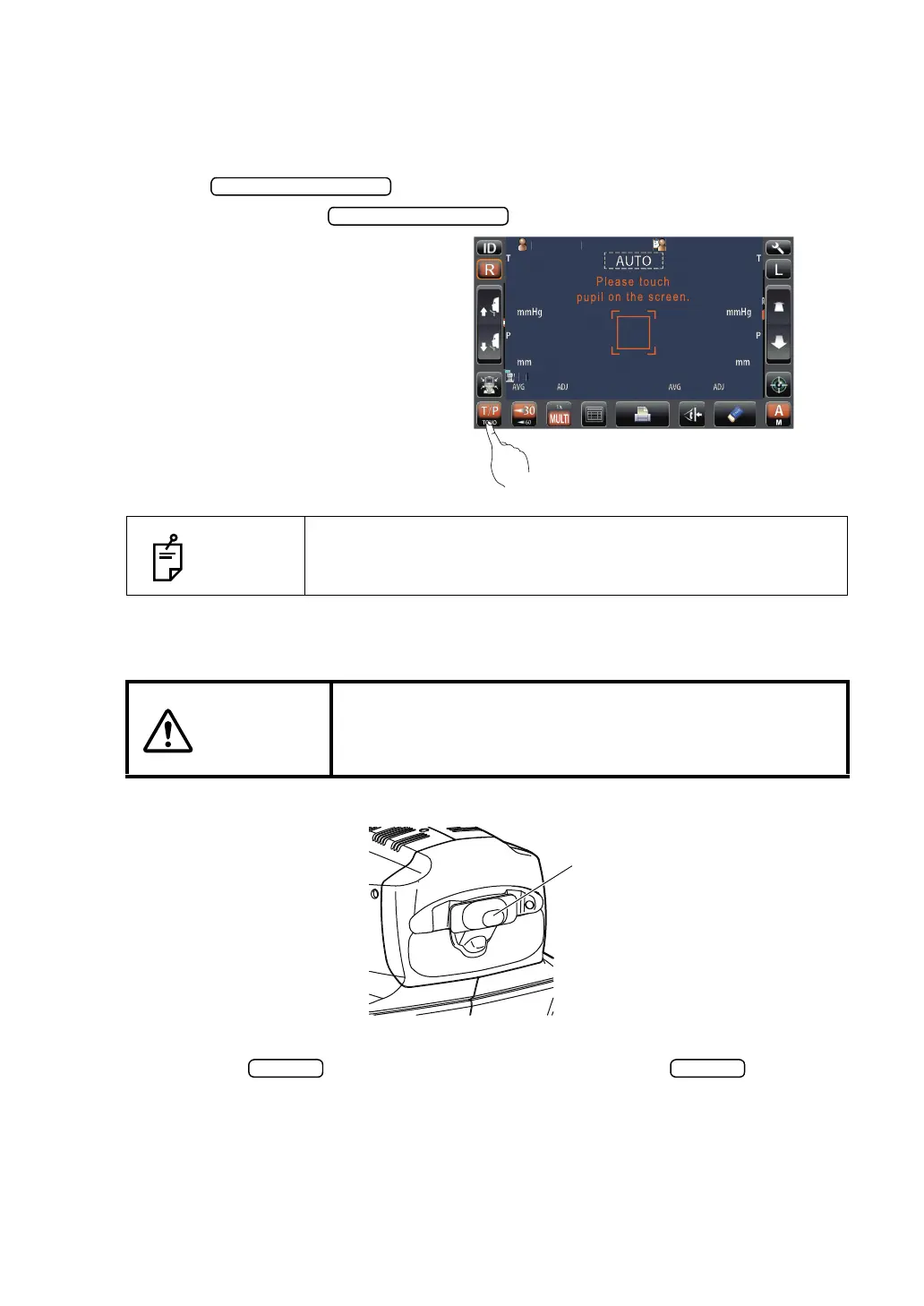
SELECTING THE MEASUREMENT MODE
On this product, measurement mode can be changed between TONO (TONO measurement)
and T/P (TONO/PACHO continuous measurement).
1 Confirm the Measurement screen.
2 Tap the button on the control panel and select a measurement
mode. Indication of the button is changed.
TONO: TONO measurement
T/P: TONO/ PACHO continuous
measurement
CHECKING THE MEASURING NOZZLE
1 Remove the measuring window cap.
2 Check if there is any foreign matter on and around the measuring nozzle. If there is any,
turn OFF the SWITCH, clean it off and then turn ON the SWITCH.
For cleaning, see "CLEANING THE NOZZLE AND THE GLASS INSIDE THE MEASUR-
ING NOZZLE" on page 104.
NOTES
Only in CT-1P.
CAUTIONS
Before measuring, check if there is any foreign matter on and
around the measuring nozzle.
If there is any, it may enter and damage the patient's eye dur-
ing the measurement.
PatientID
PatientID
/3
/3
/3
/3
/3
/3
/3
/3
1
OPCON
ARO
TOPCONTAROU



 To Next Page