35
BASIC OPERATIONS
AIR CHECK
This instrument is equipped with a function for checking correct operations of the measure-
ment system inside the instrument.
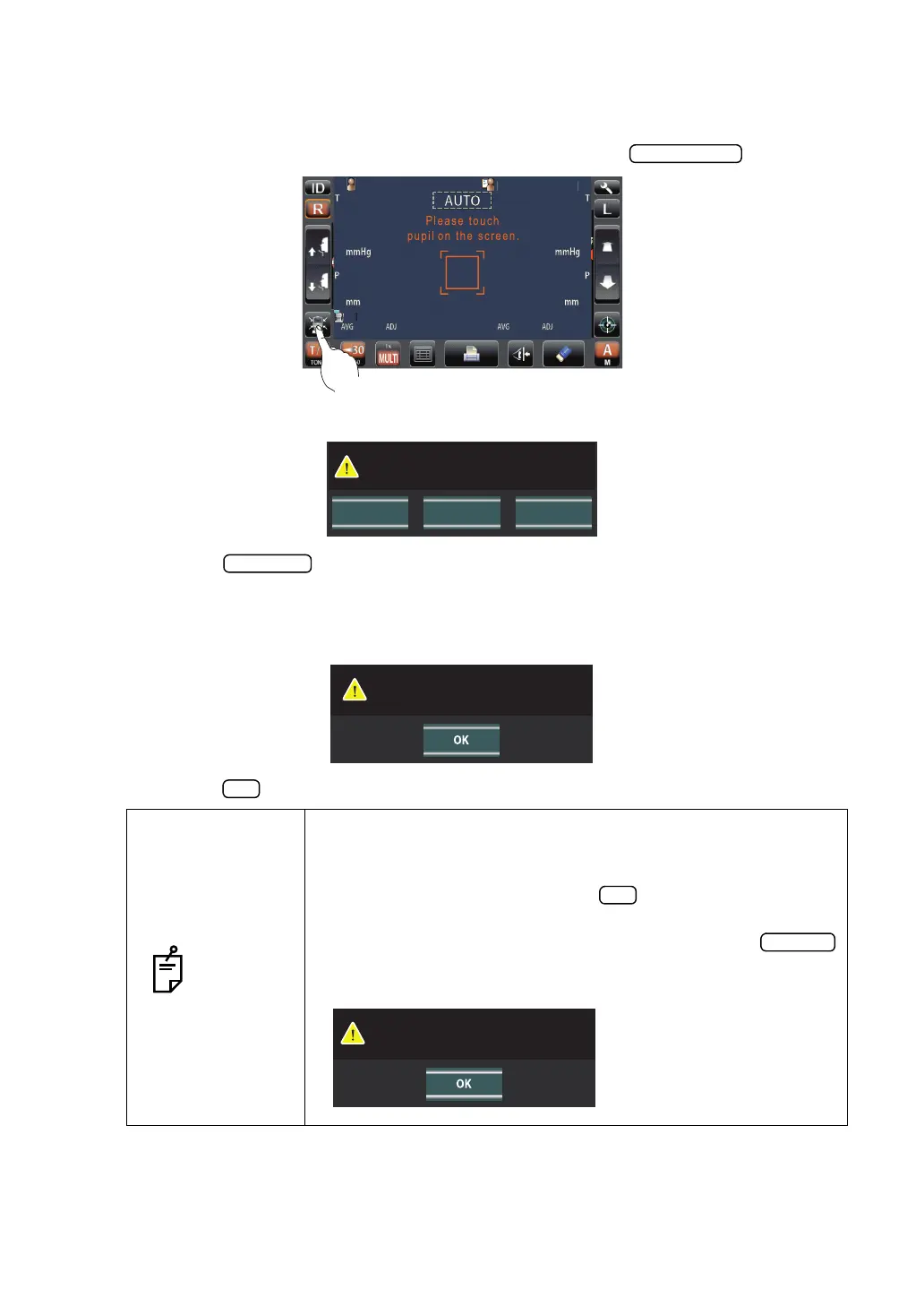
1 On the measurement standby screen of AUTO mode, tap the button.
2 Then, the confirming message of Air check/End operation is displayed.
3 Press the button. Then, air is blown out from the measuring nozzle automati-
cally.
4 Make sure the message box of "Air check. Press OK to continue." is displayed on the con-
trol panel.
5 Press the button, return to Measurement screen.
NOTES
If abnormal action(+) or abnormal action(-) is displayed, the condi-
tion is not normal. Check if there is any object before the measur-
ing nozzle.
If there is any, remove it, press the button and do the check
again.
If there is no object, a failure is suspected. Turn the
switch to OFF, unplug the power cable, and call your dealer or
TOPCON at the address printed on the back cover of this manual.
PatientID
PatientID
/3
/3
/3
/3
/3
/3
/3
/3
1
OPCON
ARO
TOPCONTAROU
CANCELAir Check Turn off
Perform air check
or Turn off the unit?
Air check. Press OK to continue.
Confirm abnormal action(-) of air check.



 To Next Page