92
SETTING FUNCTIONS ON THE SETUP SCREEN
SETTING THE MEASUREMENT CORRECTION VALUE
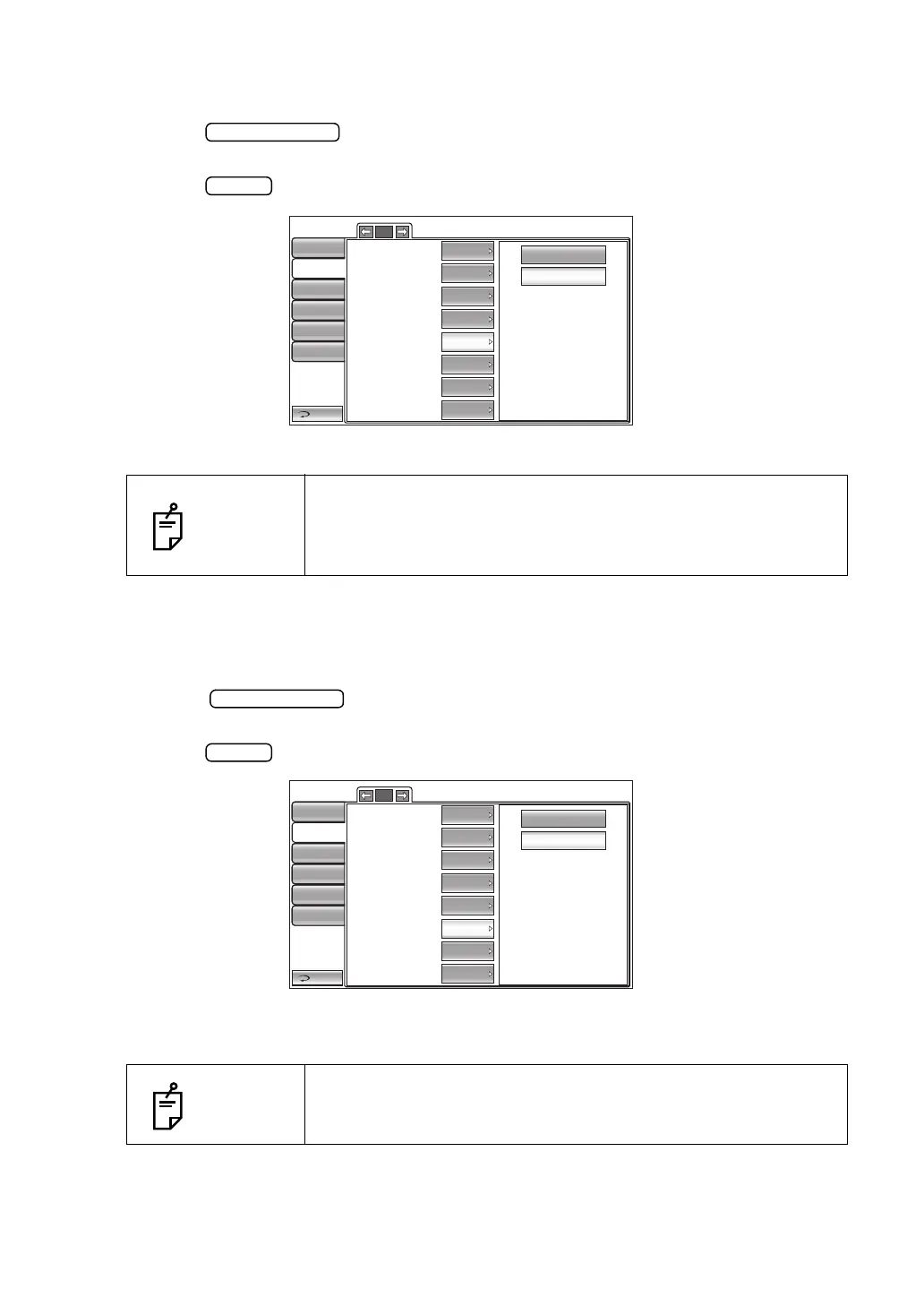
The measurement correction value can be set. Before shipment, the default setting is "ON."
1 Tap the button of the set item display "Measure correction" in the "Print"
menu.
2 Tap the button and select "ON" or "OFF."
3 The setting is complete.
SETTING THE mmHg DISPLAY UNIT ON hPa
When the "Display Unit of Ocular Pressure Measurement Value" in the "Initial" menu is "hPa,"
the operator can set whether or not to print out the intraocular pressure measurement values
in both hPa and mmHg units. Before shipment, the default setting is "ON".
1 Tap the button of the set item display "mmHg Display on hPa" in the
"Print" menu.
2 Tap the button and select "ON" or "OFF."
3 The setting is complete.
NOTES
• The measurement correction value is calculated by the calcula-
tion formula in "SETTING THE IOP ADJUSTMENT" in the "Ini-
tial" menu. For details, see page 80.
•Only in CT-1P
NOTES
When the printing order is set to "SIMPLE", the setup display unit of
the display unit ocular pressure measurement values(TONO) is
only printed, regardless of the setup the mmHg display unit on hPa.
2/2
OFF
ON
Return
Initial
Print
Comm
LAN
Special
Operator ID
TOPCON logo
Message
Message data
Printer order
Measure correction
mmHg Display on hPa
IOP ADJ Formula
ON
OFF
Input
ON
ON
ON
SIMPLE
Auto cut
ON
2/2
OFF
ON
Return
Initial
Print
Comm
LAN
Special
Operator ID
TOPCON logo
Message
Message data
Printer order
Measure correction
mmHg Display on hPa
IOP ADJ Formula
ON
OFF
Input
ON
ON
ON
SIMPLE
Auto cut
ON



 To Next Page