30
PREPARATIONS
4 Replace the External I/O terminal cover.
DATA INPUT
This product can be connected to a bar-code reader and other external devices via USB.
1 Connect the connection cable to the input terminal of the instrument.
2 Connect the other end of the connection cable to the external device.
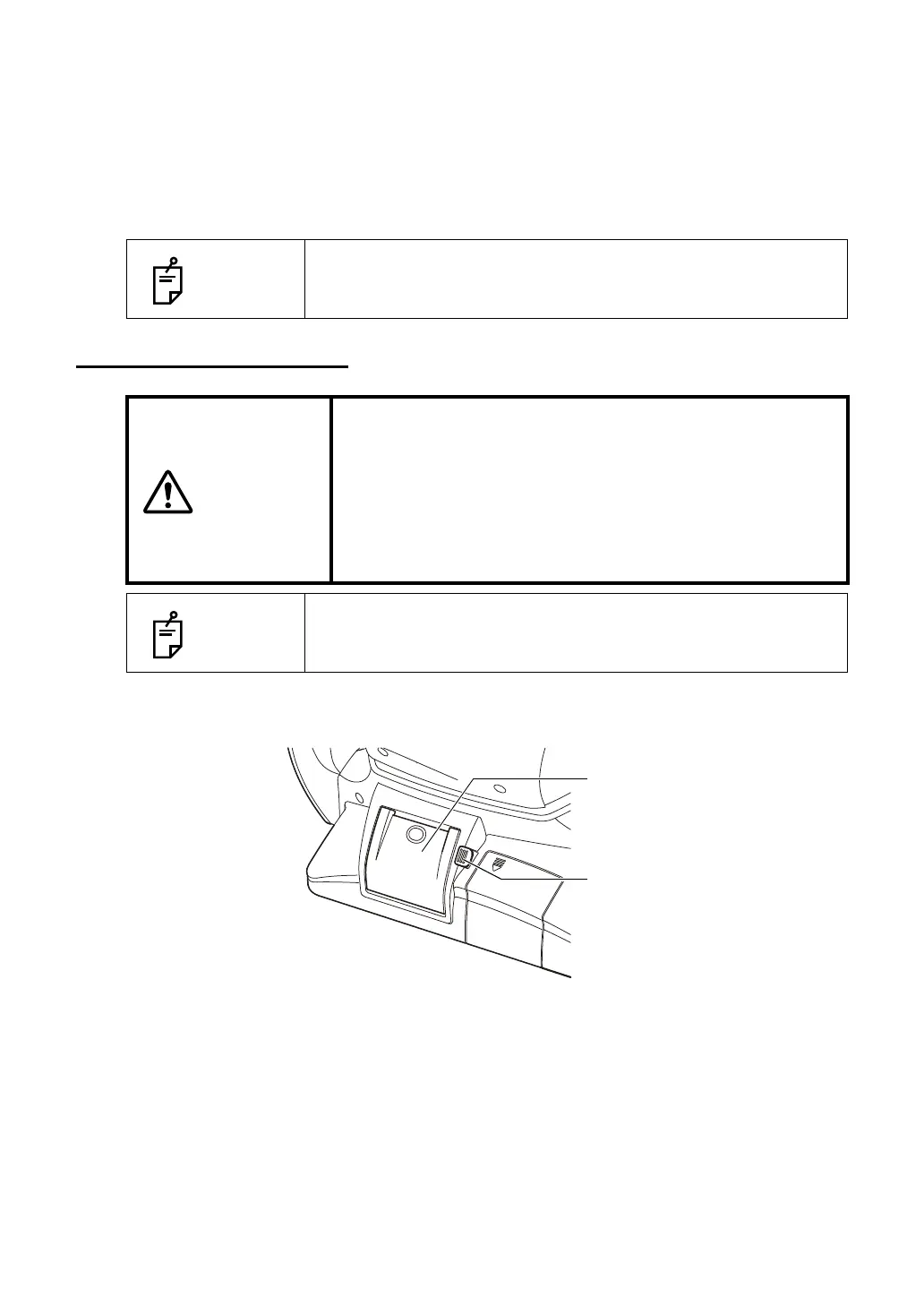
PRINTER PAPER SETTING
1 Press the printer cover open switch to open the printer cover.
NOTES
For questions about connections, contact your TOPCON dealer.
CAUTIONS
• To avoid failure or potential injury, do not open the printer
cover while the printer is in operation.
• To avoid potential injury in case of malfunction, including a
paper jam, be sure to shut off the power before attempting to
repair it.
• To avoid potential injury, do not touch the printer body
including metal parts or the paper cutter, while the printer is
in operation or when replacing the printer paper.
NOTES
If you insert the printer paper backwards, nothing is printed.
Printer cover
Printer cover open switch



 To Next Page