88
SETTING FUNCTIONS ON THE SETUP SCREEN
SETTING THE OPERATOR ID
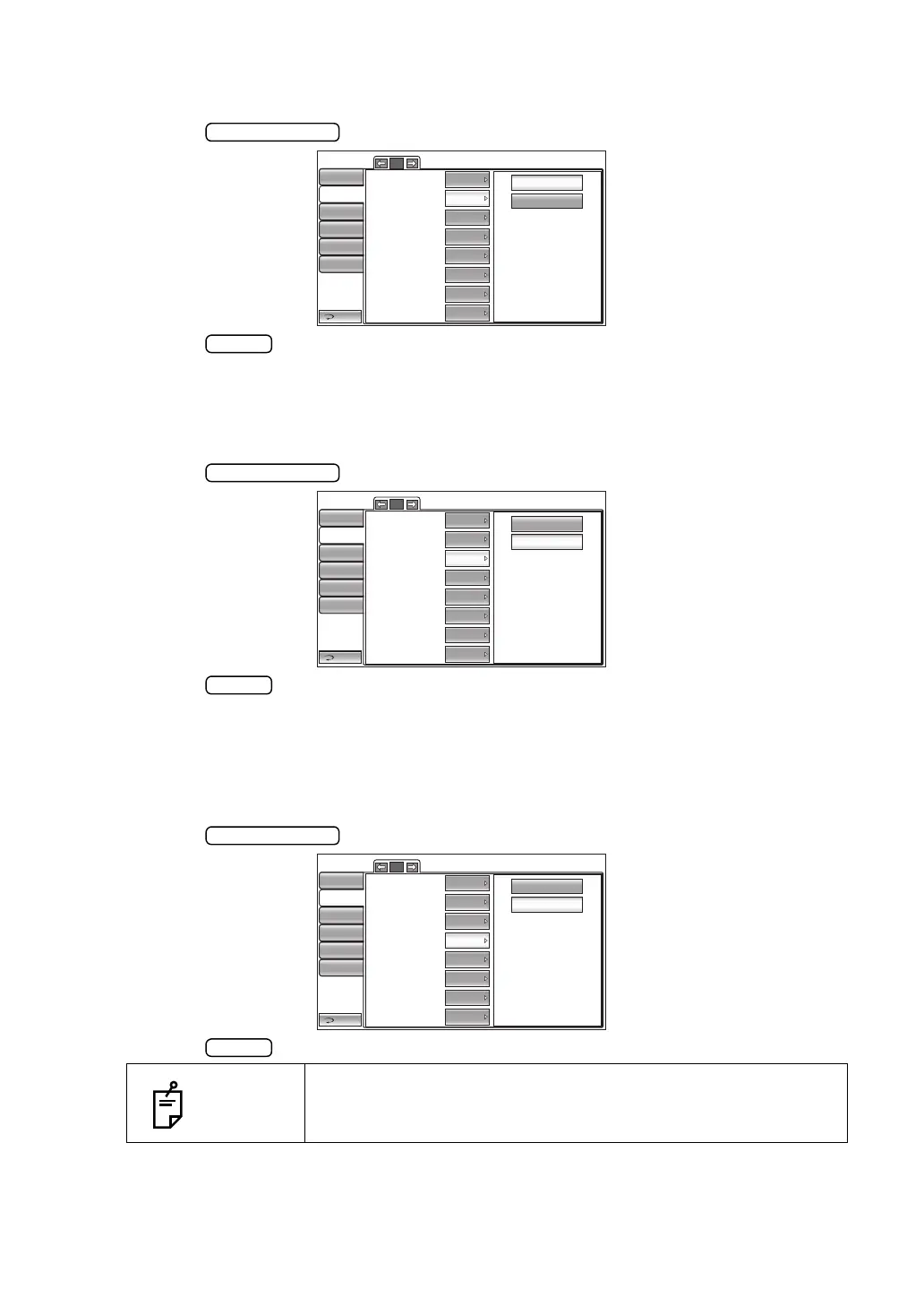
The operator ID can be displayed on the printout. Before shipment, the default setting is "OFF."
1 Tap the button of the set item display "Operator ID" in the "Print" menu.
2 Tap the button and select "ON" or "OFF."
3 The setting is complete.
SETTING THE NAME COLUMN
The name column can be displayed on the printout. Before shipment, the default setting is "ON."
1 Tap the button of the set item display "Name" in the "Print" menu.
2 Tap the button and select "ON" or "OFF."
3 The setting is complete.
PRINTING THE DATE
The measurement date can be displayed on the printout. Before shipment, the default setting
is "ON (Print date)".
1 Tap the button of the set item display "Date" in the "Print" menu.
2 Tap the button and select "ON (Print date)" or "OFF (Do not print date)".
3 The setting is complete.
NOTES
When the built-in battery runs out, an incorrect date is printed.
For battery change, contact your dealer or TOPCON at the
address/phone shown on the back cover.
1/2
OFF
ON
Barcode
Operator ID
Name
Date
Date style
Patient No./Patient ID
Device ID number
Serial number
Return
Initial
Print
Comm
LAN
Special
OFF
OFF
ON
ON
OFF
ON
ON
Operator ID
DMY
1/2
OFF
ON
Barcode
Operator ID
Name
Date
Date style
Patient No./Patient ID
Device ID number
Serial number
Return
Initial
Print
Comm
LAN
Special
OFF
OFF
ON
ON
OFF
ON
ON
Operator ID
DMY
1/2
OFF
ON
Barcode
Operator ID
Name
Date
Date style
Patient No./Patient ID
Device ID number
Serial number
Return
Initial
Print
Comm
LAN
Special
OFF
OFF
ON
ON
OFF
ON
ON
Operator ID
DMY



 To Next Page