53
BASIC OPERATIONS
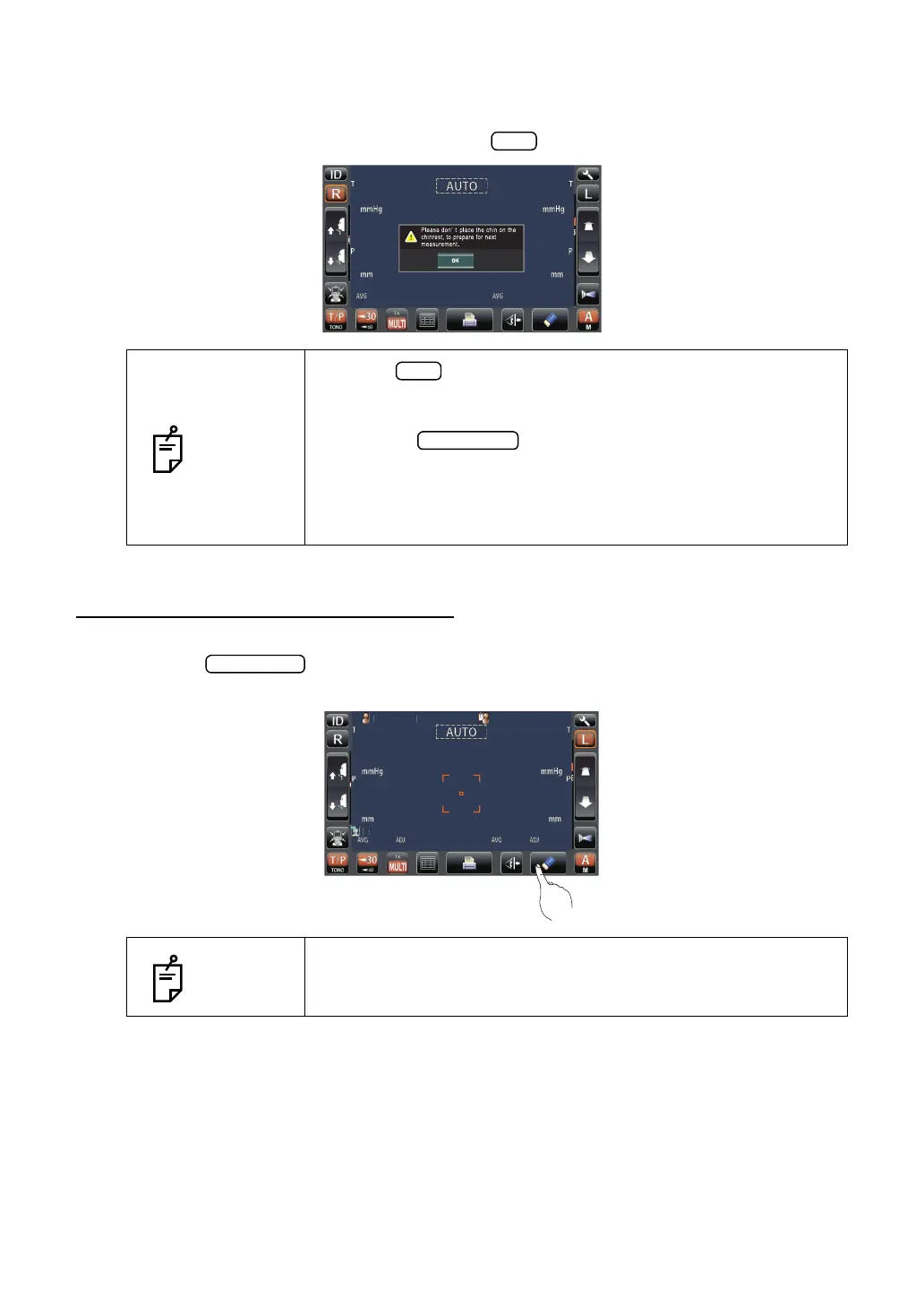
3 The following message of preparing next measurement is displayed.
After printing out, the measurement values on the screen are deleted automatically, return
to the Measurement screen by pressing the button.
CLEARING MEASUREMENT VALUES
1 Tap the button on the control panel.
All measurement values of both eyes are cleared.
NOTES
• As the button is tapped, the measuring head moves to
the "stand by mode" position of the initial setting. So, do not
place the patient's face on the chinrest.
• When the button is pushed again after all the data
is cleared by printing out the measuring data, the previous mea-
suring data is printed out.
• This is not always shown after measurement. If shown follow
the instruction.
NOTES
After clearing the measurement values, the measuring head
moves to the "stand by mode" position of the initial setting.
(See page 74.)
/3
/3
/3
/3
/1
/1
/1
/1
PatientID
PatientID
3/3
3/3
3/3
3/3
15
15
15
15
15
15
15
15
OPCON
ARO
TOPCONTAROU
14
[15]
16
14
[15]
16
15
17
14
15
17
14
0.499
0.493
0.493
0.499
0.493
0.493
0.500
0.503
0.506
0.500
0.503
0.506
3/3
3/3
3/3
3/3



 To Next Page