40
BASIC OPERATIONS
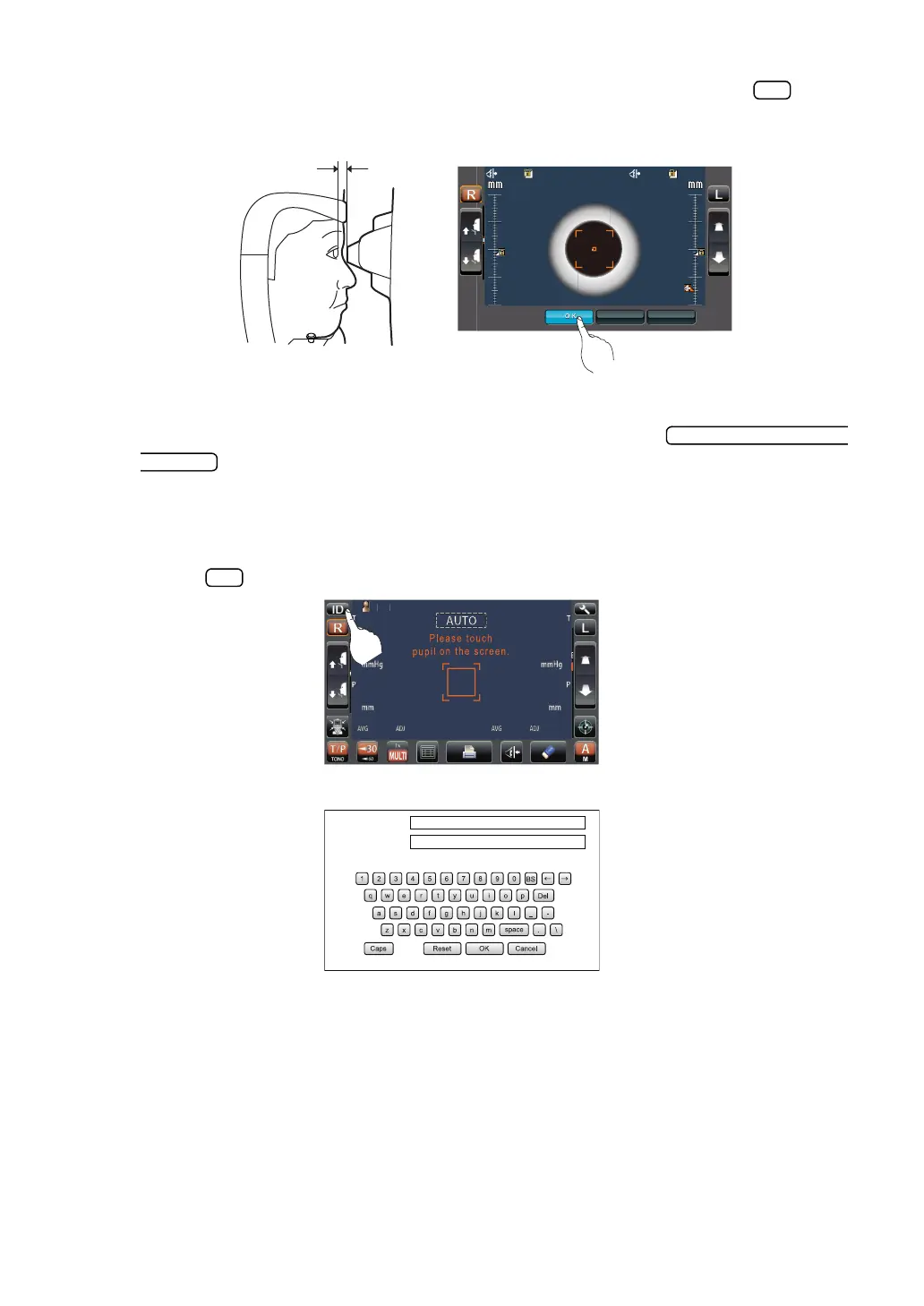
6 At a position where the measuring nozzle is 8-9mm from the cornea, tap the button
and thereby set the position of the nozzle limit.
7 Return to the Measurement screen and confirm that the position of the nozzle limit icon is
changed, push the main unit a little forward by operating the
button of the control panel, and then confirm that a message "TOO CLOSE" is
displayed on the screen. Setting is complete if the main unit does not go forward any
more.
SETTING THE PATIENT ID
1 Tap the button on the control panel.
2 The Patient ID Input screen is called up.
22.0
22.0
22.0
22.0
35.0
35.0
CANCEL APPLY
CANCEL APPLY
4
4
3
3
2
2
1
1
4
4
3
3
2
2
1
1
2
/3
/3
/3
/3
/3
/3
/3
/3
TOPCON_TAROU
Patient ID (13)
Operator ID (13)



 To Next Page