39
BASIC OPERATIONS
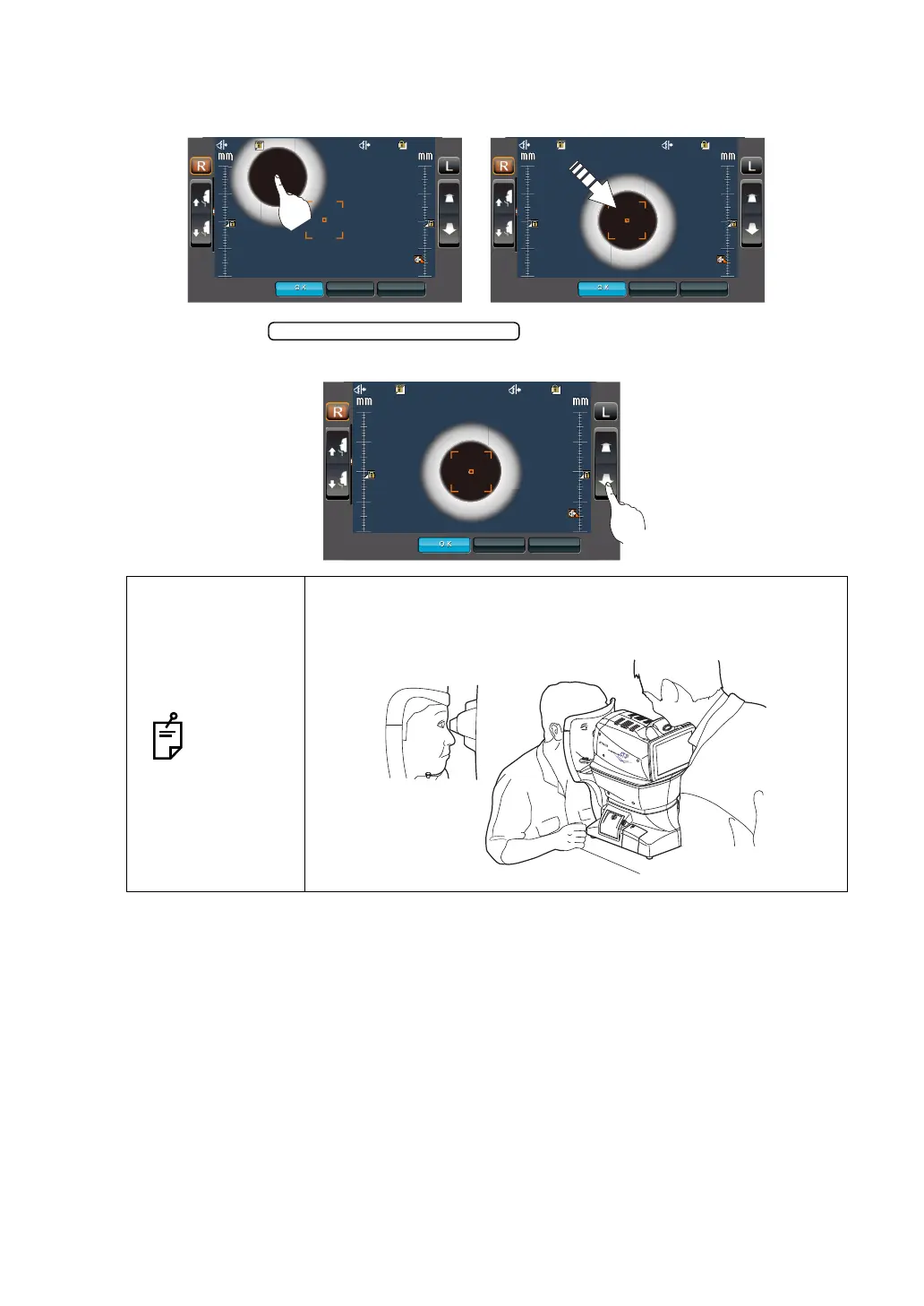
4 Operating the control panel, set the center of the measurement screen nozzle to the cor-
nea center of the patient.
5 By tapping the button, adjust the position of the z-axis
position icon for the right/left eyes.
NOTES
At this moment, confirm alternately the distance between the
patient’s eye and the measuring nozzle and the safety stopper
screen, and adjust the position of the z-axis position icon.
22.0
22.0
22.0
22.0
35.0
35.0
CANCEL APPLY
CANCEL APPLY
4
4
3
3
2
2
1
1
4
4
3
3
2
2
1
1
22.0
22.0
22.0
22.0
35.0
35.0
CANCEL APPLY
CANCEL APPLY
4
4
3
3
2
2
1
1
4
4
3
3
2
2
1
1
Measuring Head Forward/Backward
22.0
22.0
22.0
22.0
35.0
35.0
CANCEL APPLY
CANCEL APPLY
4
4
3
3
2
2
1
1
4
4
3
3
2
2
1
1



 To Next Page