38
BASIC OPERATIONS
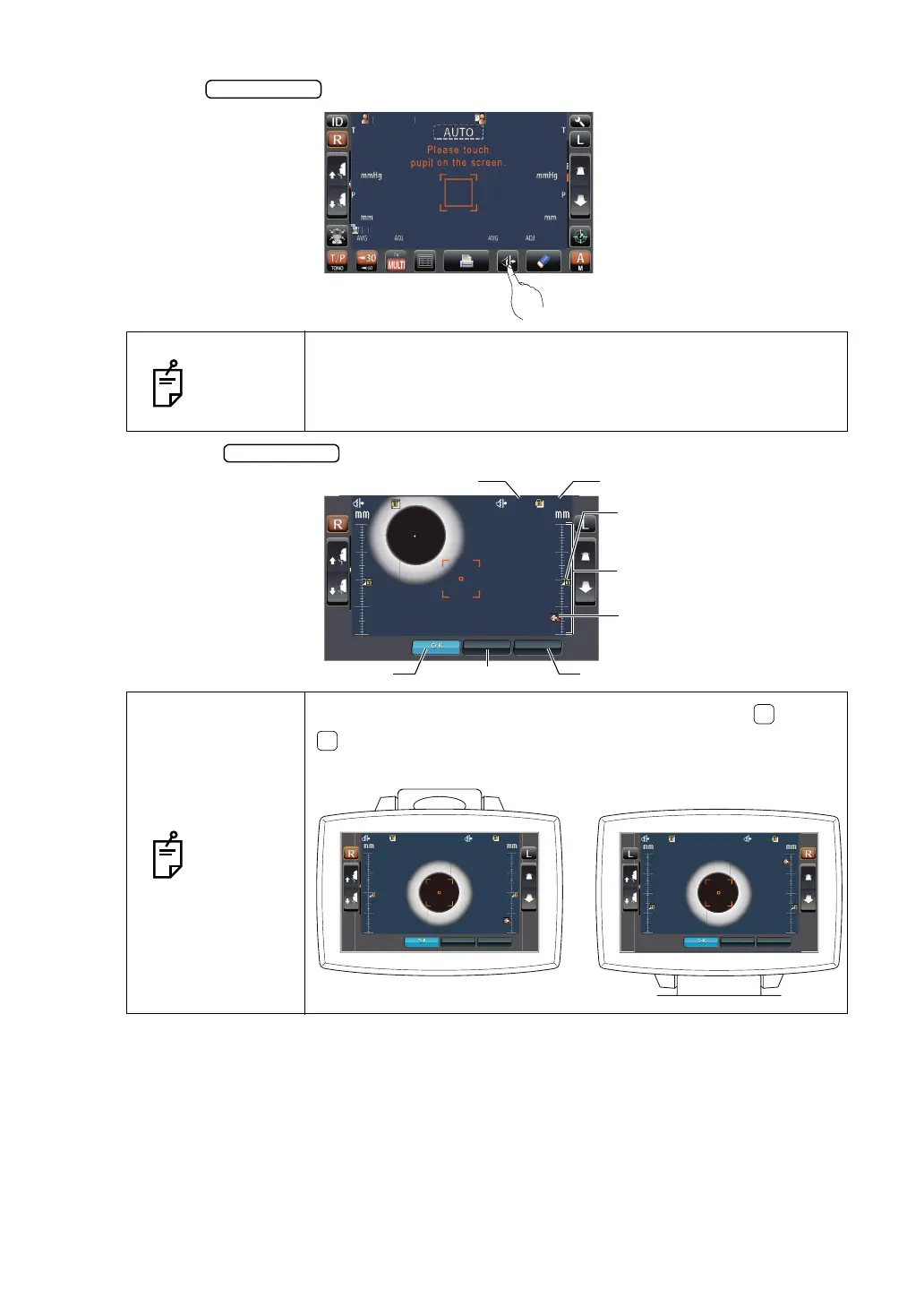
2 Tap the button on the control panel.
3 When the button is tapped, the Safety Stopper screen is called up.
NOTES
Set the nozzle limit individually for the right/left eye.
If measurement is performed by setting the safety stopper only for
one eye, or without setting the safety stopper at all, the measure-
ment window glass might hit the patient's eye.
NOTES
By the position of a control panel, arrangement of the button/
button, Z-axis position, nozzle limit position, Z-axis operating
range, nozzle limit icon, and Z-axis position icon is reversed.
PatientID
PatientID
/3
/3
/3
/3
/3
/3
/
/
OPCON
ARO
22.0
22.0
22.0
22.0
35.0
35.0
CANCEL APPLY
CANCEL APPLY
4
4
3
3
2
2
1
1
4
4
3
3
2
2
1
1
Nozzle limit icon
Z-axis operating range
Z-axis position icon
Apply button
OK button
Cancel button
Nozzle limit positionZ-axis position
22.0
22.0
22.0
22.0
35.0
35.0
CANCEL APPLY
CANCEL APPLY
4
4
3
3
2
2
1
1
4
4
3
3
2
2
1
1
12.0
12.0
12.0
12.0
35.0
35.0
CANCEL APPLY
CANCEL APPLY
1
1
2
2
3
3
4
4
1
1
2
2
3
3
4
4



 To Next Page