31
PREPARATIONS
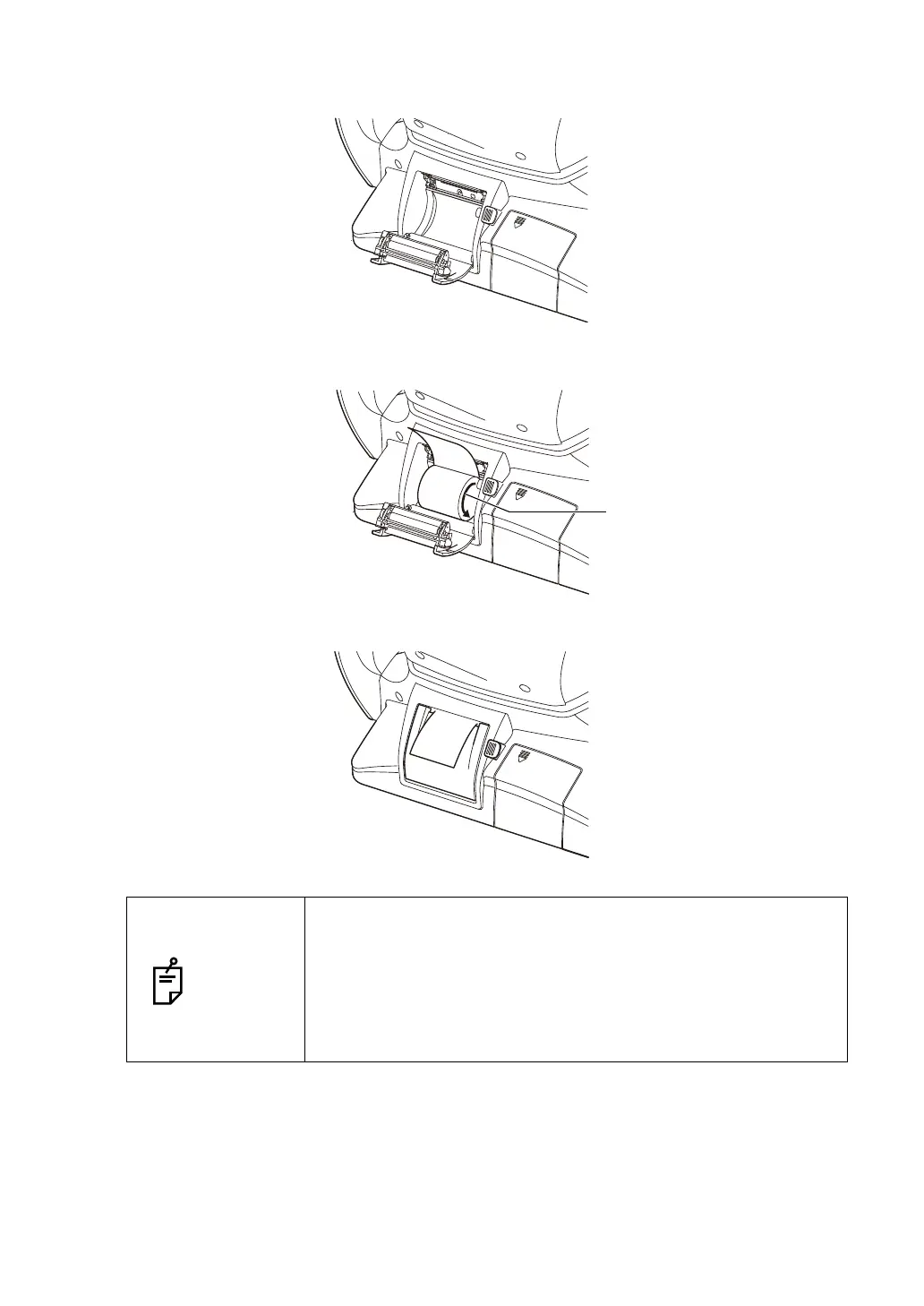
2 Open the printer cover to the limit.
3 Insert the printer paper in the direction shown below and pull out the paper end to your
side by 7 to 8cm.
4 Bring the paper into the center, then close the printer cover.
NOTES
• In case the printer cover is not firmly closed, printing will not
start, and "Close printer cover." will be displayed on the monitor
screen.
• A 58mm wide paper roll (example: TP-50KJ-R [Nippon Paper
Co.]) is recommended.
Other paper rolls may cause an abnormal printing noise or an
unclear print.



 To Next Page