48
BASIC OPERATIONS
NOTES
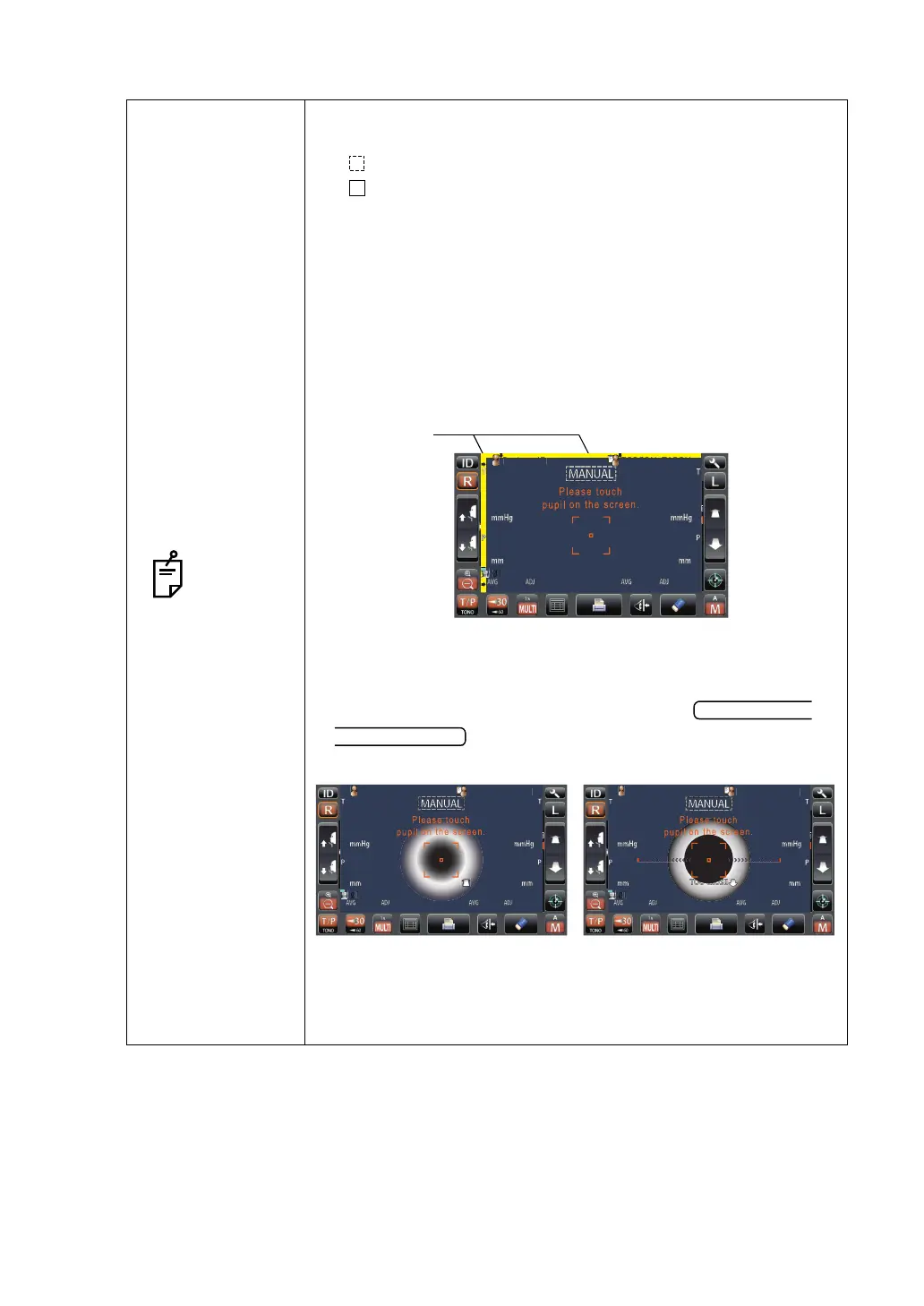
• Depending on the alignment condition, the alignment mark is
displayed differently:
: When alignment is insufficient/out of the measuring range
: When alignment is within the measuring range in all direc-
tions (front/rear, right/left, top/bottom)
• If the pupil is not displayed on the control panel, move the mea-
suring head by pressing the control panel, checking the eye
height mark on the measurement window as a guide (see
page 36).
• When the measuring head has reached the limit of movement
(vertical/lateral directions), a yellow-colored limit mark appears,
showing it is the movement limit in that direction. Tap the dis-
play, move the measuring head to a position until the pupil
image comes to the center.
• When the measuring head is at the limit of movement in the for-
ward direction, "TOO CLOSE" is displayed and the buzzer
sounds, and when it is at the limit of movement in the backward
direction, "TOO FAR" is displayed. Using the
button, move the measuring head to a posi-
tion until the pupil image comes to the center.
• As the main body approaches the patient, focus of measure-
ment screen changes.
at
ent
PatientID
PatientID
PatientID
OPCON
ARO
TOPCONTAROU
TOOFARTOOFAR
Limit of movement in the
backward direction
Limit of movement in the
forward direction
PatientID
PatientID
OPCON
ARO



 To Next Page