EasyManua.ls Logo

Topcon CT-1P - DATA OUTPUT AND MANAGEMENT; PRINTOUT OF MEASUREMENT VALUES

Topcon CT-1P
132 pages
Print Icon
To Next Page IconTo Next Page
To Previous Page IconTo Previous Page
Loading...
50
BASIC OPERATIONS
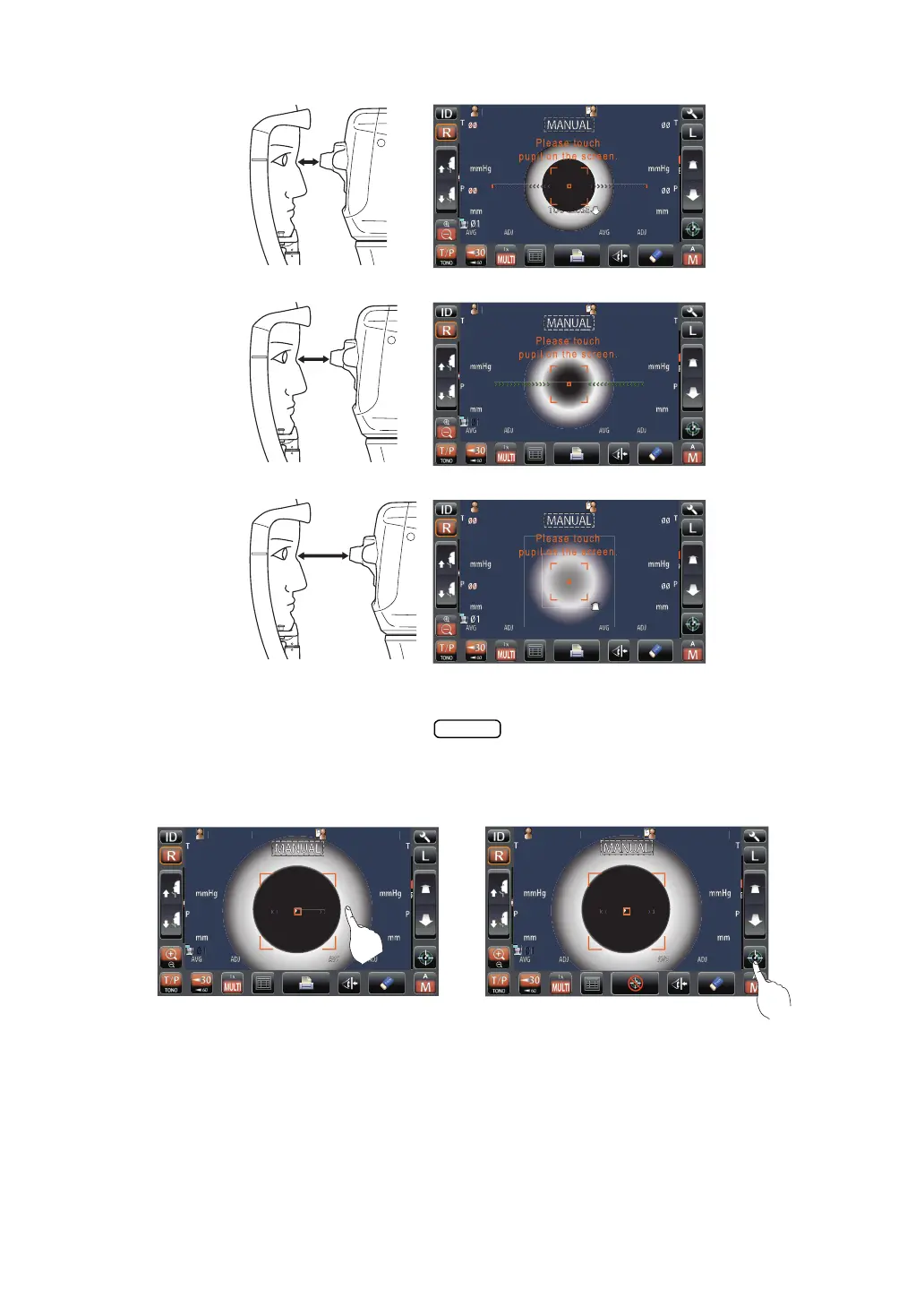
6 Measurement starts by tapping the button. When Touch Measure is ON, and
when the patient eye enlargement is displayed, measurement starts only by tapping the
screen. For the Touch measurement setting, see page 75.
PatientID
PatientID
1
T
OPCON
T
ARO
U
TOPCONTAROU
TOOCLOSE
Pat
ien
tI
D
PatientID








1
1
TO
PC
O
NTAR
OU
TOPCONTAROU
PatientID
PatientID
1
T
OPCON
T
ARO
U
TOPCONTAROU
TOOFAR
TOOFAR
Too close
Far
Off the alignment range
START
PatientID
PatientID








1
1
T
OPCON
T
ARO
U
TOPCONTAROU
TouchStart
Button
PatientID
PatientID








1
1
T
OPCON
T
ARO
U
TOPCONTAROU
TouchMeasure
Point
Touch Measure is "ON" Touch Measure is "OFF"

Table of Contents

Related product manuals