120
OPUS Projektor Manual
User Interface
Settings:
Search Command: #[Set As Input]=true
Example 6 => Exchange the Font property for all String Fields with DejaVu (bulk
property editing)
Here it is searched for all String Fields that don't have language dependency that use the Font
DejaVu
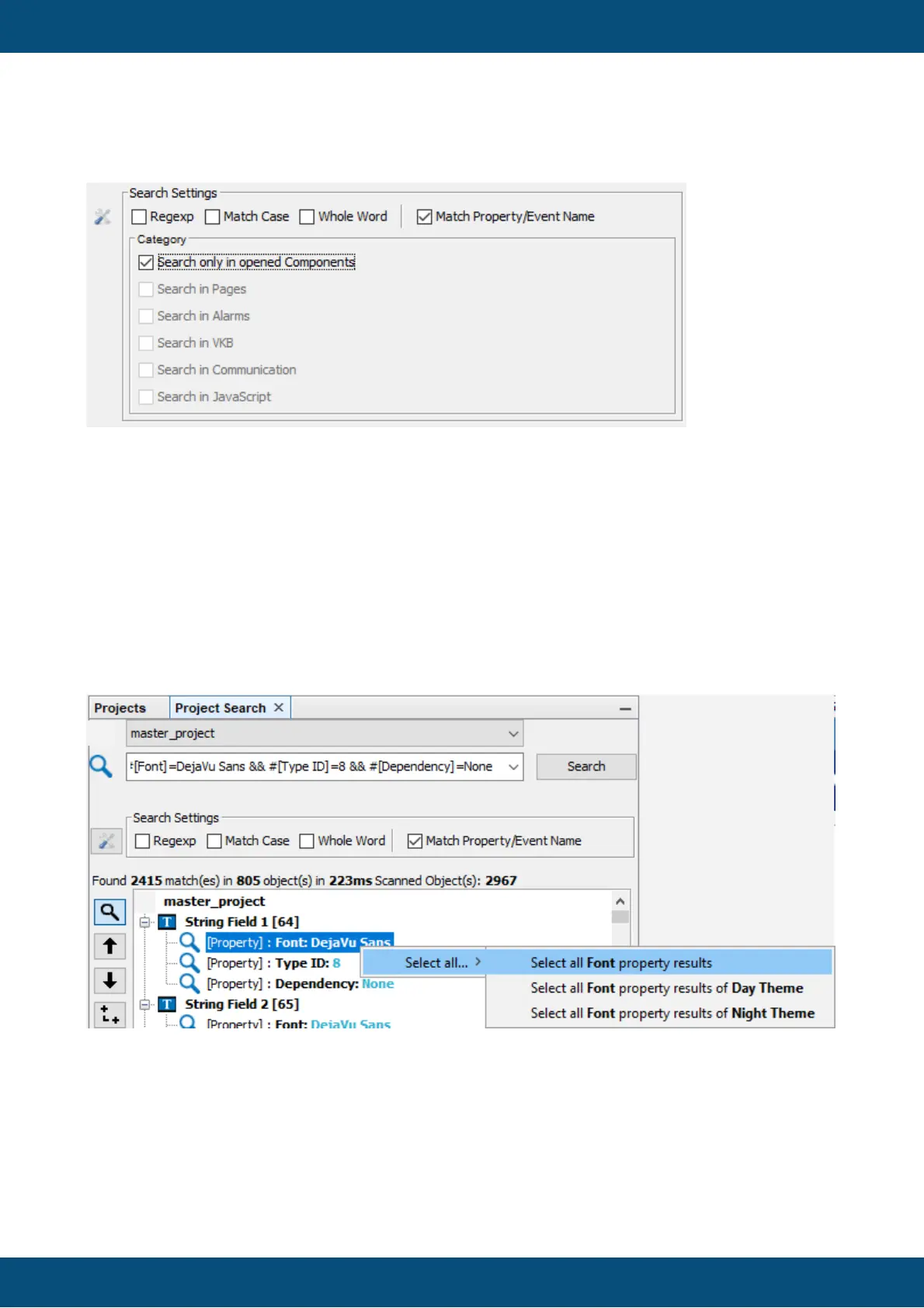
Search command: #[Font]=DejaVu Sans && #[Type ID]=8 && #[Dependency]=None
Now the Font property of all found objects can be selected, by right-clicking the Font property
of one of the found objects:
Note that either ALL objects that use this font can be selected, or only all results in day theme
or night theme, respectively.
With clicking Select all Font property results, all the objects will be selected and in the property
window the Font property can be changed for all objects at once:



 To Next Page