750
OPUS Projektor Manual
How To
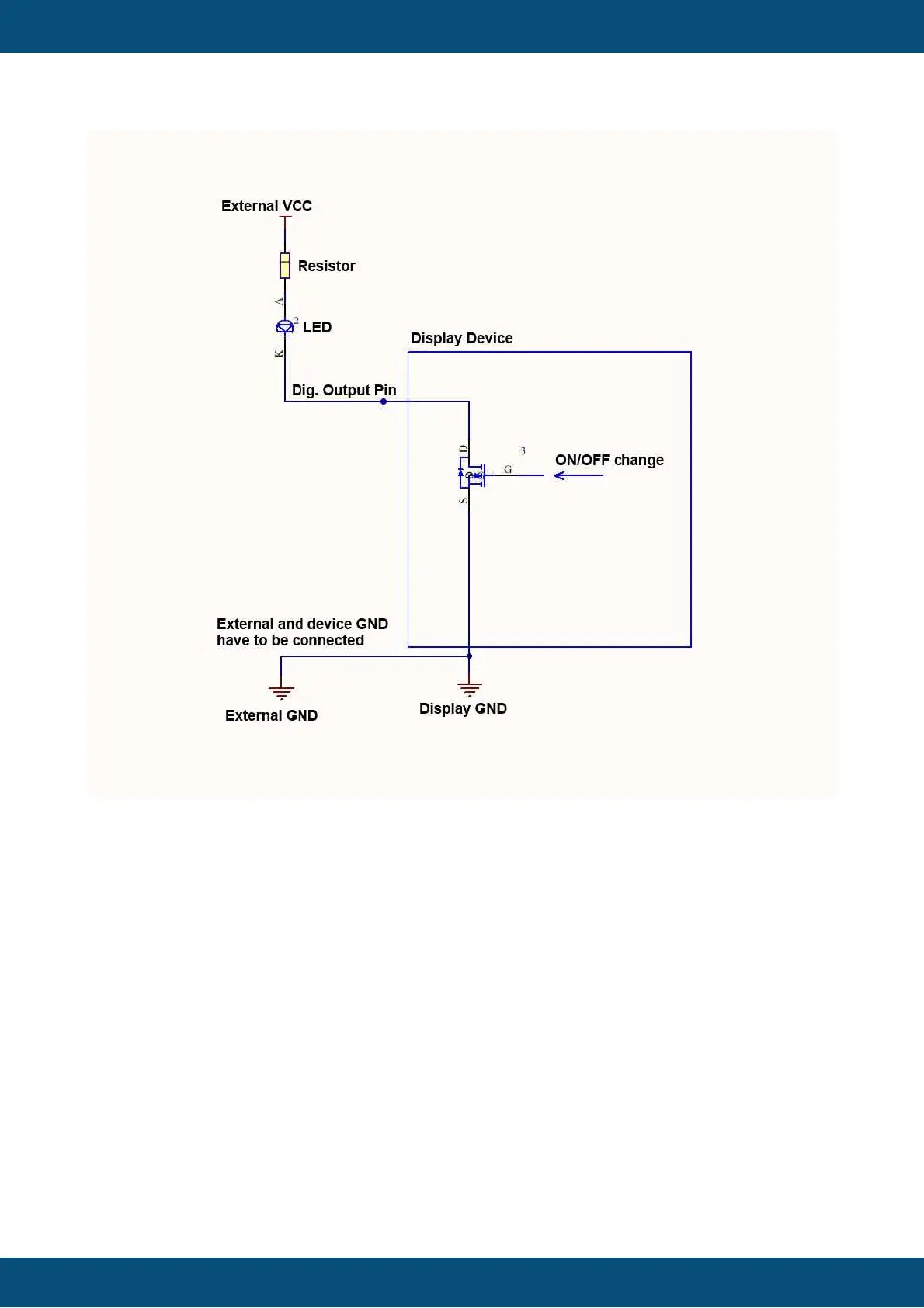
The external VCC and the power source of the display device can be the same.
The grounds have to be connected (i.e. have to be the same).
The LED in the image is only an example, it is not limited to LEDs.
12.9
How to process CAN messages with a multiplexer bit
You need to process CAN messages from an ECU that uses one CAN-ID and a multiplexer
bit to differentiate the data.
The best way to do that is to create the "same" CAN mapping several times, i.e. with the
same CAN-ID, length etc.
In the Visual CAN Mapping, put a constant into the multiplexer byte and set this constant to the
first relevant value, e.g. 1.
The other bytes you fill with variables that should contain the data from the CAN message with
multiplexer byte set to 1.
The next mapping with identical settings you put a constant into the multiplexer byte and set
this to 2, and you put in the variables that should receive those data, and so on.



 To Next Page