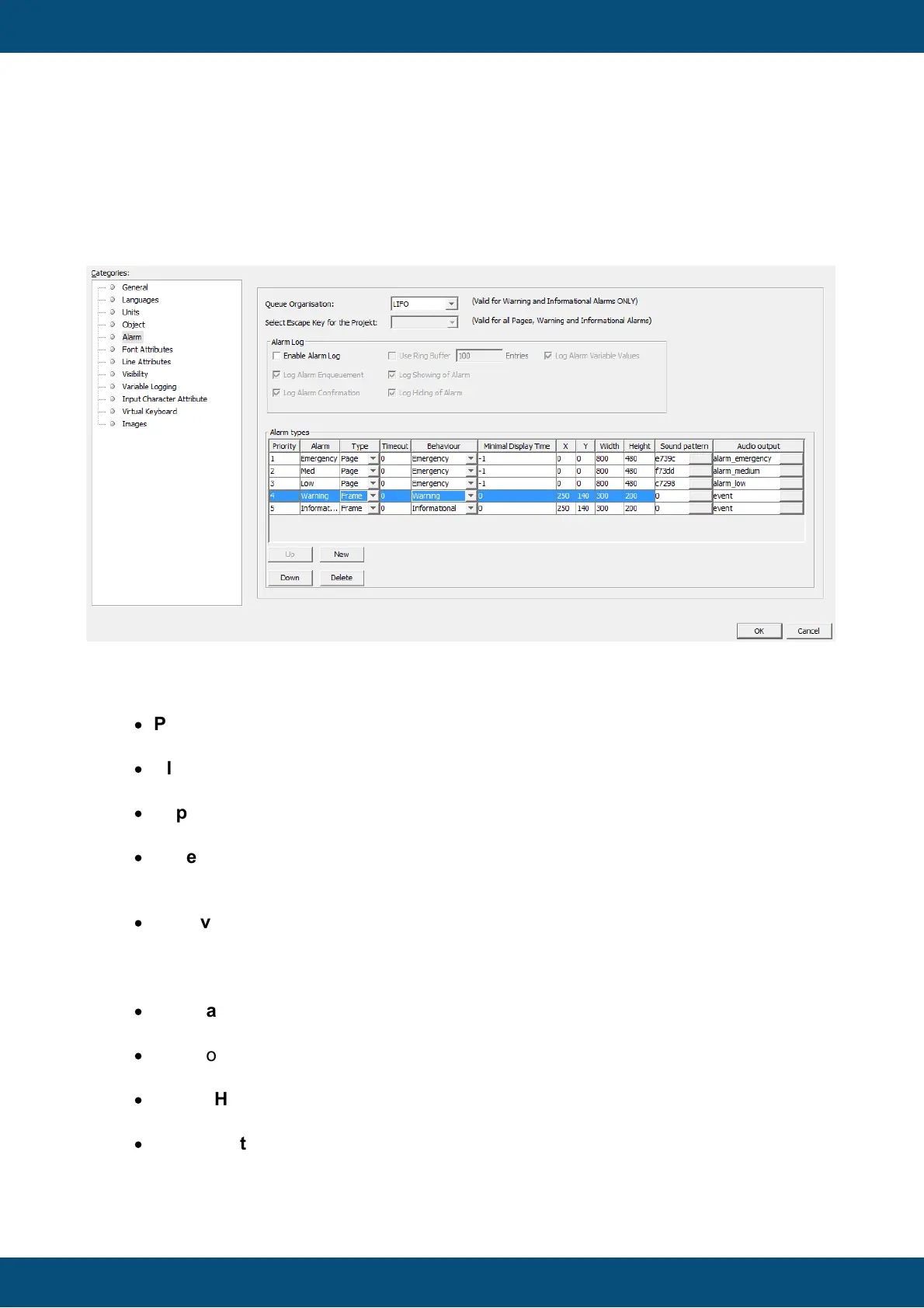
Alarms are characterized through the following properties:
·
Priority: This property decides which alarm is shown in front if several alarms with
different priorities are shown
·
Alarm: A name for the alarm template. There are 3 pre-configured alarm templates,
Emergency, Med and Low
·
Type: Alarms can be shown in a full screen or as a popup above the currently
displayed page
·
Timeout: Enter a time in milliseconds after which an alarm of the selected type will
disappear by itself. 0 means the alarm does not disappear by itself. Cannot be set for
the alarm behaviors Emergency and Warning
·
Behaviour: Emergency alarms can only be cleared by setting the @AlarmShow
variable. Warning alarms can be cleared by setting the @AlarmShow variable and
also by pressing the "Escape" key. Informational alarms can be cleared by setting the
@AlarmShow variable, by pressing the "Escape" key and by a timeout (see above)
·
Minimal Display Time: An alarm can only be cleared (by pressing the "Escape" key)
after this time (in milliseconds)
·
X,Y: Coordinates for the position of the alarm on the display. Fixed to 0,0 if the type
of the alarm is set to full page
·
Width, Height: Width and height of the alarm on the display. Fixed to the resolution
of the display if the type of the alarm is set to full page
·
Sound pattern: Here you can define a pattern that will be played when the alarm is
shown. This sound pattern will then be played back with the beeper each time the
event occurs. The volume of the beeps is dependent on what event happened (event



 To Next Page