596
OPUS Projektor Manual
Simulations
9
Simulations
Two types of simulations are available (click the links for details):
·
PClient Simulation
·
Variable Simulation
Additionally Simulation Settings can be made
Tutorial video about the PClient Simulation
https://www.youtube.com/watch?v=rzgrpzZZ9tI
9.1
Simulation Settings
General
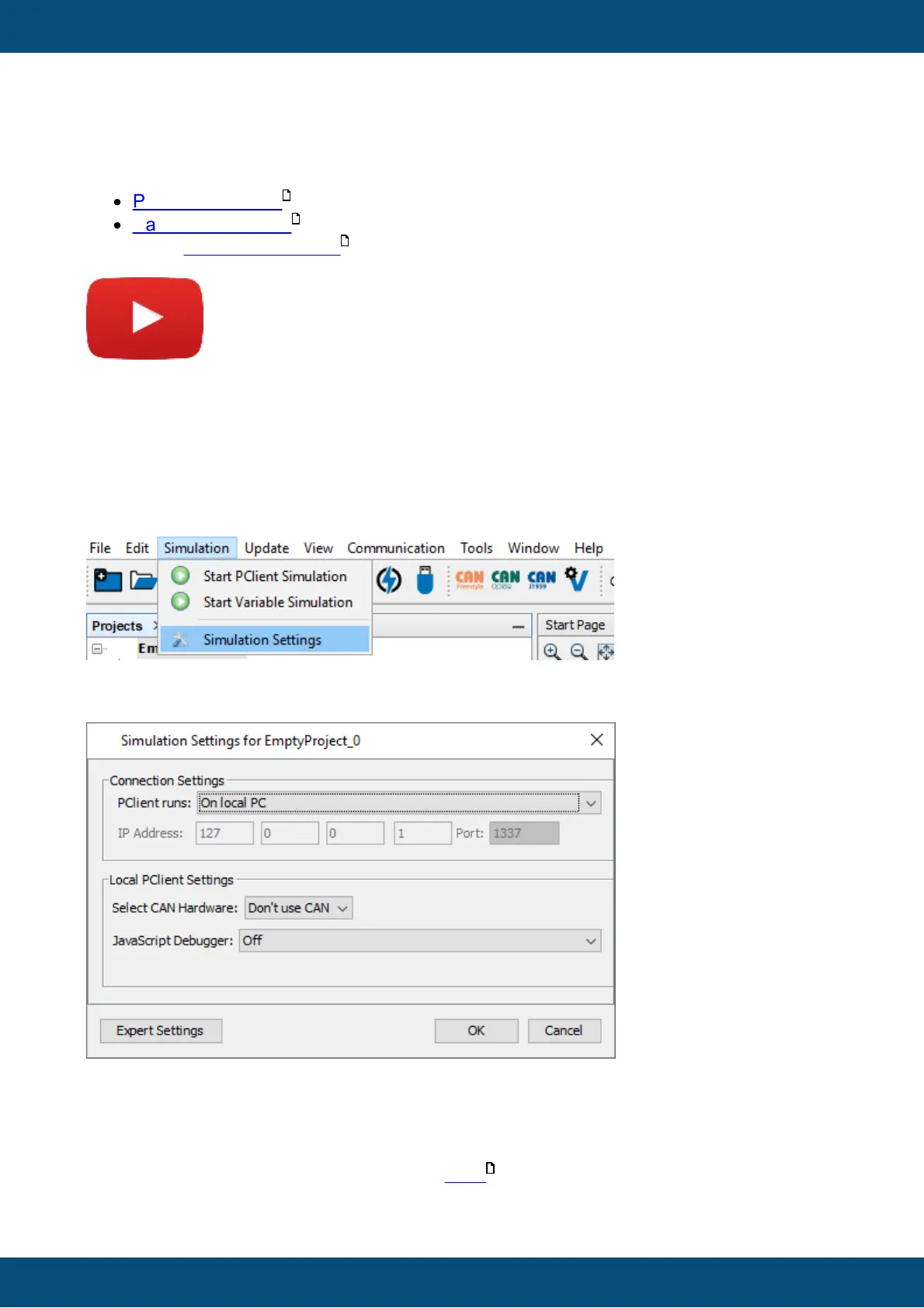
The settings dialog can be opened via the menu Simulation => Simulation Settings
The following simulation settings can be made:
Connection Settings
Connection settings only need to be adjusted if the PClient shall not be run as a simulation on
the local PC. If it is run as simulation don't change anything.
If a connection to a running PClient on a device via ethernet shall be used, the IP Address and
Port for that connection can be entered. See here for details.
598
601
596
602



 To Next Page