40
OPUS Projektor Manual
User Interface
The reported issues tab provides an overview of the reported issues from this version of
the program.
Symbol Library (11)
This button opens the symbol library tab.
Image Library (12)
This button opens the image library tab.
Undo/Redo (13)
This button opens the Undo/Redo tab.
Start Page (14)
The new Start Page shows the recently opened projects, information about the current
version and an RSS feed with news and update information.
Project Search (15)
This button opens the Project Search tab.
3.1
Convert Project
This chapter describes how a project can be converted between different devices.
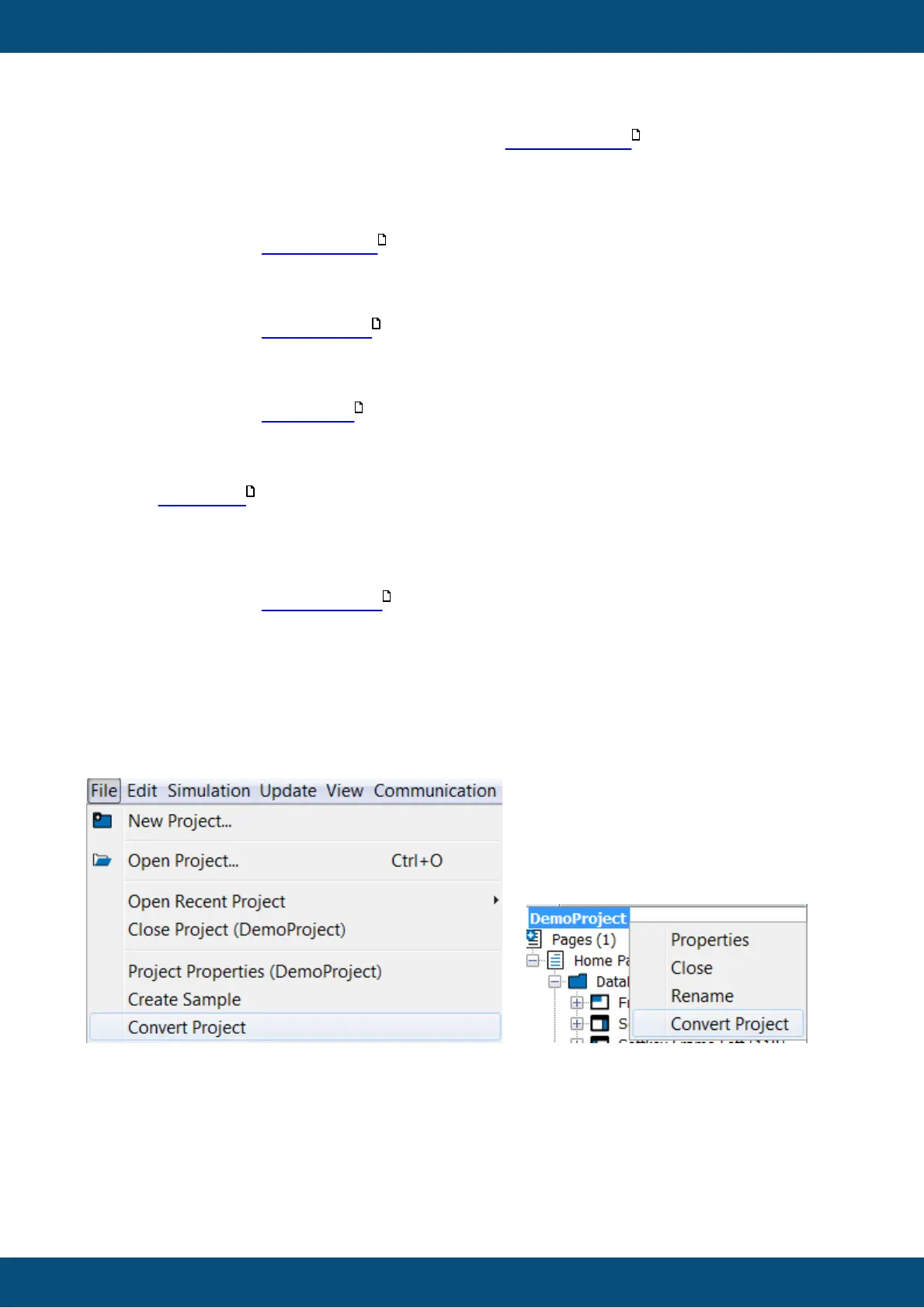
The dialog can be opened via the menu File -> Convert Project or by right-clicking the project
name and choosing Convert Project in the context menu.
Please note that for both actions you need to have a project marked in the project tree.
Please note that you should save the project before the conversion to include all changes.
Step 1
740
135
46
142
134
108



 To Next Page