11.Select the mapping you want to add to the sequence.
12.Press "Add >>" to add the message to the sequence
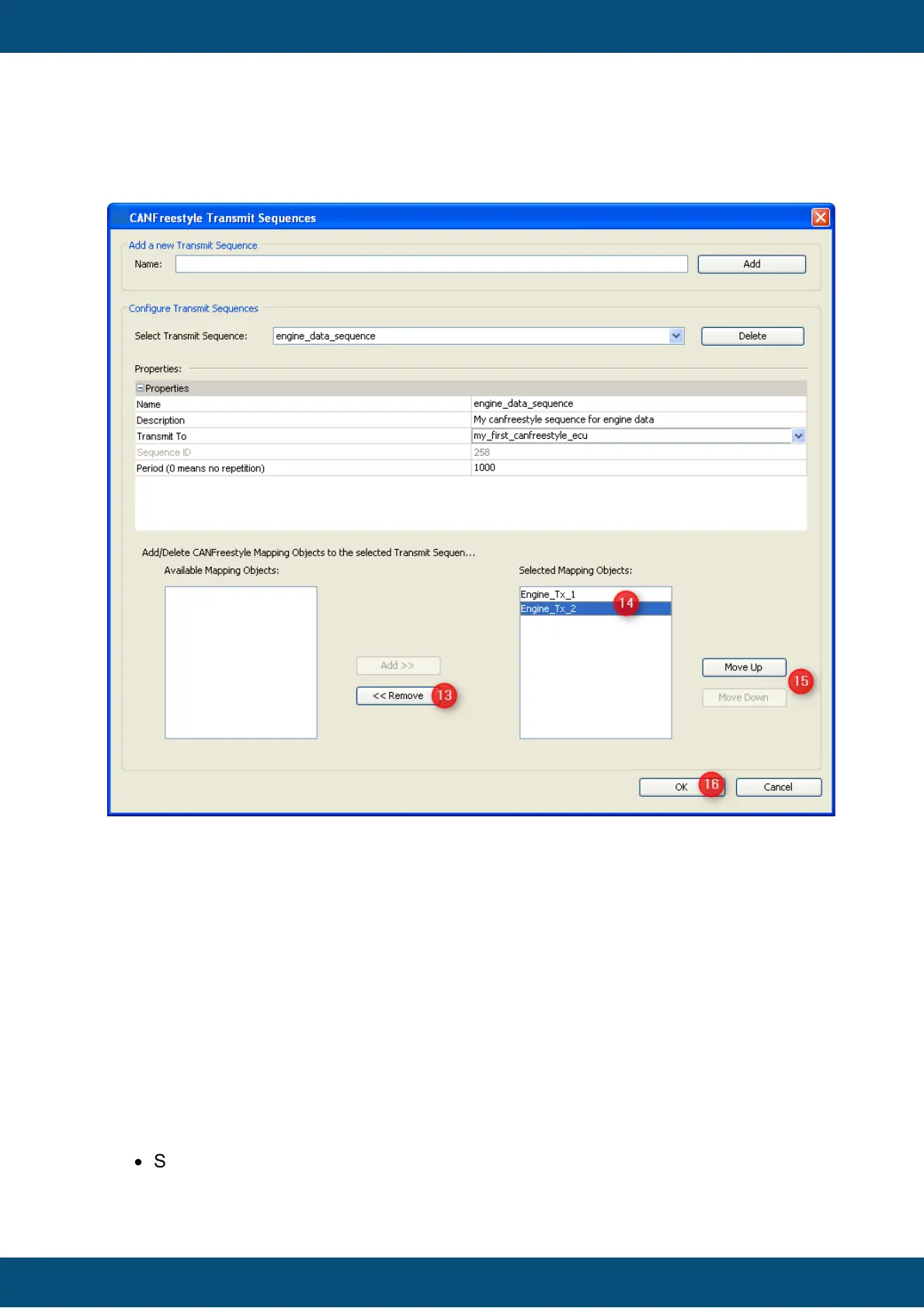
After adding of mapping objects the dialog should look like this:
13.If a mapping was mapped by mistake you can select the mapping and remove it
again with the "<< Remove" button
14.The list box contains the transmit mapping which should be transmitted via the
sequence
15.With the help of the buttons "Move Up" and "Move Down" you can change the
order of the transmit mapping at the sequence
Finally the dialog should be confirmed with "OK" to save the sequences.
Aside from CANFreestyle and J1939 protocol, it is possible to connect the device into a
CANopen network.
The CANopen stack is implemented on the standard CIA 301 4.2.0 and support the
following features:
·
SDO Communication (Server and Client implementation)
o Download and Upload for expedited and segmented protocol



 To Next Page