777
OPUS Projektor Manual
OPUS devices update manual
password:
for A3 -> opusa3
for A6 -> opusa6
for A8 -> egspro
for A6 G2 -> egspro
for B3 -> egscore
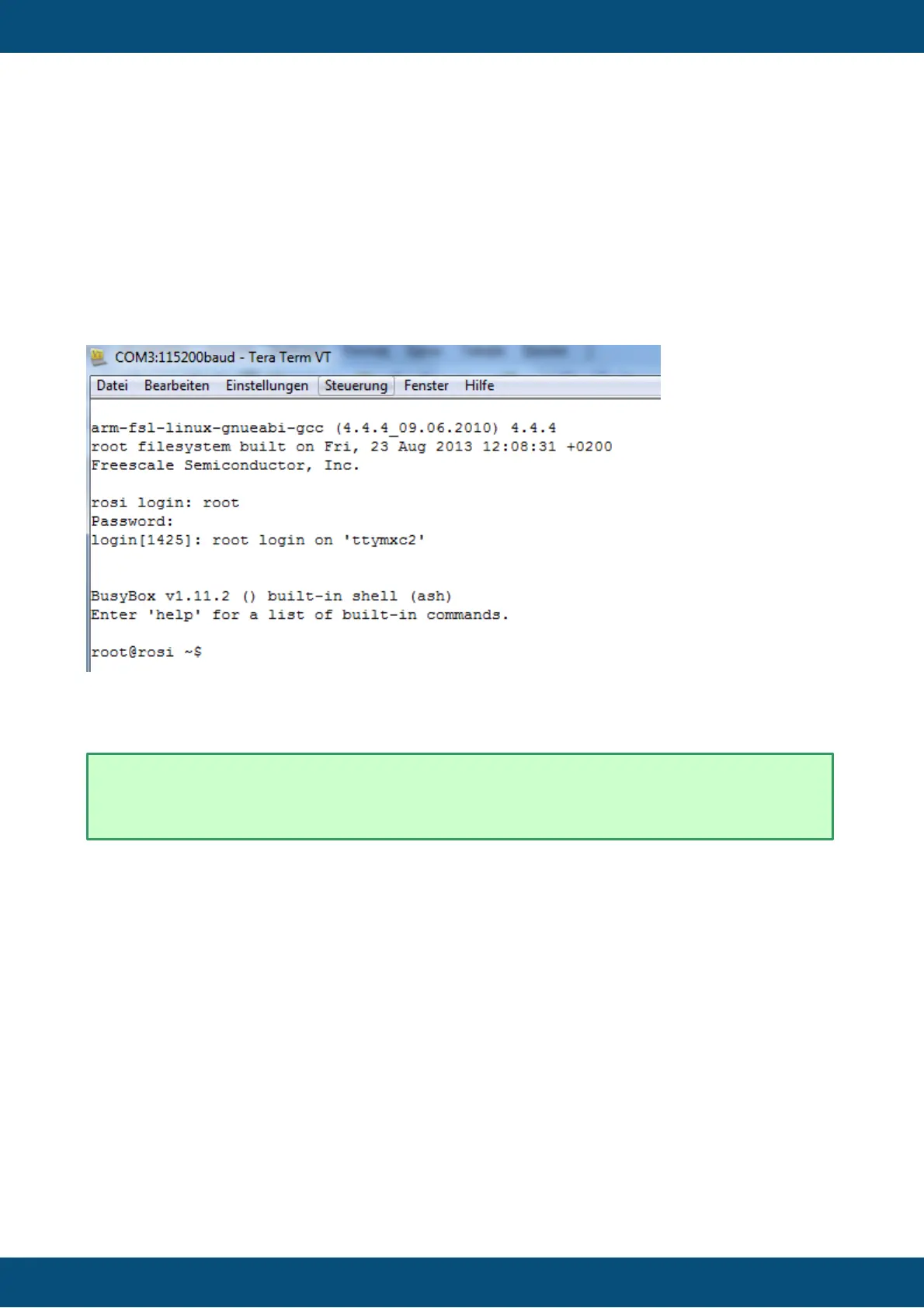
After logging in you will see a screen similar to this (it differs from device to device):
Now you’re logged into the Linux system on the device.
14.4.2
Using a different boot logo image
Besides the processes described below, both in Codesys and
OPUS Toolchain the boot logo can be changed within the
project.
To use your own boot logo image you need to prepare it for the update process. The image
file(s) need to be in the correct solution:
- A3: 480x272
- A6: 800x480
- A6 G2: 800x480
- A8: 1280 x 800
These are the names and formats you need to save the files in to be used in the update:
- logo.png for OS 1.x
- logo_opusaX_2.X.png for OS 2.x (exchange X with the appropriate numbers)
- logo_egspro_a6-we-landscape.bmp for OS EGSPRO with A6
- recovery_egspro_a6-we-landscape.bmp for OS EGSPRO with A6 (update screen)



 To Next Page