614
OPUS Projektor Manual
Simulations
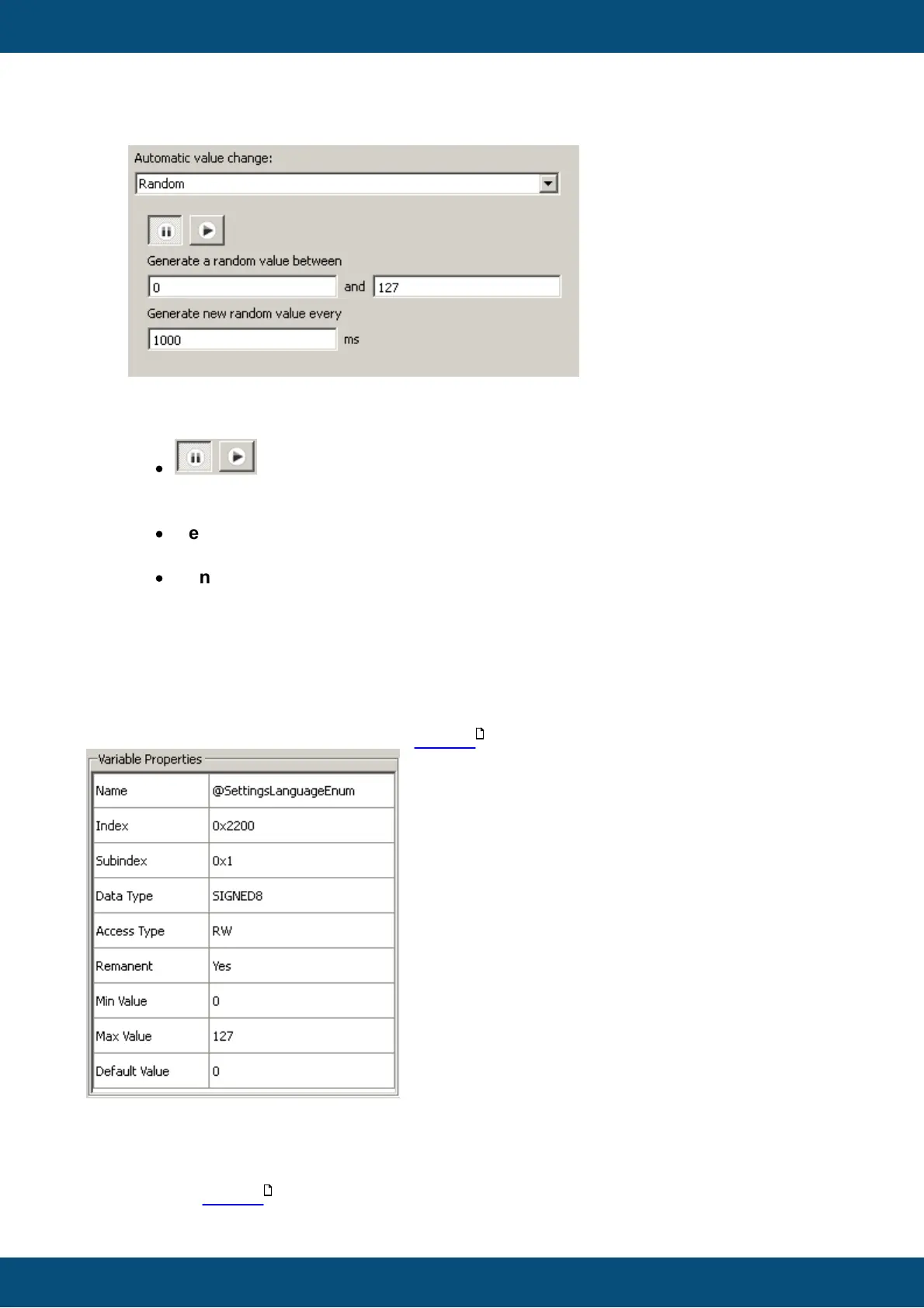
The random value generator can be used to set random values within a defined range to
a variable.
Use the following elements to configure the random value generator:
·
buttons
Pause or resume the generator (make sure that the rest of the configuration is
correct)
·
Generate a random value between fields
Use these two fields to define a range for the random values.
·
Generate new random value every field
Enter the period in milliseconds in which the random value shall be generated
(may not be below 10ms)
9.3.4
Variable Simulation - Variable Properties
The most un-spectacular but sometimes useful view in the variable simulation is the variable
properties view.
The view can be shown or hidden via the tool bar .
The property table shows the variable properties as they were configured in the tool.
9.3.5
Variable Simulation - Initialization Lists
The initialization lists are part of the advanced view. The advanced view can be shown or
hidden via the tool bar .
606
606



 To Next Page