123
OPUS Projektor Manual
User Interface
3.13
Project Versioning
Sometimes users would like to have an old state from some months ago of the project to do
some edits for a special customer who shouldn't get the latest changes.
Sometimes it happened that a project had an error and could not be opened anymore in the
program.
For these use cases and others we are introducing a simple, yet powerful project versioning
system.
We used JGit, a Java library implementing the widely known Git version control system.
Please note that we did NOT implement branches or merging of different project revisions.
How can I start using this feature?
New projects
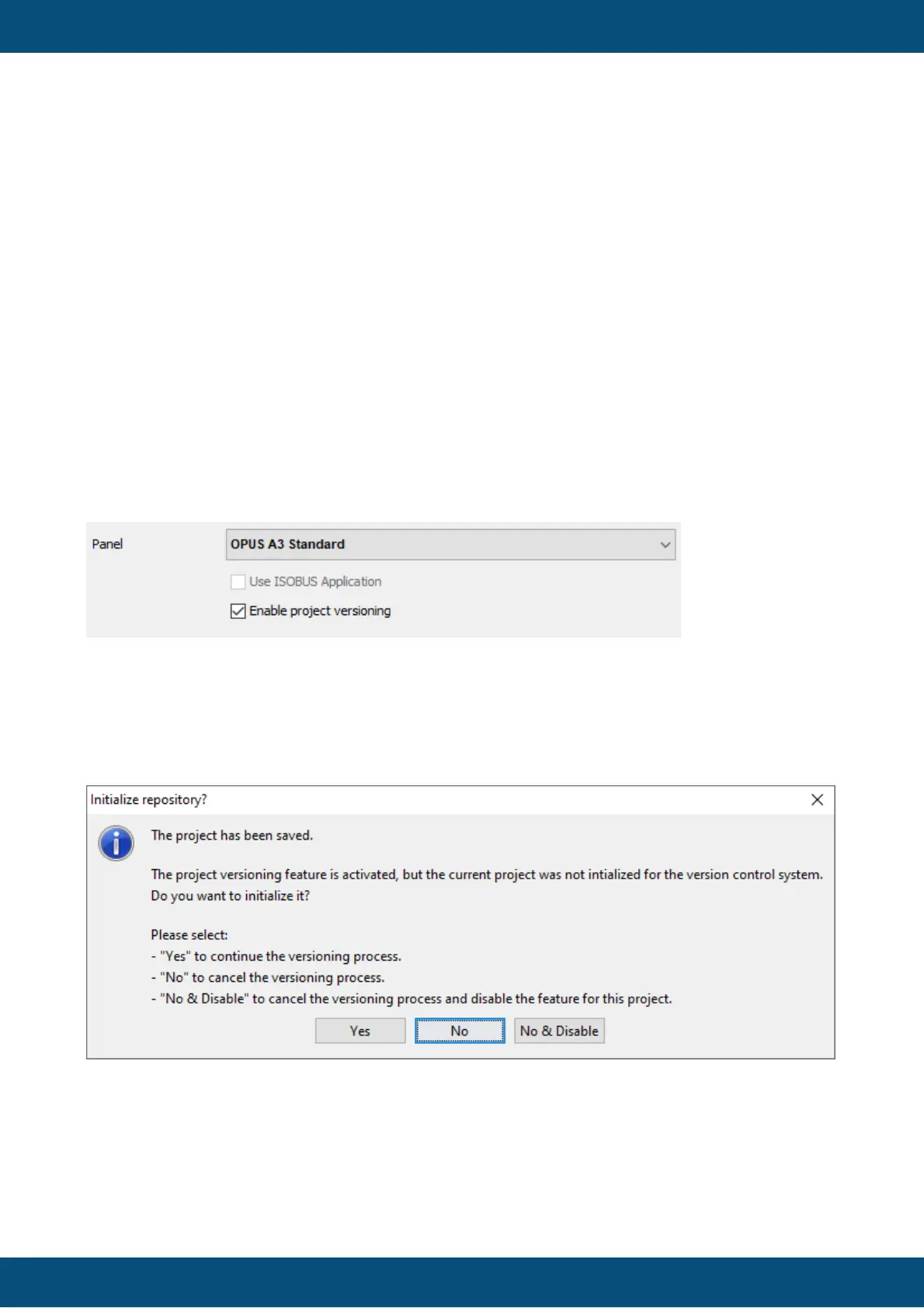
In the new project dialog, an option appears in the second screen.
If this check box is checked (default setting), project versioning is enabled for this project.
Existing projects
For existing projects, the versioning will not appear upon project opening.
When you save the project for the first time, this dialog will appear.
Choose yes to start using the versioning system for the project.
Choose No to not start using the versioning system for the project at the moment, i.e. you will
be asked the same question at the next save.
Choose Cancel not start using the versioning system for the project and disable versioning for
this project, i.e. you will not be asked this question again (but you can enable the versioning
again in the project properties).



 To Next Page