5.3.1
Before one can use J1939 protocol it has to be activated. A good starting point is to
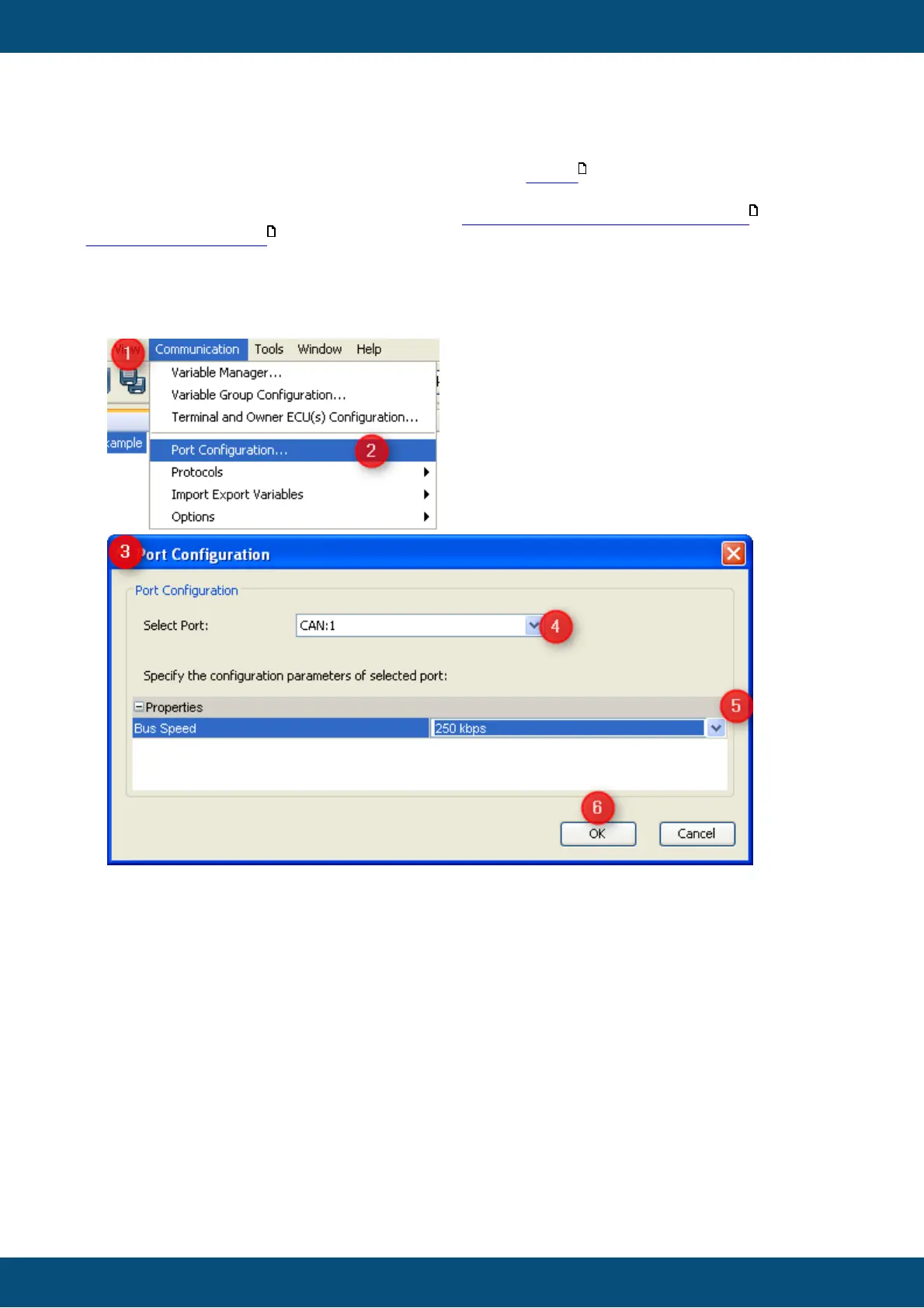
configure the hardware interface to be used to 250 kBit/s:
1. Open "Communication" menu
2. Choose "Port Configuration ..."
3. The "Port Configuration" dialog will appear
4. Select the CAN port you want to use for J1939
5. Set the bus speed (the standard baudrate for J1939 is 250 kBit/s)
6. Press "OK" to confirm the setting
Once the port is configured the protocol itself has to be assigned to it:



 To Next Page