529
OPUS Projektor Manual
JavaScript
7.4
Custom JavaScript functions for device specific functionality
Various custom functions exist that help JavaScript interact with project variables and objects.
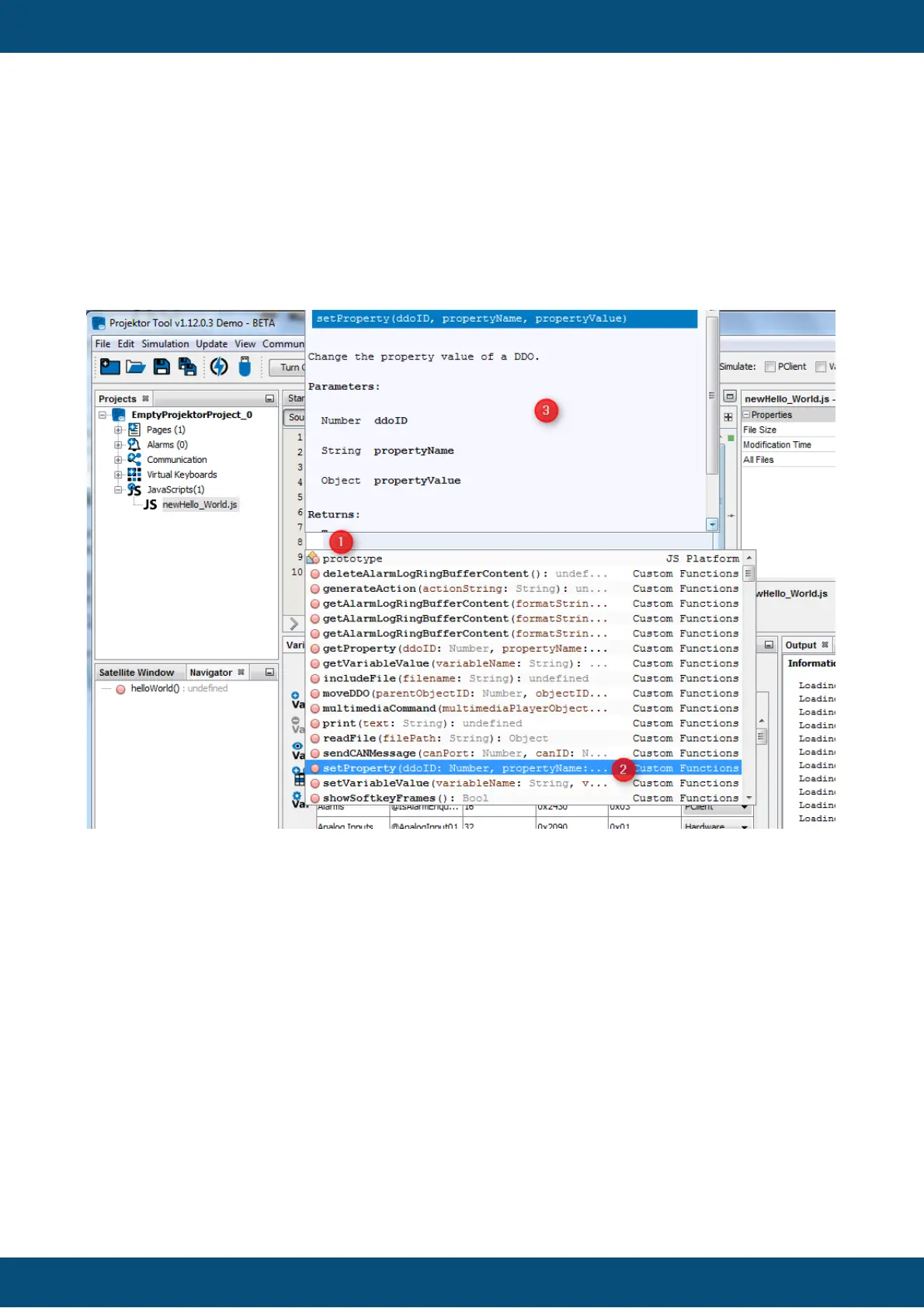
By pressing CTRL+SPACE in the JavaScript editor content area (1), a list with auto complete
suggestions will appear. On the top of the list are functions from the category Custom
Functions (2). A Tooltip (3) for the selected function shows a short description and gives
informations about the parameter(s) / return types.
print - print debug output to console
The print function allows to print debug messages to the serial console. This can be very
helpful in debugging JavaScripts during development.
Note that when a lot of debug messages are used the system performance can be slightly
decreased. When releasing a project the print statements should be commented.
Prototype:
print (string stringToPrint);
Examples:
var result = 21 * 2;
// output: String to print
print("String to print");
// output: Result was 42
print("Result was " + result);



 To Next Page