459
OPUS Projektor Manual
Object Reference
The ring buffer is implemented as 100 files per variable. Each file is named with the name
of the variable and a sequence number.
6.4.1.1
Graph History Tool
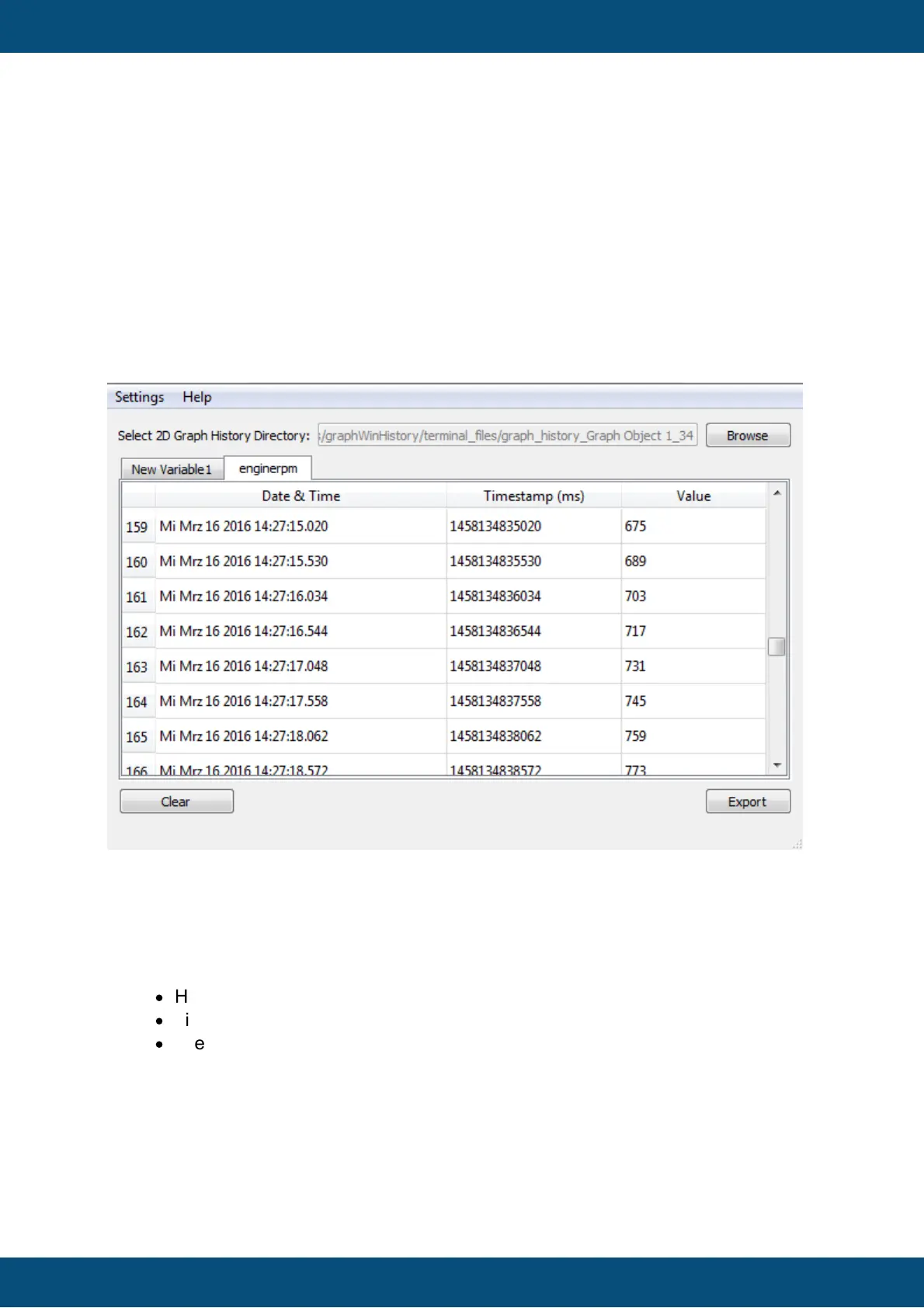
The Graph History Tool is a PC tool for viewing and converting saved history data of a 2D
Graph object.
This manual is split in two parts: The end user manual that explains how the tool can be used
and the OEM documentation that explains how the tool can be deployed to the end user and
how it can be customized.
End user manual
Import and show Graph History Data
Press the Browse button to select the directory that contains the graph history data.
After the directory has been selected the data is parsed. For each variable that is
configured for the 2D Graph, a tab with a table will be shown in the tool. Each table
consists of 3 columns:
·
Human readable date and time
·
Timestamp as a 64Bit unsigned value (milliseconds from 1970-01-01 00:00)
·
The value at that timestamp
To clear imported data simply press the Clear button.
After data has been imported, press the Export button to show the export settings
dialog.



 To Next Page