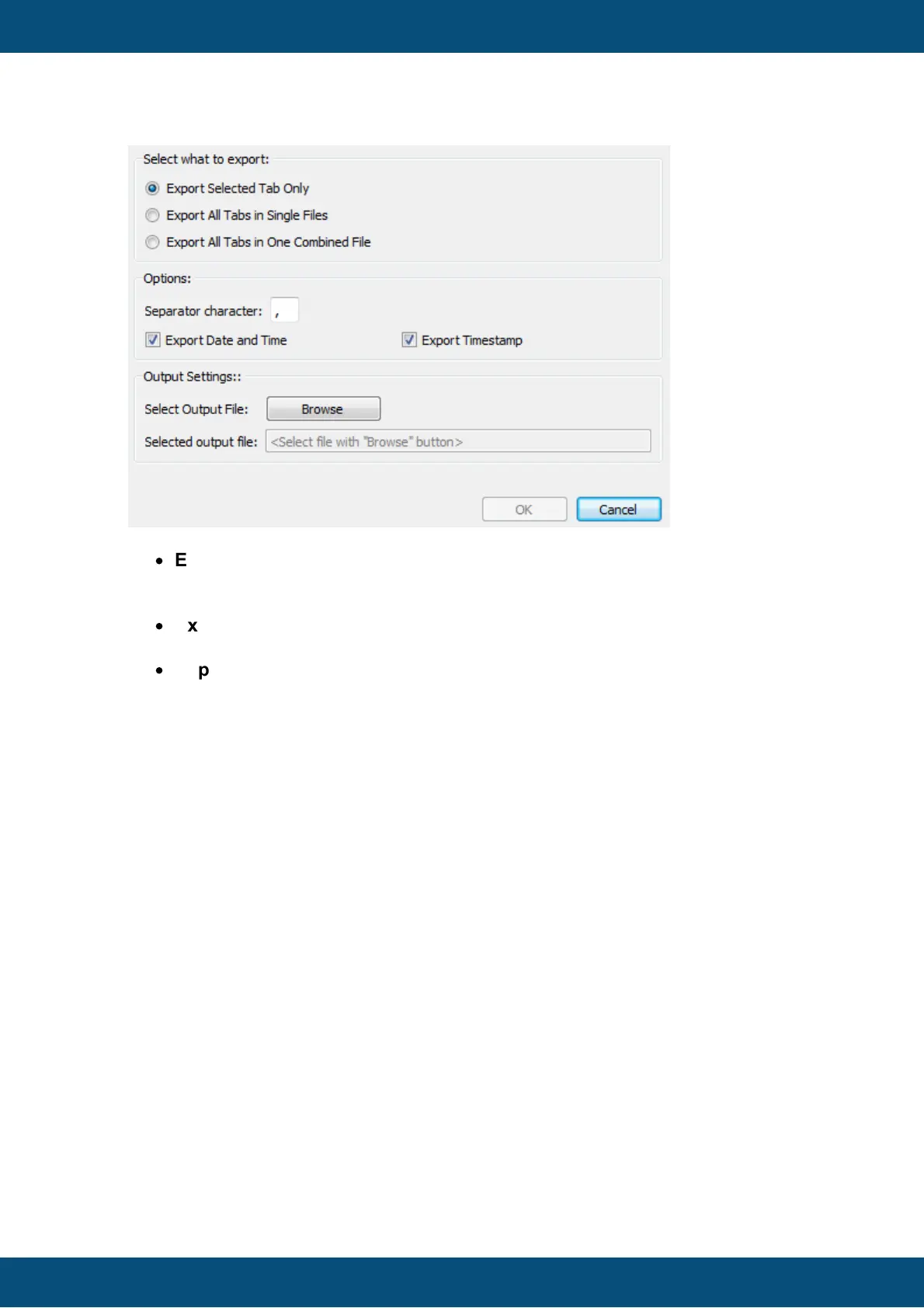
The first step is to select what shall be exported:
·
Export Selected Tab Only
If this option is selected, only the selected variable (active tab) will be exported into
one csv file
·
Export All Tabs in Single Files
If this option is selected, one csv file for each variable will be exported.
·
Export All Tabs in One Combined file If this option is selected, one csv file will
be exported that will contain all variable values with a column for each variable.
If a different separation character shall be used, this can be configured with Separator
character. This can be handy because some language versions of spreadsheet
applications treat the separation character differently (e.g. English Excel wants a ,
whereas German Excel wants a ;).
If either Date and Time or the 64Bit timestamp is not needed in the CSV file, the
checkmarks of Export Date and Time or Export Timestamp can be removed.
The last step before the export can begin is to select an output file (if Export Selected
Tab Only or Export All Tabs in One Combined file is selected) or an output directory
(if Export All Tabs in Single Files) is selected
When all export settings are correct, hit the OK button to start the export.
The Graph History Tool is a Qt5 application and therefore has to be shipped with the
matching Qt and runtime libraries. It should run on every 32Bit or 64Bit Windows version
(starting with Windows 7).
The application and all the neccessary libraries can be found in the roaming files
installation path of the designer application. The sub-directory is
\dev\extracted_components\pclient\simulation\graph_history_tool. As long as the



 To Next Page