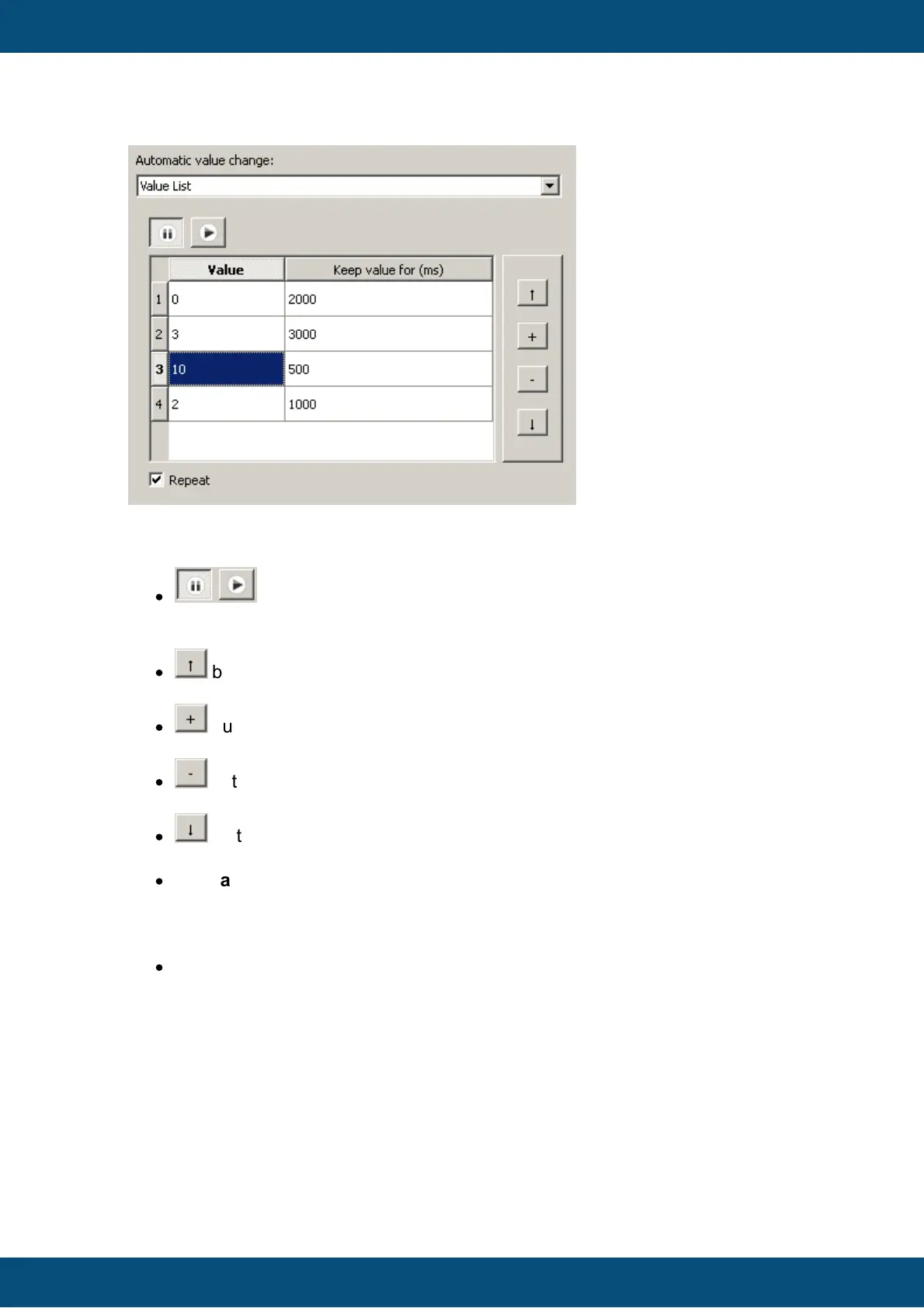
The value list generator can be used to set certain distinctive values to a variable in a
defined sequence and at defined times.
Use the following elements to configure the value list generator:
·
buttons
Pause or resume the generator (make sure that the rest of the configuration is
correct)
·
button
Move the selected row up in the value list
·
button
Add a new row to the value list
·
button
Remove the selected row from the value list
·
button
Move the selected row down in the value list
·
The value list itself
To change the value in the list just double click a cell in the left column of the list.
To change the amount of time that a value stays, just double click a cell in the right
column of the list.
·
Repeat checkbox
If the end of the list is reached, the generator will begin again at the top of the list



 To Next Page