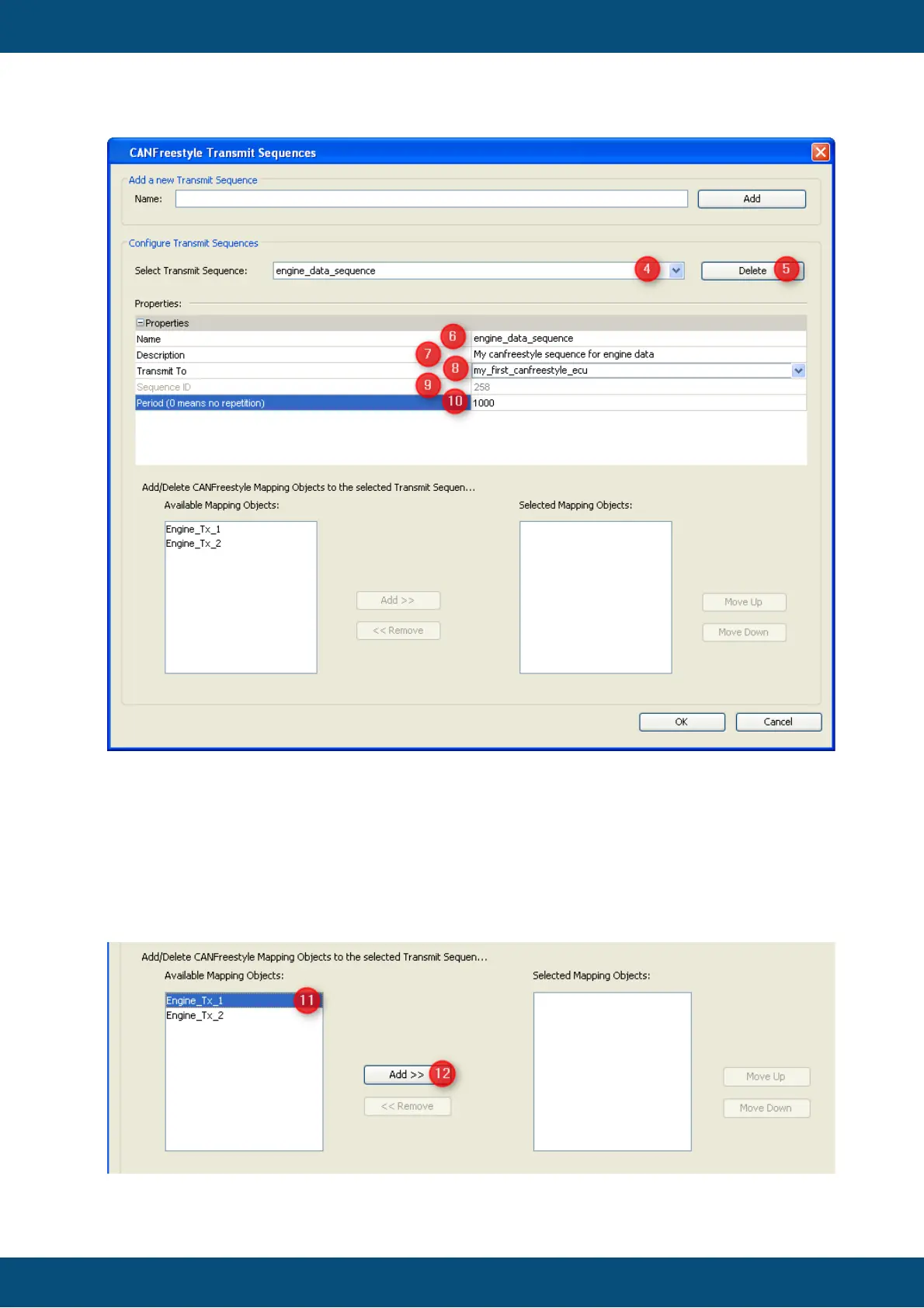
4. Combo box where you can select the sequence you want to edit.
5. Deletes the current selected sequence.
6. Name of the transmit sequence which is currently selected
7. Here you can add a description for the sequence
8. Target owner which should receive the sequence.
9. The "Sequence ID" is a unique internal ID, which is not editable.
10.The "Period" (in ms) defines the cycle for sending the sequence. NOTE: This is
the only way to trigger the sequence.



 To Next Page