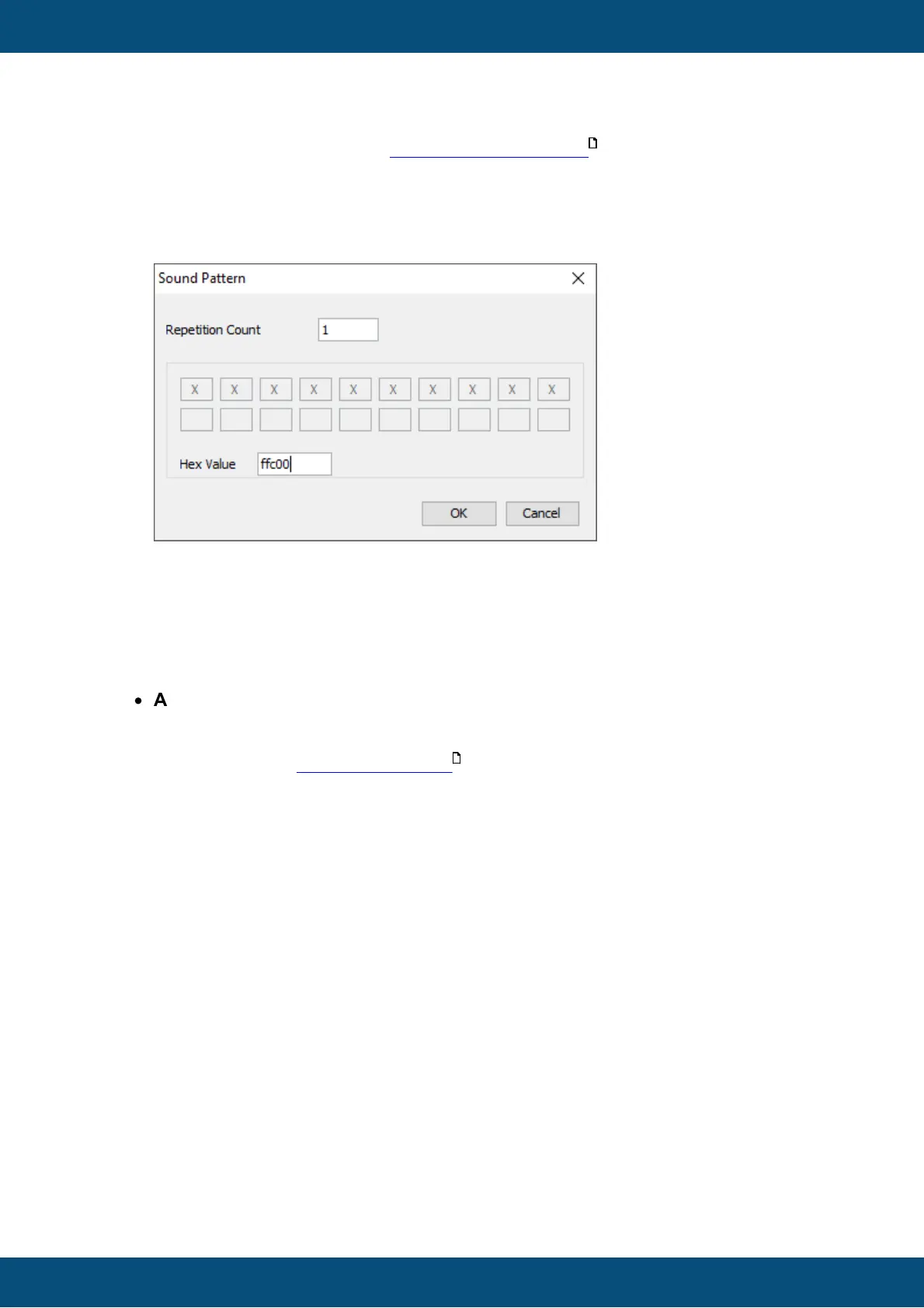
or alarm) and the value of the beeper volume variables . A sound pattern consists
of the number of of repetitions and a bit coded pattern of on/off states. In the dialog
that pops up when changing this property, the pattern can be defined by clicking on
the boxes.
Each box represents 100ms of Beeper on or off. Note that the sound pattern also
works on devices with a speaker.
In the screenshot above, the pattern 0xffc00 was defined. In binary this is
11111111110000000000. This will switch the beeper on for one second and then off.
100ms ON, 100ms ON, 100ms ON, 100ms ON, 100ms ON, 100ms ON, 100ms ON,
100ms ON, 100ms ON, 100ms ON,
100ms OFF, 100ms OFF, 100ms OFF, 100ms OFF, 100ms OFF, 100ms OFF,
100ms OFF, 100ms OFF, 100ms OFF, 100ms OFF
The sound pattern can also be directly entered as a hexadecimal value.
·
Audio Output: Here you can configure an audio file that will be played when the
alarm is shown (only if the target device is equipped with an internal sound card
(internal speaker and/or line-out)). For a detailed description of the Audio Output
configuration see Events and Actions
You can define a new alarm template by clicking the "New" button. A new alarm template
with a pre-set name will be created. You can change all the above properties for that alarm.
You can change the priorities of alarm templates. If several alarms are active at the same
time, alarms with a higher priority are shown in front. For alarms with the same priority
showing at the same time, you can set at "Queue Organisation" whether the older or the
newer alarms are shown in front.
You can also define which key shall be used as the "Escape" key.
The device can log alarms. To enable alarm logging, click on "Enable Alarm Log". You can
then set which events you want to log. You can also set whether you want to log all alarms or
us a ring buffer. If you use a ring buffer, you can set the number of alarm events that you
want to log.
Note: Alarm logging is only enabled when the variable @LogLevel is set to a value > 0.
Note: Logging for each alarm instance can be enabled or disabled. Simply enable or
disable the property "Log this Alarm" in the properties of the alarm.
The following options are available for alarm logging:



 To Next Page