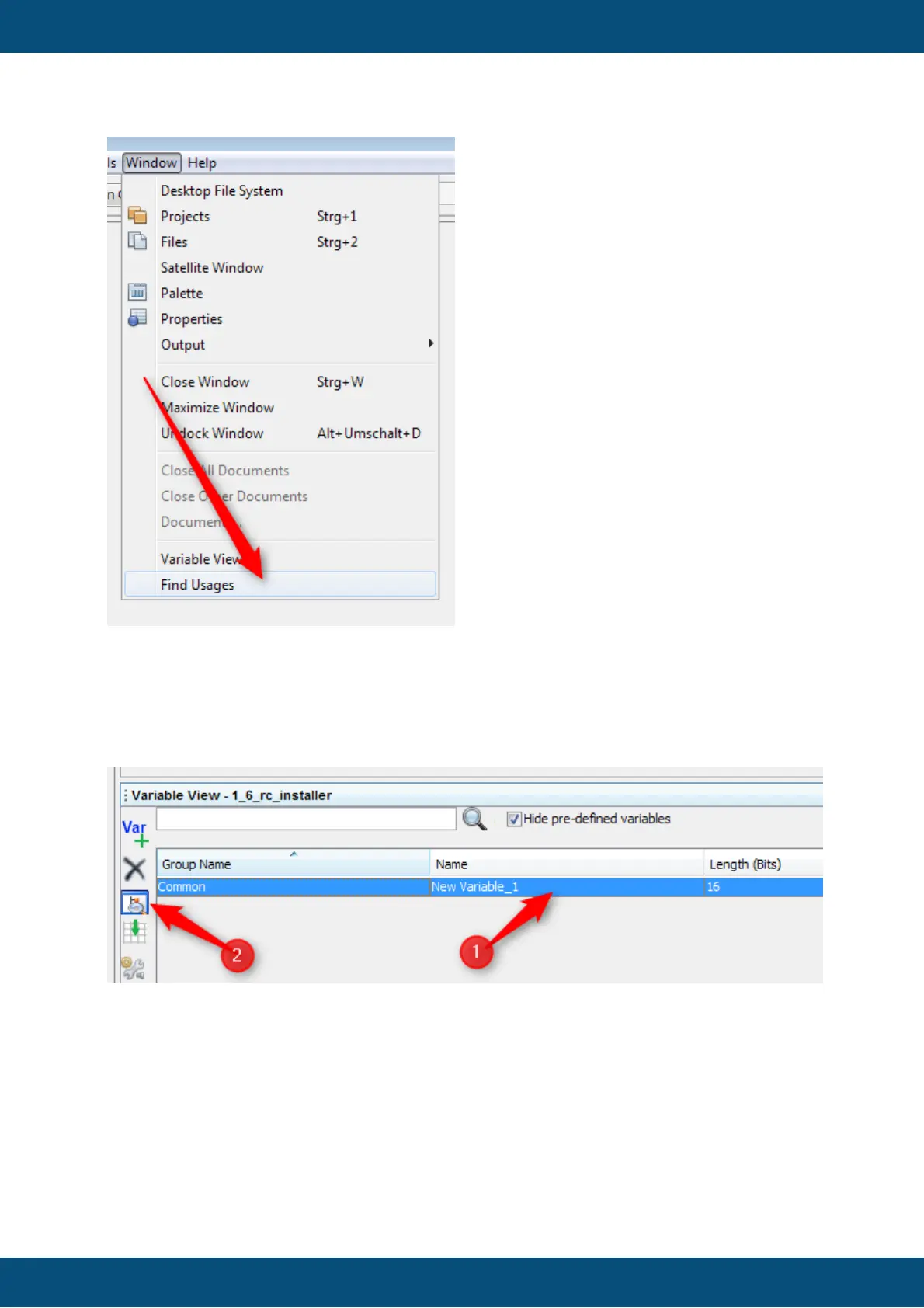
Find usage is started through the variable view on the bottom of the program. First select a
variable (1) and than click the find usage icon (2) or, alternatively, right-click on the selected
variable and choose "Find Usages of Variable" in the context menu.
Now the view on the left top side changes. Beginning with the root node of the project (1)
you can see the complete tree down to the leafs (3,4).



 To Next Page