152
OPUS Projektor Manual
User Interface
By right-clicking the object in the project tree or in the scene and choosing the category Z-
Order.
Then the object can be set
- one step to the front (Level Up)
- one step to the back (Level Down)
- into the background (Bring To Back)
- into the foreground (Bring To Front)
2.
By using the Level Down and Level Up buttons in the page editor.
3.
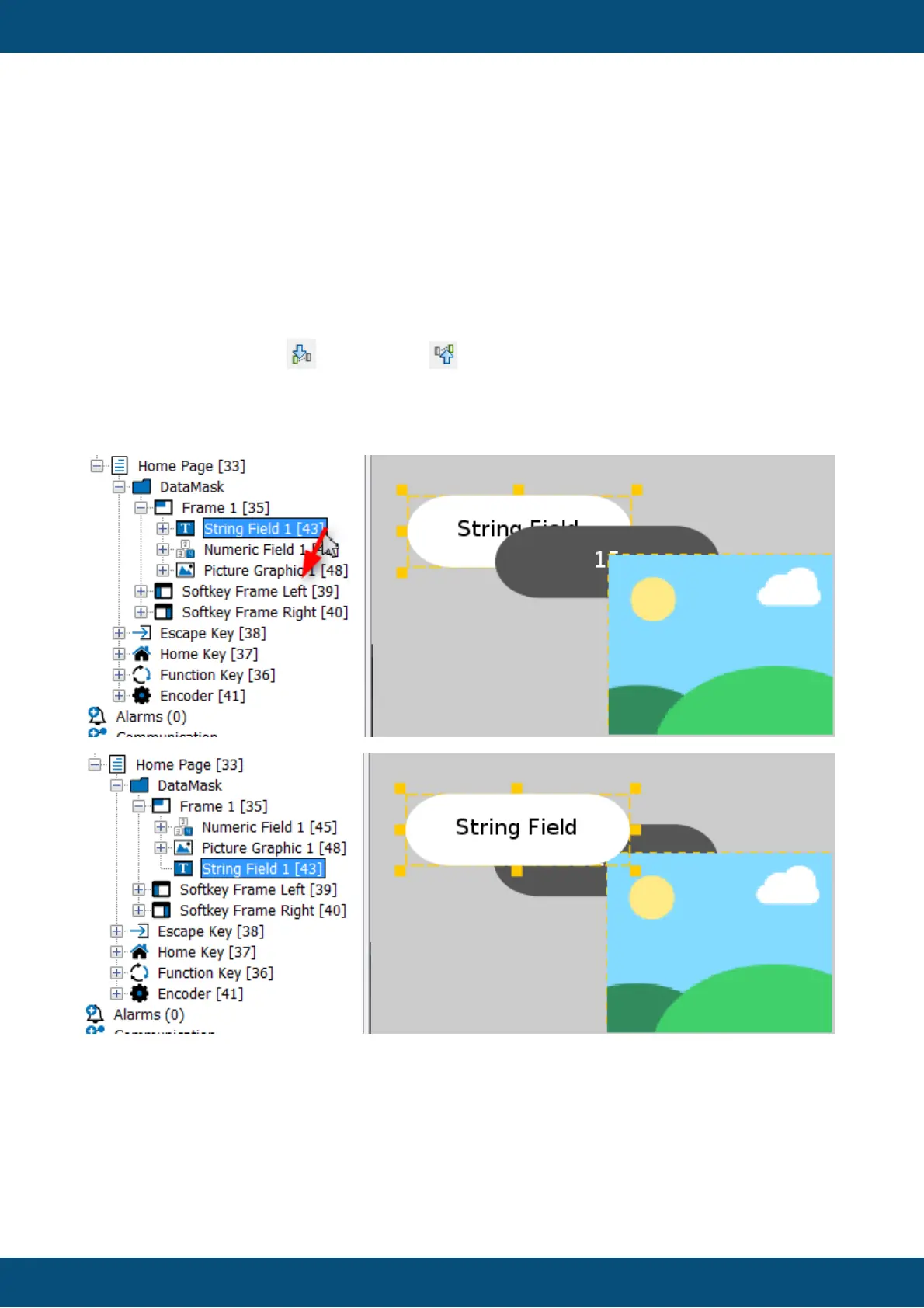
By dragging and dropping an object in the project tree.
The Z-Order in a page also influences the order that input objects are selected with the
encoder.
There is a property called "Roll Over" that can be accessed with JavaScript. If set to true for
input objects like Numeric Fields, turning the encoder beyond the absolute value limit will roll
the value over to the absolute minimum value. For frames, it will switch from the "last" object
on the page back to the first one.



 To Next Page