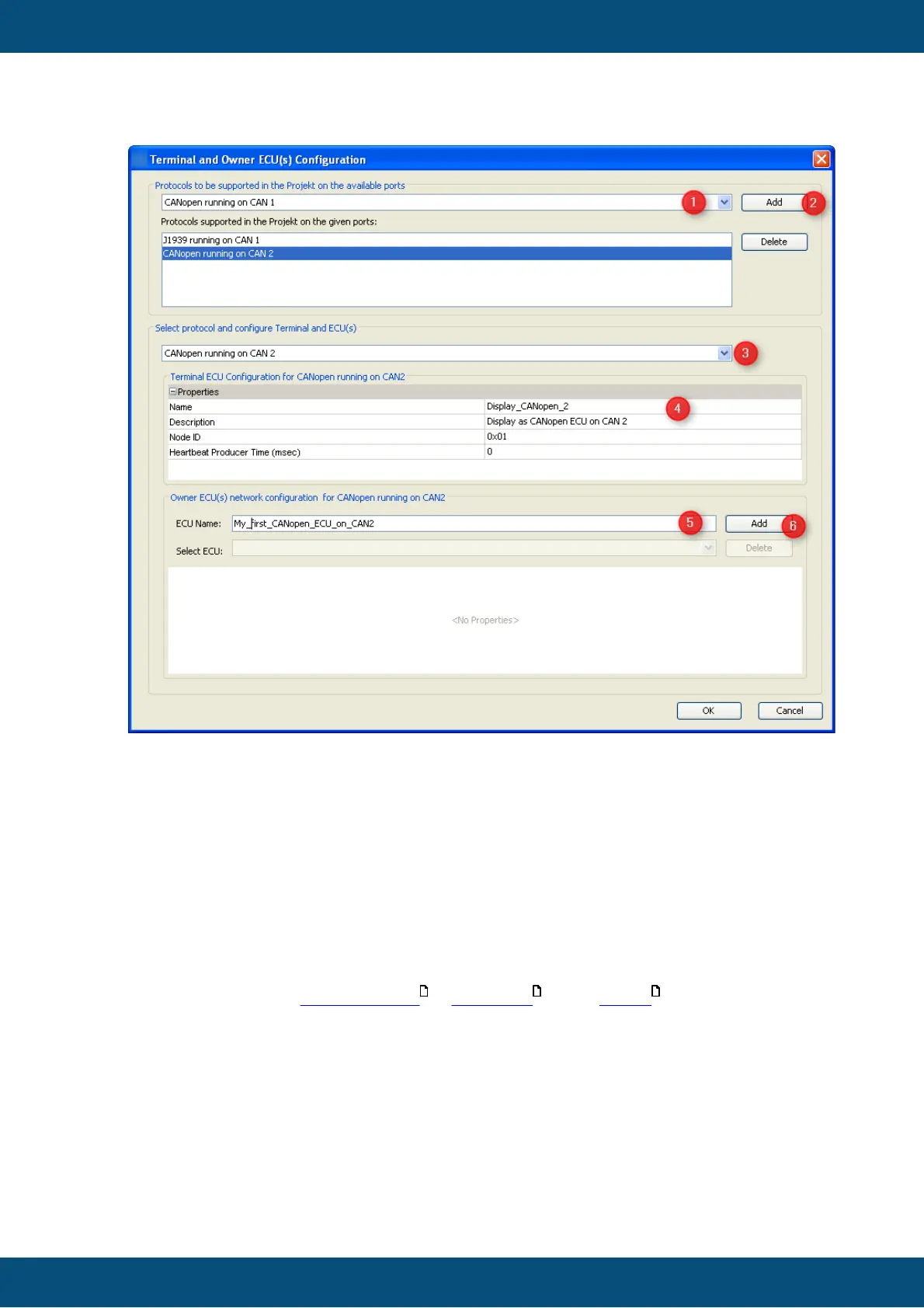
1. Select additional protocol and port it should run on.
2. Press "Add".
3. The new protocol will be selected automatically. In order to modify settings of an
existing protocol select it here.
4. Edit display's properties for the protocol - these typically define how the display
can be identified on the bus.
5. Type name of an ECU
6. Press "Add" in order to add new ECU to the protocol selected.
7. Edit properties of new ECU
Note: This only describes the general approach of adding CAN ECUs as variable
owners. Detailed descriptions about their properties can be found in the pages of the
respective protocols: CAN Freestyle , CANopen and J1939 .
The description above describes remote variable owners providing their variables via CAN
bus.
Another source of variables are other programs running on the display. These are
configured in "Process Configuration" dialog.
Again there are two ways to open this dialog.



 To Next Page