166
OPUS Projektor Manual
Variables
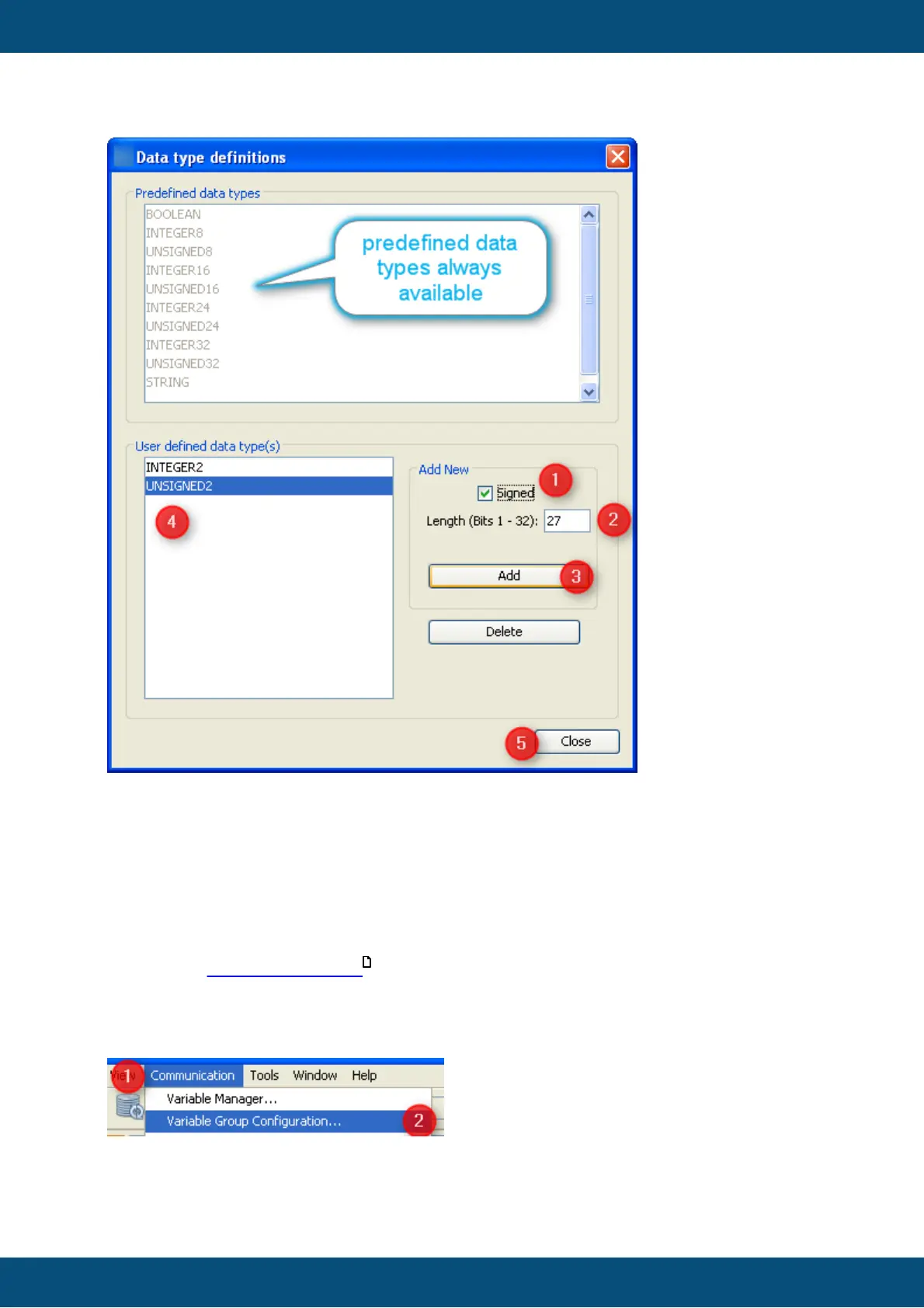
1. Check "Signed" if you need an additional signed data type.
2. Type the length of the new data type in bits.
3. Press "Add" button to add your new data type to the GUI definition.
4. New type will appear in this list (for our example it would be "INTEGER27").
5. Press "Close" button once you're finished adding and deleting variable data types.
Create and Maintain Variable Groups
As stated in general description it is good practice to organize variables in groups to
support maintenance once there are more than a few of them.
There are two ways to open the "Variable Groups Configuration" dialog.
Open Variable Groups Configuration from Menu
1. Open "Communication" menu.
2. Select "Variable Group Configuration..."
154



 To Next Page