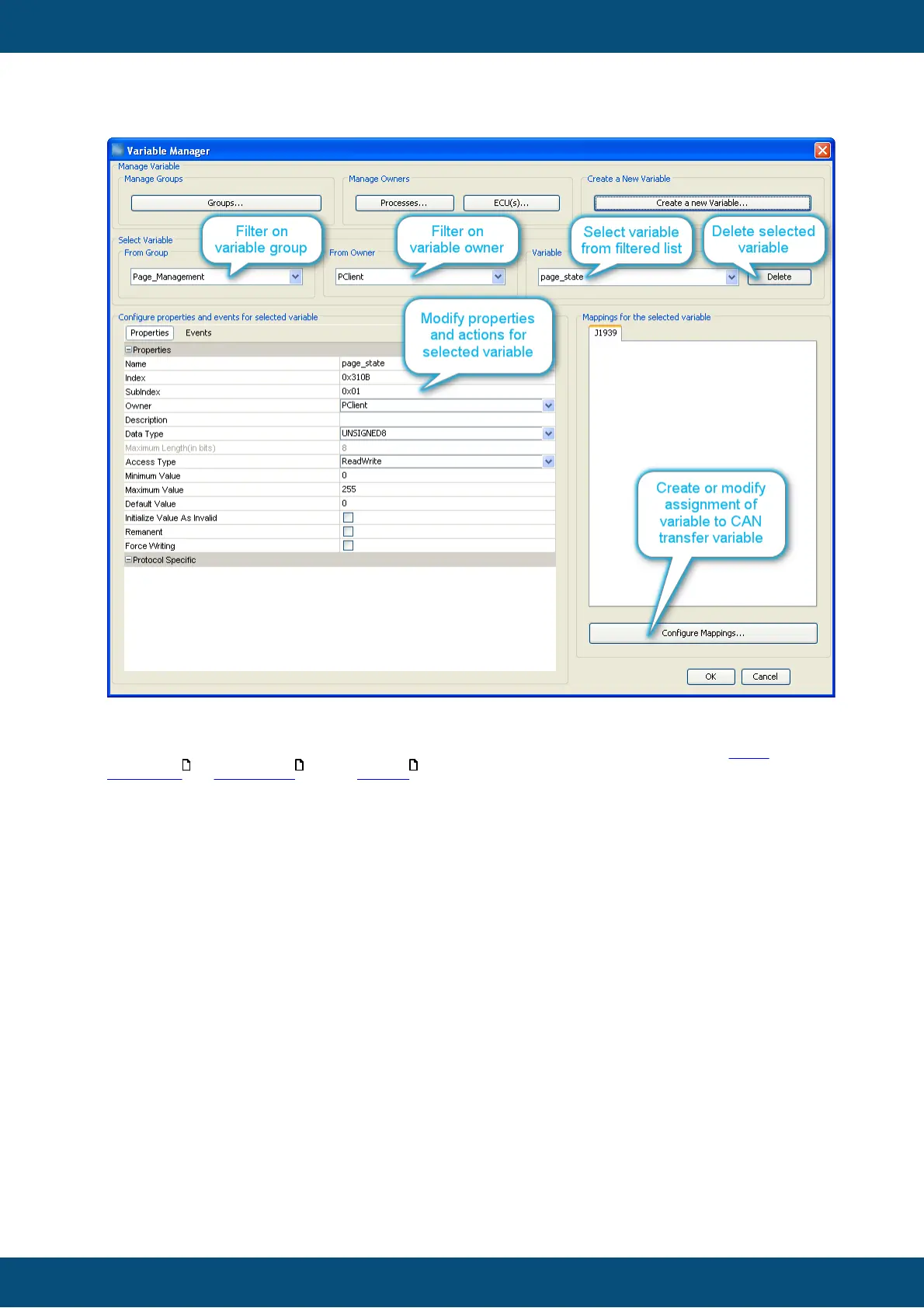
The rest of this page explains properties and actions for variables.
The filters mentioned in the image above should be self-explanatory.
The configuration of CAN mappings is explained with the CAN protocols, see CAN
Freestyle , CANopen and J1939 .
Properties
Name
The name of a variable is used to identify the variable within the program mainly. In order
to find a variable in this dialog, attach it to a DDO or use it in a script this name is
required.
Therefore it is recommended to use a logic naming convention that will support working
with variable. This will not only help you in your work but also others using it in the future -
think of maintenance and maybe even our support team helping you with this GUI
definition at some point of time.
Index
On the display side index and subindex are the main criteria to identify a variable - so it
has to be unique within the GUI definition.
If you should use CANopen this value is directly exposed in the EDS file describing the
object dictionary. Therefore the value range for index is limited to the proprietary range
of CANopen indices. Range 0x2000 ... 0x2FFF is reserved for predefined variables so
that your own variables can occupy the range 0x3000 ... 0x5FFF.



 To Next Page