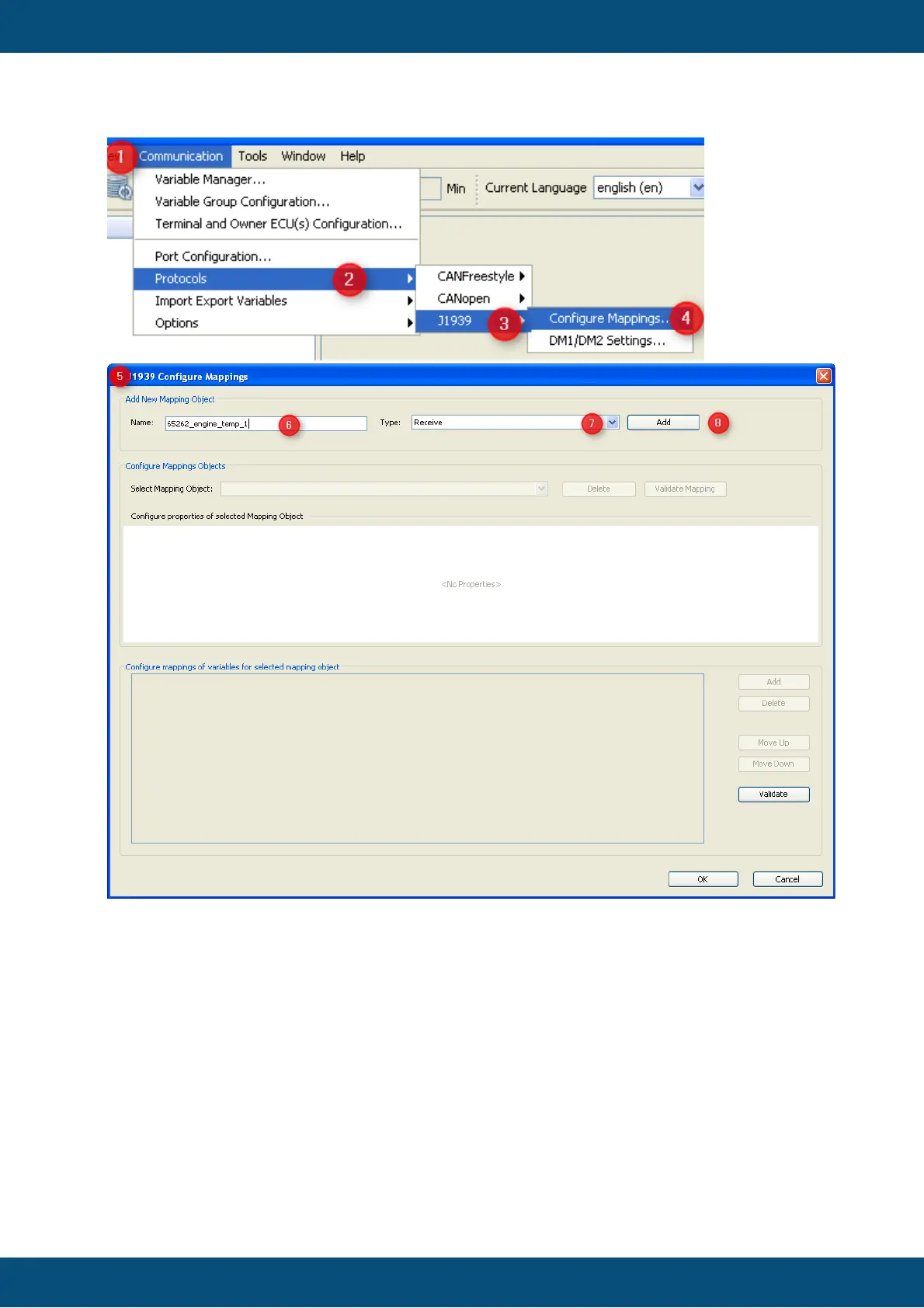
1. Open menu "communication".
2. Select "Protocols".
3. Choose "J1939"
4. Select "Configure Mappings ...".
5. The "J1939 Configure Mappings" dialog will pop up.
6. Type the name of your PGN mapping - in the example we want to define PGN 65262
"Engine Temperature 1" defined in J1939-71
7. Select type "Receive" if the display should fetch values from CAN bus and "Transmit"
if the display should send out values.
8. Press "Add" to create the new mapping.



 To Next Page