Note: The last condition allows covering multiplexed PGNs by defining a separate
mapping for each value of the multiplexer
Note: Message length is only compared if less than 8 bytes are defined. For messages
with flexible size or other reason to ignore length, make sure configure the length of the
message to a value >8.
Assume we want to complete the definition of our "Engine Temperatures 1" PGN so that
we can get the coolant temperature from it.
We only have to add the definition of the "engine coolant temperature" value. The length of
the message is defined in the message length property.
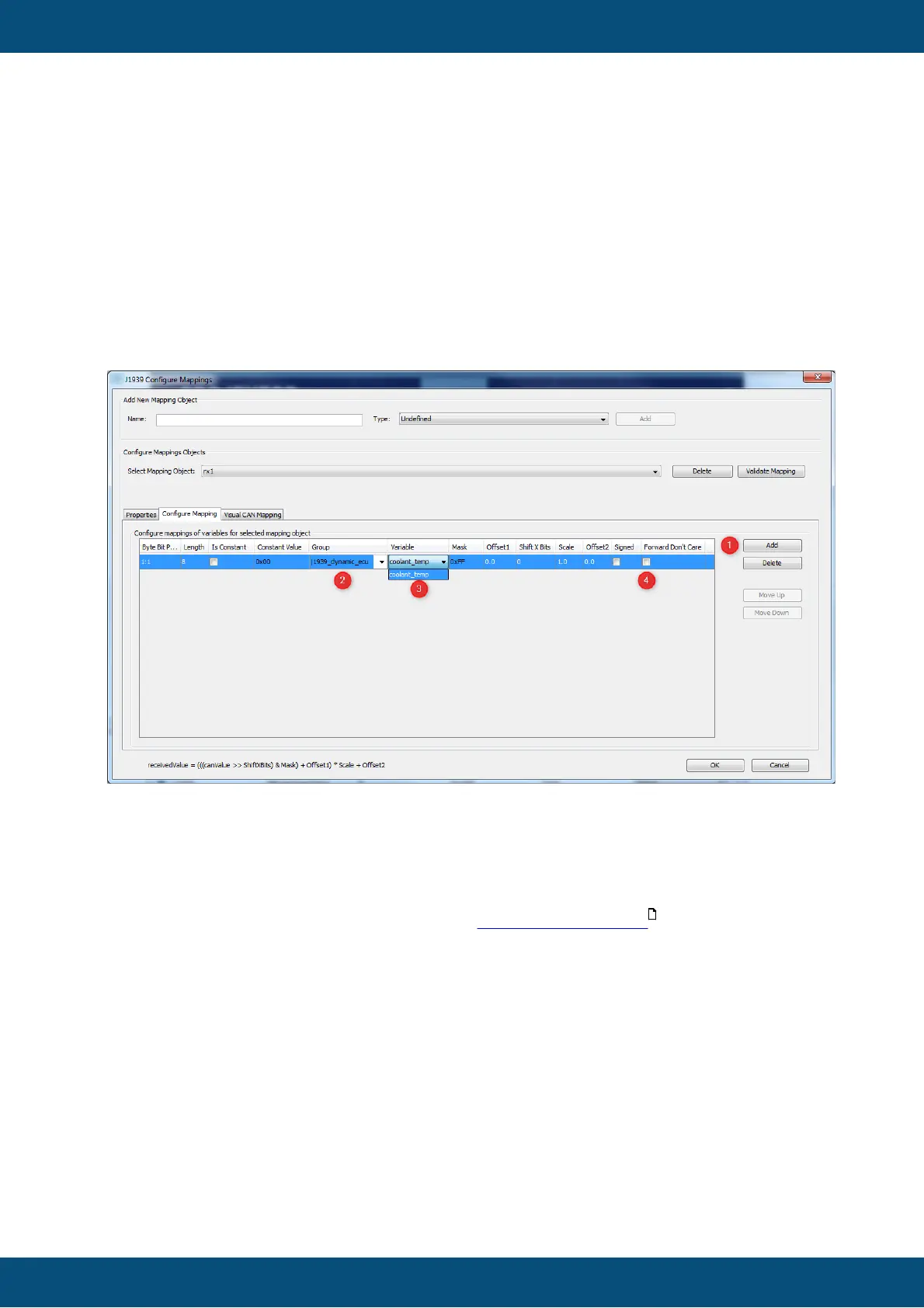
1. Press "Add" button to add a line to the mapping.
2. Select the group of the variable to map.
3. Select the variable itself.
After doing this the properties in the line adjust to the variable definitions made earlier e.g.
the length is set to 8 bits and the mask is set to 0xff meaning all the bits will be taken.
The variable mapping can also be done in the Visual CAN Mapping .
Please note, for J1939, if in a variable all bits are set to 1, this is defined as "don't care" in
most cases. Therefore, if a received messages contains all 1s for a variable, this variable
will not be written with that value. If the variable should still be set with that value of all 1s,
activate the option "Forward Don't Care" (4).
The following settings can be made for each variable added to the mapping:
Byte Bit Position
Position is shown as byte#:bit# where byte 1 is the byte closest to the CAN identifier and
bit 1 is the least significant bit of a byte. I.e. full CAN message starts with byte 1 directly



 To Next Page