575
OPUS Projektor Manual
Functionalities
At run time, the day / night mode can be switched with the variable @CurrentThemeIndex
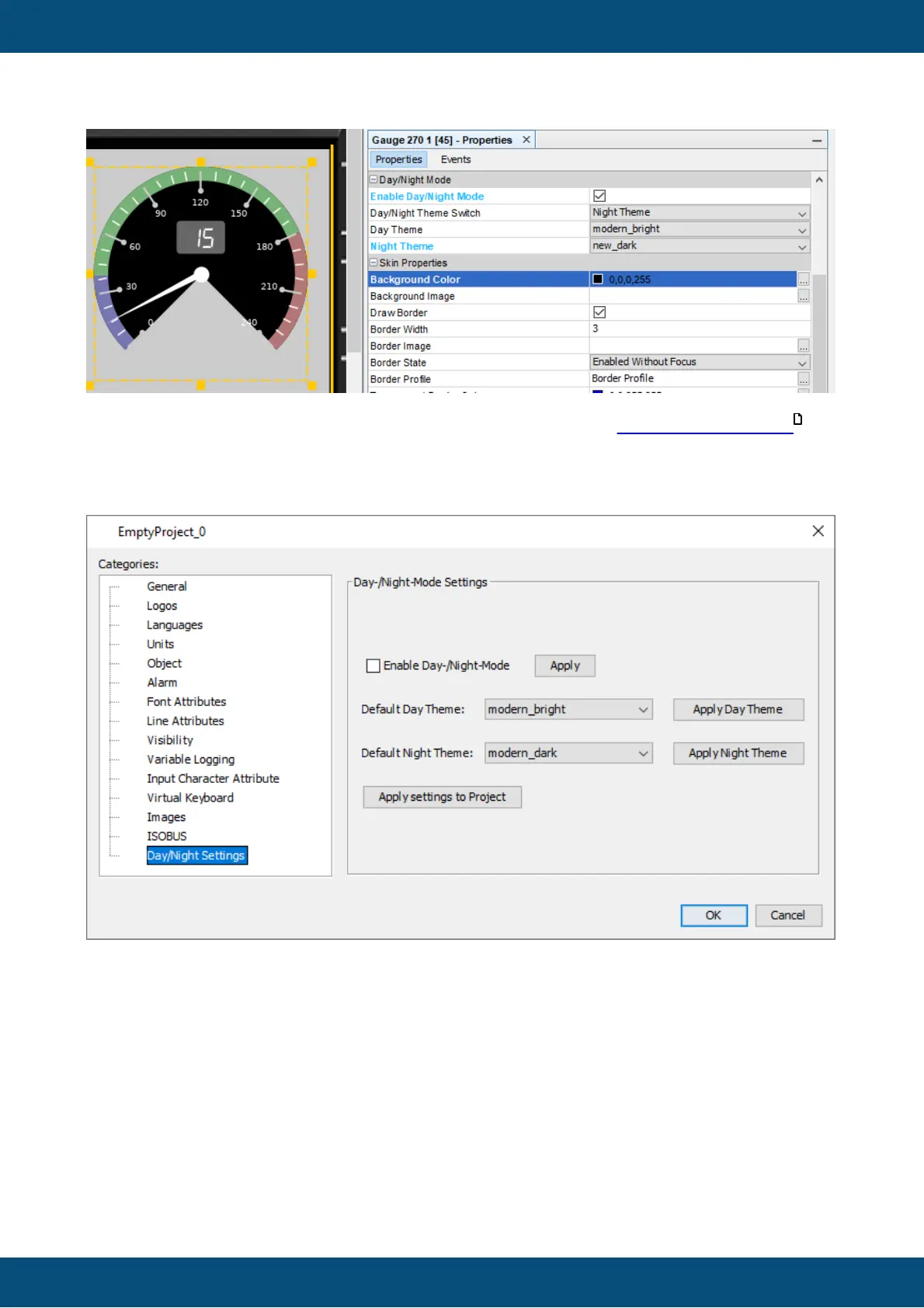
Project Properties Settings
The following settings can be made in this dialog:
Enable Day/Night Mode (for newly created objects)
When this box is checked, new objects will have Day/Night Mode enabled by default.
Apply "Enable Day/Night Mode" to Project
When this button is pressed, ALL existing objects in the project will have Day/Night Mode
enabled, with their current Day and Night Theme set in their properties.
Default Day Theme
This selection will be the default Day Theme for newly created objects
174



 To Next Page