CSV import
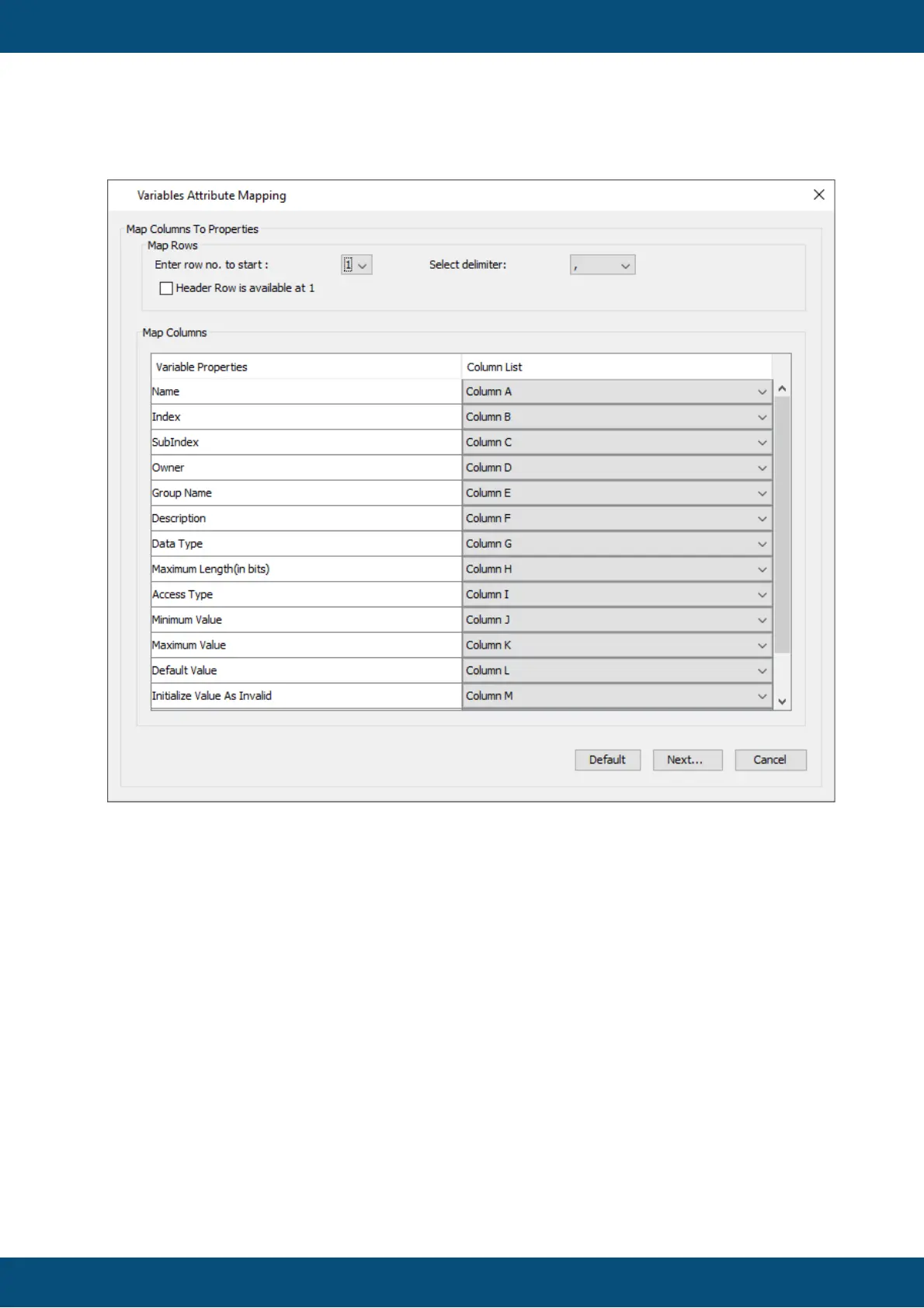
In this dialog the structure of the CSV file has to be specified.
- Enter row no. to start: Select the row in the .CSV file where the variable information starts.
- Header Row is available at 1: If the .CSV file contains a header, check this box. The row
to start should include the header row
- Select delimiter: Select the delimiter used in the .CSV file.
- Map Columns: Match the columns of the .CSV file with the necessary variable properties.
Press Default to revert the mapping to the default setting.
The default columns for the .CSV file are:
Variable;Index;Sub-Index;Owner;Group;Property_Description;Data-Type;Length;Access
Type;Min Val;Max Value;Default Value;Initialize Value As Invalid;Remanant;Force writing
Press the button Next... to continue. Press Cancel to stop the process.
In this dialog it can be specified which variables from the source should be imported.
In the Tree view you can select the variables or variable groups for import.



 To Next Page