605
OPUS Projektor Manual
Simulations
The left side of the status bar shows some importand status messages, e.g. when the
connection to PClient is lost.
On the right side the connection status to PClient is displayed.
Saving and loading settings
The default settings for a project are loaded automatically when starting the variable
simulation and a connection to PClient was successful. The default settings will be saved
individually for each project.
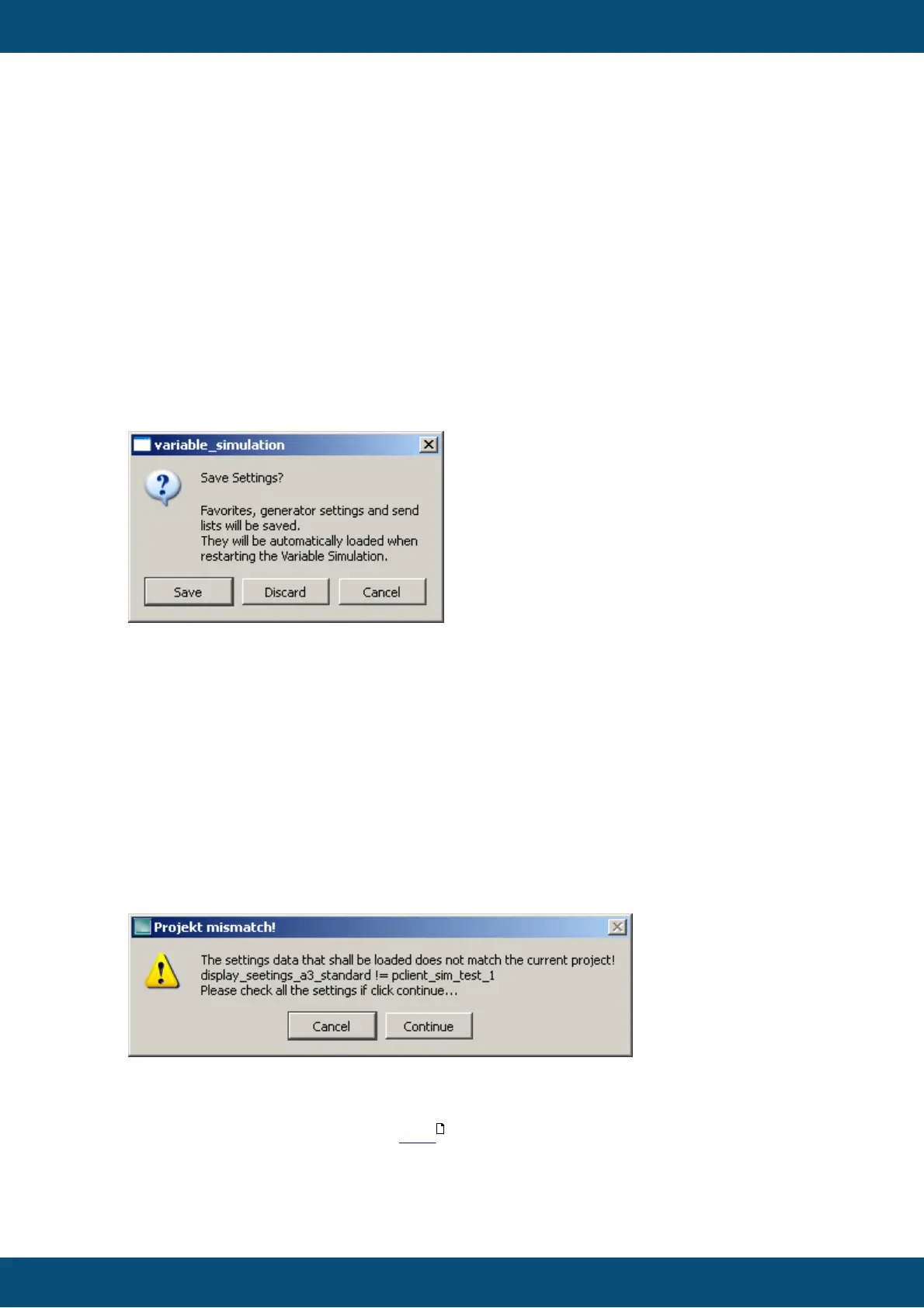
Each time a setting was changed and the variable simulation is closed, the user will be
asked if the changed settings shall be saved. This close operation can then be
cancelled, the settings discarded or saved.
The current settings can also be stored as default settings via File -> Save as Default.
The default settings can also be loaded manually via File -> Load Last Default.
Note: When starting the variable simulation again from within the tool, it will be restarted
and any changed setting will be lost!
Saving settings as a file and loading from a file
It is possible to save the current settings in a file via File -> Save Settings As. A file
dialog will appear where the save directory can be chosen and a file name for the
settings file can be specified. Name and suffix of the file are not important.
A saved settings file can be loaded by File -> Load Settings. A file dialog appears in
which the settings file that shall be loaded can be selected.
If a settings file is loaded that was saved from another project, a warning will be
displayed.
FAQ
For frequently asked questions click here .
616



 To Next Page